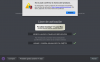
"Your Product Activation Key Reached Its Activation Limit..."

Gamesurgeon

Bit poster
Hello,

I am facing an issue activating Parallels 9 on a newly purchased Macbook Air. I'm a software engineer, and I change computers every few months depending on the job at task. I've never been able to "deactivate" my parallels activation on any of these previous computers since there is no option to do so; however, I re-format these computers before selling them (if they're mine), or the company to which the laptop belongs does so (note: I uninstall my programs on these computers before handing them back). This way, my software licenses are used only by me.

Long story short: I switch computers a lot because my job requires it, and now Parallels is yelling at me because I activated my license too many times. I have yet another new computer for work, and I cannot activate Parallels on this machine.

I've been using Parallels for a number of years, and buying another license is not an option. I will undoubtedly continue to have to switch computers at least once a year. If that means contacting customer support once a year, I'm fine with that. However, I can't find a phone number or email address to contact, so any help from a representative would be much appreciated...

I cannot request a trial license either, since it keeps showing an exclamation mark next to my email address. I'm effectively unable to use the software I paid for.

Thanks,
 
Last edited:
Hello Parallels Support,
I have just upgraded to a new 3 mac and must reactivate Parallels 11 on that machine. Can you please deactivate 1 of my 3 licenses key for my old mac so I can use it on my new mac. Thanks. @jesuscandal
 
Hello Support,
I just had my logic board replaced in my MacBook Pro and now I can't get into my Parallels 9 Desktop. I get message that "your product activation key reached its limit". Please help
 
I need to xfer my activation form Parallel Desktop 11 from old iMac to a new Mac. I thought deactivate from old and reactivate on new should be simple and straight ]forward, but that is not the case. How do I?

I tried online help, but that does not seem to work.

$ prlsrvctl deactivate-license
Failed to deactivate the license: Unable to deactivate the product. Your type of license cannot be deactivated.

I keep getting the following on the new mac.
"Your Product Activation Key Reached Its Activation Limit..."
 
Hello Parallels Support,
I have just upgraded to a new 3 mac and must reactivate Parallels 11 on that machine. Can you please deactivate 1 of my 3 licenses key for my old mac so I can use it on my new mac. Thanks. @jesuscandal
Ok, but please let us know on which Mac you would like to deactivate your license: MacBook or one of iMac?
 
Hello Support,
I just had my logic board replaced in my MacBook Pro and now I can't get into my Parallels 9 Desktop. I get message that "your product activation key reached its limit". Please help
Hi, we've change the internal settings of your key, now you can activate it on you new Mac.
Please also check you inbox for more information about your keys.
 
I need to xfer my activation form Parallel Desktop 11 from old iMac to a new Mac. I thought deactivate from old and reactivate on new should be simple and straight ]forward, but that is not the case. How do I?

I tried online help, but that does not seem to work.

$ prlsrvctl deactivate-license
Failed to deactivate the license: Unable to deactivate the product. Your type of license cannot be deactivated.

I keep getting the following on the new mac.
"Your Product Activation Key Reached Its Activation Limit..."
Hi the $ prlsrvctl deactivate-license doesn't work for the Parallels Desktop 11, we've change the internal settings of you key, please check the issue.
 
Hello.. I am also experiencing the same issue and would appreciate some assistance here - support ticket 2169702.
I bought the licence upgrade to 11 version on the past August. My product is in Spanish, the message is:
 

Attachments

  • Captura de pantalla 2015-09-17 a las 8.24.39.png
    Captura de pantalla 2015-09-17 a las 8.24.39.png
    114.8 KB · Views: 2
Sadly after many many years its time to bid Parallels goodbye. Their licensing policies go back to the dark ages. I have just spent another hour getting my activation code reset after restoring my operating system. Since I beta test operating systems I am constantly load and reloading and each time I get the infuriating excess activations block. Since Parallels management seem not to care one jot about this matter, it is time to look elsewhere. Farewell!
 
Hello.. I am also experiencing the same issue and would appreciate some assistance here - support ticket 2169702.
I bought the licence upgrade to 11 version on the past August. My product is in Spanish, the message is:
Please completely uninstall the Parallels Desktop 11 using this KB and then execute the following command in Terminal:

sudo rm -rf /Library/Preferences/Parallels/licenses.xml

Then install the Parallels Desktop application and check the issue.
 
Hello everybody.

Sad to hear that there's a lot of people with the same problem as mine. Maybe Parallels should consider change this policy.

Ok, I have the same problem here. New mackbook pro 2015 with the same license issue.
Can you guys please help me with that?
Support Ticket: 2170340
 
I wiped my other computers that had Parallels installed and I got a new computer and its telling me that I've reached the maximum number activations?! I bought this through my University Online Store, do I need to register a complaint with them, or can you help me??
 
Hello everybody.

Sad to hear that there's a lot of people with the same problem as mine. Maybe Parallels should consider change this policy.

Ok, I have the same problem here. New mackbook pro 2015 with the same license issue.
Can you guys please help me with that?
Support Ticket: 2170340
Hi, I've checked you're support request, and our Support Team already reset it. Please check the issue and let us know the results.
 
Back
Top