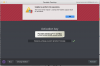
"Your Product Activation Key Reached Its Activation Limit..."

I seem to be in a similar situation to all these people.
On 8/19/15, I purchased "Parallels Desktop for Mac Pro Edition Upgrade". I've been running a Windows 10 VM, no problem. Yesterday, I replaced my Macbook Pro and restored my Time Machine backup to the new laptop. The first time I launched Parallels, I saw an alert that an update to Parallels 11 was available, so I allowed it to download and install. Then, I was presented with an "Activate Parallels Desktop" dialog... since I had purchased an annual subscription, I thought asking me again for my key was rather rude, since I had already registered and activated the key. But I entered the key as requested, then saw an alert that told me my product license had reached its activation limit. Come on guys!! Help me get up and running on my new mac, please!

--Bill
Hi, we've deactivated it for you. Please check.
 
Hello.
Last month I purchased Parallels Desktop for Mac Pro Edition Upgrade.....I've been purchasing upgrades to Parallels desktop since version 3. This year I decided to buy the pro subscription. It was my understanding from the marketing for the Pro edition, that you could install it on multiple (up to 5?) computers. I have 3 Macs, but it won't let me activate more than one. I get the "your product activation key has reached its activation limit".....am I misunderstanding how this is supposed to work?
 
Pls. I have the same problem, o my new iMac I can't activate my parallels desktop 10 because of the limit of activations reached.........
Can you help me?
Thanks
Robert
Hi, I've checked the internal settings of your license. Please check you inbox for more information.
 
Hello.
Last month I purchased Parallels Desktop for Mac Pro Edition Upgrade.....I've been purchasing upgrades to Parallels desktop since version 3. This year I decided to buy the pro subscription. It was my understanding from the marketing for the Pro edition, that you could install it on multiple (up to 5?) computers. I have 3 Macs, but it won't let me activate more than one. I get the "your product activation key has reached its activation limit".....am I misunderstanding how this is supposed to work?
One license, one computer, PERIOD!!!
(Fusion allows 3 computer to use a single license even on their base edition).
 
Hey there, I also wanted to move my licence from my old MacBook to my new iMac (deactivate on MacBook, activate on iMac). No chance, there´s no license file or anything else to deactivate on the old device. Is the license really linked to a unique hardware?

--Markus
 
Hey there, I also wanted to move my licence from my old MacBook to my new iMac (deactivate on MacBook, activate on iMac). No chance, there´s no license file or anything else to deactivate on the old device. Is the license really linked to a unique hardware?

--Markus
Hi, yes, you're right, the license is linked with Mac Hardware. We deactivate your license, check the issue and move license to your iMac.
Let us know if you have any questions.
 
Hey there, I have activated my Parallels 11 update licence on the wrong computer... It need to be on my Macbook not on my Mac mini. Is it possible to deactivate my actual licence, to make me possible reactivate it on my laptop? How is it possible to do that?
Thanks,
Simon
 
Hey there, I have activated my Parallels 11 update licence on the wrong computer... It need to be on my Macbook not on my Mac mini. Is it possible to deactivate my actual licence, to make me possible reactivate it on my laptop? How is it possible to do that?
Thanks,
Simon
Hello @Tricomatic Hi, please provide us with your license keys in private messages.
 
I'm having the same issue
Hi, please try logging into Parallels account, click here to login. Go to Parallels Desktop Licenses >> Add the activation key for Parallels Desktop 11 for Mac. Then launch Parallels Desktop application and sign in to your account from the Parallels wizard, it will ask you to enter the Parallels Desktop 11 activation key again, please enter and activate. Hope this process works.
 
Hi Keith, please try the steps suggested as above.
This doesn't work - the message is, "License Key is already registered to your account"

The question is very simply for me, I was able to use Parallels 10 on my two work machines, and it appears that 11 Pro I have been blocked from doing this. Are we able to use the subscription based account on two computers like Parallels 10?

Thanks
 
Dhruba,

Did the above - still same issue.

I logged into my account and it's showing that I can only install on 1 host, is that the problem? Your compare page says unlimited hosts for the new Pro version.

I am currently using the Trial version to get some work done - but I need this resolved.
 
Back
Top