
Install the app
How to install the app on iOS
Follow along with the video below to see how to install our site as a web app on your home screen.
Note: This feature may not be available in some browsers.
You are using an out of date browser. It may not display this or other websites correctly.
You should upgrade or use an alternative browser.
You should upgrade or use an alternative browser.
Reset license key in order to activate on new Mac
- Thread starter JulienW1
- Start date
Hello,
I have license for Parallels 11. My laptop has broken once, and now broke again, so I've had to throw in the hd always to new frame in order to continue. Parallels announces me that I have exceeded the times my license can be actives. Am I forced then to buy again a new license? I have no will to upgrade either because this version and everything is set for my use and don't really want to disturb working system.
I have license for Parallels 11. My laptop has broken once, and now broke again, so I've had to throw in the hd always to new frame in order to continue. Parallels announces me that I have exceeded the times my license can be actives. Am I forced then to buy again a new license? I have no will to upgrade either because this version and everything is set for my use and don't really want to disturb working system.

Hi @AkiS1, we have reset the license key limit. Please restart Parallels Desktop to reactivate the same key. Thanks!Hello,
I have license for Parallels 11. My laptop has broken once, and now broke again, so I've had to throw in the hd always to new frame in order to continue. Parallels announces me that I have exceeded the times my license can be actives. Am I forced then to buy again a new license? I have no will to upgrade either because this version and everything is set for my use and don't really want to disturb working system.
Hi @AkiS1, we have reset the license key limit. Please restart Parallels Desktop to reactivate the same key. Thanks!
Solved the problem! Thanks!
Hi @AkiS1, good to know that it fixed the issue!Solved the problem! Thanks!
Dear Parallels. I purchased parallels 10 some years ago and subsequently paid for the upgrade to parallels 11. My Mac mini has now died and I've purchased a, new to me, replacement Mac. Is there a way to reactivate my Parallels 10 and 11 upgrade for use on my new mac as when I try to use my license key I am told I have reached the maximum number of activations

Maria@Parallels
Problem solver
Hello, please check the issue.Dear Parallels. I purchased parallels 10 some years ago and subsequently paid for the upgrade to parallels 11. My Mac mini has now died and I've purchased a, new to me, replacement Mac. Is there a way to reactivate my Parallels 10 and 11 upgrade for use on my new mac as when I try to use my license key I am told I have reached the maximum number of activations
We've made some changes of your key
Maria@Parallels
Problem solver
Done, please check the issue.I had to reinstall my os multiple times. Can you reset my license key for parallels 8
ParallelsU130
Member
I'VE POSTED WITH THE SAME ISSUE. WHY HAVEN'T YOU REPLIED "MARIA"?Done, please check the issue.
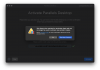
Yes I have the same issue. Parallels 13 and says the specified video memory size is invalid and that I need to change it but I can't because I have the yellow banner that wont let me change anything. Says to resume video then exit, but I can't watch the video its still suspended
Same issue. I have a Pro license. Sold my old Mac computer and wiped it before delivery so I know Parallels isn't being used on my license. Installed it on my current Mac, tried to launch and got a new circle of Hell saying I've reached my activation limit.
Why all the hostility? I didn't notice any issues taking my money this year.
Why all the hostility? I didn't notice any issues taking my money this year.
Attachments
Maria@Parallels
Problem solver
Hi, does the issue still persist?Parallels Desktop for Mac Subscription License Keys (2)
Hello, I have a problem with activating Parallels on the new MacBook Pro M1, I get a message that the activation limit has been reached. On the iMac, only the problem is with the M1
If yes, could you provide us with your license key via the private message please?
Maria@Parallels
Problem solver
Hi, we've made some changes with your key, please check the issue.Same issue. I have a Pro license. Sold my old Mac computer and wiped it before delivery so I know Parallels isn't being used on my license. Installed it on my current Mac, tried to launch and got a new circle of Hell saying I've reached my activation limit.
Why all the hostility? I didn't notice any issues taking my money this year.
Maria@Parallels
Problem solver
Hello, please sorry for the inconvenience caused, I didn't find any license key associated with your account cem.ri***@gmail.comI'VE POSTED WITH THE SAME ISSUE. WHY HAVEN'T YOU REPLIED "MARIA"?
Could you provide us with your license key via the private message please?
Maria@Parallels
Problem solver
Hello, could you provide us with the screenshot of the issue please?Yes I have the same issue. Parallels 13 and says the specified video memory size is invalid and that I need to change it but I can't because I have the yellow banner that wont let me change anything. Says to resume video then exit, but I can't watch the video its still suspended
Maria@Parallels
Problem solver
Hello,i am having the same issue. it's quite frustrating. can someone please help me?
we've checked your account ariana*****@gmail.com and found only Parallels Toolbox license key.
Would you like to transfer your Parallels Toolbox license to the new Mac?