
After updating Parallels to Version 20.1.0 (55732) and Windows 11 VM to 24H2 (26100.2152), scrolling got extremely slow. It only moves the view a couple of pixels for each full turn of the mouse wheel. I found out that if I go to Device Manager in Windows, find the "Parallels USB Mouse Synchronization Device" and disable and enable it again, scrolling works fine until I restart the VM.
Optimize for Games setting nor editing <SmoothScrolling> element in config.pvs has any effect.
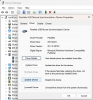
Optimize for Games setting nor editing <SmoothScrolling> element in config.pvs has any effect.


 So I suppose there's still something wonky happening that Parallels needs to figure out.