Parallels 11 activation on OS X 10.13.6 fails (Check your Internet connection)

Hi, we encounter the same problem. Internet Connection is fine (No Proxy, no ip adresses in etc/hosts.). The VM worked for Years, after a reboot of the physical machine Parallels Desktop V11 asks for Activation, when cklicking Check License we get the Error "Check your Internet Connection". We have now 4 days left to activate. This machine is hosting a virtual machine which is in production in a Hotel and we cannot afford any downtime! Thanks a lot for your help!
 
Hi, we encounter the same problem. Internet Connection is fine (No Proxy, no ip adresses in etc/hosts.). The VM worked for Years, after a reboot of the physical machine Parallels Desktop V11 asks for Activation, when cklicking Check License we get the Error "Check your Internet Connection". We have now 4 days left to activate. This machine is hosting a virtual machine which is in production in a Hotel and we cannot afford any downtime! Thanks a lot for your help!
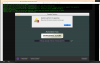
See also this screenshot. Help is really needed, tanks a lot.
upload_2024-10-25_9-3-4.png
 
Hello, I've encountered the same issue with Parallel, it doesn't allow me to activate the system. I have a valid user name and password, and my internet connection is fine. Can you help me, please
Hello.
Please check your personal message inbox.
We have sent to you the steps to follow.
Thank you!
 
Hello,

Thank. you for reaching out.

Please check your inbox. We have sent to you the instructions.

Thanks
Hi Avinash


Thanks a lot for your reply.

Is the upgrade also possible when the current Version stopped working due to missing activation on Monday? Why I ask: If we would do it today, there would be a downtime which we try to avoid, on the other hand on Monday most parts of the Hotel are closed and a downtime would not be so problematic.

Thanks a lot for your help which is much appreciated!.


Kind regards

Claude
 
Hello Avinash,
Can you please send me the instructions I am getting the same message, I removed Parallels 11 downloaded fresh and reinstalled still getting this "no internet" message.
 
Hello.
Please check your personal message inbox.
We have sent to you the steps to follow.
Thank you!

Hello Avinash,
Can you please send me the instructions I am getting the same message, I removed Parallels 11 downloaded fresh and reinstalled still getting this "no internet" message.
 
Hello Avinash,
Can you please send me the instructions I am getting the same message, I removed Parallels 11 downloaded fresh and reinstalled still getting this "no internet" message.
Hello,

Thank. you for reaching out.

Please check your inbox; we have sent the instructions to you.

Thanks
 
Hello Avinash
I have the same problem. My subscription has renewed automatically - it is paid- but does not activate. The grace period has started and there is one day left. I have reached out to Parallels Support and they have been unable to provide a solution, despite two attempts. Please help as quickly as possible. Thank you
 
SAME PROBLEM HERE. MY LAPTOP DIED. I ACQUIRED A DIFFERENT LAPTOP AND RESTORED WITH TIMEMACHINE. YES, MY LAPTOP IS OLD. SO WHAT!!! NOW WHEN PARALLELS DESKTOP 11 FOR MAC SPINS UP IT WANTS THE LICENSE KEY WHICH I ENTER BUT I GET THE SAME ERROR MESSAGE AS EVERYONE ELSE HERE DOCUMENTS.

PLEASE SEND ME INSTRUCTIONS ON HOW TO GET PAST THIS.
 
I am having the same problem. I lost internet connection from the Parallels And when I reinstalled it I keep getting this message "
Check your Internet connection and try again. If the problem persists, follow this link to register your copy of Parallels Desktop."
I really need this sorted. I have just replaced my Drive and have upgraded to 10.15.7 but still get the same error
 
I have the same problem, although with Parallels 9 and OS X 10.9.5
They are the same combination as when I first purchased.
please give me instructions.
 
same problem, was working fine, paid for an upgrade to the latest version and now unable to install as telling me their is no internet connection when there is due it seems to the mac running on an external ssd - which is very common as seen by all the people with problems.

perhaps @Avinash Bundhoo could send me the solution, either that or a refund
 
Back
Top