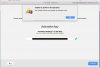
"Your Product Activation Key Reached Its Activation Limit..."

Gamesurgeon

Bit poster
Hello,

I am facing an issue activating Parallels 9 on a newly purchased Macbook Air. I'm a software engineer, and I change computers every few months depending on the job at task. I've never been able to "deactivate" my parallels activation on any of these previous computers since there is no option to do so; however, I re-format these computers before selling them (if they're mine), or the company to which the laptop belongs does so (note: I uninstall my programs on these computers before handing them back). This way, my software licenses are used only by me.

Long story short: I switch computers a lot because my job requires it, and now Parallels is yelling at me because I activated my license too many times. I have yet another new computer for work, and I cannot activate Parallels on this machine.

I've been using Parallels for a number of years, and buying another license is not an option. I will undoubtedly continue to have to switch computers at least once a year. If that means contacting customer support once a year, I'm fine with that. However, I can't find a phone number or email address to contact, so any help from a representative would be much appreciated...

I cannot request a trial license either, since it keeps showing an exclamation mark next to my email address. I'm effectively unable to use the software I paid for.

Thanks,
 
Last edited:
Hi MichaelB42. We have received your response over e-mail, as quoted below. Please post your responses directly in this thread henceforth (i.e., if you are seeing this message in your mailbox right now, then do not respond to this e-mail - just visit the thread you posted in before and provide your response there).
---------------------------------------------------------------------------
Thank-you -- this issue appears to be resolved.

cheers,

--Michael
---------------------------------------------------------------------------
Glad to hear that. Please reach out again when in need of further assistance.
 
Last edited:
Hello,
Before buying the licence key, I want to known if I can to reuse it the next future because I have to change my computer (probably august or september).
Best Regards
 
Hello, like everyone else I'm having difficulties with one of my license keys for Parallels version 13, and we have several. The one license in particular was exceeded because the machine it was used on had its HD wiped and everything re-installed (more than once....grrrr...), including Parallels.

Can you please reset activation key?

Thanks -Jody
 
Hello, like everyone else I'm having difficulties with one of my license keys for Parallels version 13, and we have several. The one license in particular was exceeded because the machine it was used on had its HD wiped and everything re-installed (more than once....grrrr...), including Parallels.

Can you please reset activation key?

Thanks -Jody
We have reset the license. As you have a Business license so you can deactivate the license on your account portal no need to contact support .
 
We have reset the license. As you have a Business license so you can deactivate the license on your account portal no need to contact support .

I'm trying to install my Parallels 11 license on a new laptop. I no longer have the old laptop and forgot to logout of the Parallels application. I'm getting the "Unable to confirm the product license" error message when trying to activate on my new laptop. Can you assist please?
 
Hello. I repair my Mac Book Pro (new motherboard and I/O board). Now it shows "This license is already in use...". Can you help me please to reactivate Parallels?
Thanks
Patrick
 
Hi there
I have just bought a new (ex-lease) Mac Pro and have installed Parallels 11 When I go to activate it, it says "Unable to confirm the product license. I have reached the maximum number of activations." I signed out of my old mac before doing this.
Can you please help?
Thanks
M
 
Hi there
I have just bought a new (ex-lease) Mac Pro and have installed Parallels 11 When I go to activate it, it says "Unable to confirm the product license. I have reached the maximum number of activations." I signed out of my old mac before doing this.
Can you please help?
Thanks
M
Hello MattS11, We have made the necessary changes for the Parallels Desktop license key. kindly try to activate it. If the issue still persists, please execute the following command with Terminal < prlsrvctl activate-license-online >.
 
Hi, I recently replaced my broken mac with a new one. I am trying to activate my Parallels 8 license on my new mac. I'm getting an error that I reached my activation limit.
Please reset my activation for my license, thanks.
James
 
Hi, I recently replaced my broken mac with a new one. I am trying to activate my Parallels 8 license on my new mac. I'm getting an error that I reached my activation limit.
Please reset my activation for my license, thanks.
James
We have reset the activation key. Please follow the instructions below:
1. Quit Parallels Desktop, then try to activate after launching it again.
2. If you are still unable to activate, Open Terminal on the Mac and execute this command: prlsrvctl activate-license-online
 
We have reset the license. As you have a Business license so you can deactivate the license on your account portal no need to contact support .
Hello, I went into my business account and there were no installations listed, and when I tried to add three (3) different license keys to my account details I received the message "license already associated with a different account" or something along those lines. We purchased 4 licenses. Unfortunately we wiped 2 macs and did not properly deactivate the installations. A 3rd mac became unusable and had to be returned to Apple; I would have deactivated the license on that one but was not able. So out of the 4 licenses purchased I'm only using 1 on a Macbook Pro...and have one mac left that I'd like to get Parallels to work properly again on (an iMac Pro). Please let me know what to do. Thanks! -Jody
 

Attachments

  • Screen Shot 2018-06-10 at Jun 10, 10.34.36 AM.jpg
    Screen Shot 2018-06-10 at Jun 10, 10.34.36 AM.jpg
    103.7 KB · Views: 2
Last edited:
Hello, I went into my business account and there were no installations listed, and when I tried to add three (3) different license keys to my account details I received the message "license already associated with a different account" or something along those lines. We purchased 4 licenses. Unfortunately we wiped 2 macs and did not properly deactivate the installations. A 3rd mac became unusable and had to be returned to Apple; I would have deactivated the license on that one but was not able. So out of the 4 licenses purchased I'm only using 1 on a Macbook Pro...and have one mac left that I'd like to get Parallels to work properly again on (an iMac Pro). Please let me know what to do. Thanks! -Jody
Unable to find any purchase or registration with your email. Check our private message and reply.
 
Back
Top