
Install the app
How to install the app on iOS
Follow along with the video below to see how to install our site as a web app on your home screen.
Note: This feature may not be available in some browsers.
You are using an out of date browser. It may not display this or other websites correctly.
You should upgrade or use an alternative browser.
You should upgrade or use an alternative browser.
Update of Parallels Toolbox removes Windows desktop icons.
- Thread starter BreckB
- Start date

Adeboye Adeotan
Forum Maven
After installing the requested update for Parallels Toolbox for Windows, half of my desktop shortcuts are missing.
I can revert to the previous Snapshot (thank goodness for that) but if I do the Update again the same thing happens.
I have no idea why or what in this regard.
Hello Breck,
Please collect a Technical report for our investigation.
To do this, reproduce the issue and collect a technical report (click the Parallels Toolbox icon > Settings (Gear) icon > Help > Send technical data > check "Attach screenshots..." > press Send Report) and send the report's 9-digit ID in reply to this post.
Additionally, please confirm if this issue occurs on a physical computer or on a virtual machine.
See 461066152. It's like it creates a new Windows in the Control Center w/o copying all the attributes of the former.
After Update: Screenshot of desktop. Half the icons.
Sorry (Screenshot won't Paste due to "Too Large" error.)
After Update: Downloads folder empty. Should have loads of files.

After Update: Screenshot of desktop. Half the icons.
Sorry (Screenshot won't Paste due to "Too Large" error.)
After Update: Downloads folder empty. Should have loads of files.

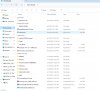

Seems the problem is after the Toolbox Update and reboot the desktop and ThisPC (Windows Explorer) point to the wrong location. I will point to a root of (Onedrive>Bz Personal>Documents) C:\Users\bz_bz_\OneDrive\Documents instead of (Mac>Home>Documents) \\Mac\Home\Documents.
Weirdly there are no files in C:\Users\bz_bz_\Documents but my actual files are in \\Mac\Home\Documents.
I don't really know how to fix and also would appreciate any help in this regard.
Thanks.
Weirdly there are no files in C:\Users\bz_bz_\Documents but my actual files are in \\Mac\Home\Documents.
I don't really know how to fix and also would appreciate any help in this regard.
Thanks.
Adeboye Adeotan
Forum Maven
Hello BreckB,
A ticket with ID 4791433 has been created to assist you with this issue.
Further communication will be via e-mail messaging.
A ticket with ID 4791433 has been created to assist you with this issue.
Further communication will be via e-mail messaging.