Parallels Desktop for Mac build 3094 Beta 2 is available for download.

This is a major issue for people with multiple displays.

I'm not sure what the problem is.

Running 3094 on a Mac Pro with 2 17" tft screens here. I can start up an XP SP2 VM and move the window to the second screen and drag it to fill that screen, then switch to Coherence. The task bar drops to the bottom of the secondary screen, the XP windows sit on that screen, I can move them anywhere on that screen, and it all works fine for me. I can't move XP windows onto the primary screen, but I don't need to. XP is a painful secondary environment for me, and having it contained on one screen is just fine.

I have tried enabling multiple displays in Coherence options as an experiment, and that lets XP windows move anywhere on the two screens, but I don't like the task bar spanning both screens.
 
Bluetooth dissappeared...

After installing parallels using my bootcamp partition and installing the parallels tools.. bluetooth support disappeared, even when booting to windows natively. Apple's bluetooth device still shows up.. but the control panel is gone and I can't access any devices.. any ideas?
 
I liked new features in 3094, particularly the public folder switch on the menu bar. Had to re-activate my Windows. The reactivation screen contained "?" objects that obscured one of the code numbers...Microsoft help desk actually helped figure out the missing number and proceeded with activation.

Palm TX would not establish a connection with Windows PC. Attempted toggling autoconnect on/off...and the other sudo command from a previous post...no success.

Reverted back to 1970 to regain Palm sync functionality.

Palm device is a Palm T|X, Palm Desktop/Hot Sync v4.1.0420. Normally sync with Franklin Covey PlanPlus for Windows XP v5.

Windows XP Home SP2 with latest patches.

MacBook Pro 2.16 CoreDuo, 2GB RAM, OS X v10.4.8
 
I have the same problem

Kroc said:
upon booting a parallels VM using bootcamp (fat32), it sits on the login screen and I can't use the mouse or keyboard. It's completley unresponsive. Neither Parallels tools for bootcamp, nor parallels tools were installed into my bootcamp before.

Anybody else experiencing this?

I have the same problem with physically booting up into my Boot Camp volume. I get to the login screen, and the mouse is frozen so I can't click on my user name, but the VM works fine.

I'm using an ntfs, er, whatever, the other kind of volume from Fat32. I installed Parallels Tools for Boot Camp with the previous Beta, and I forgot to uninstall for 3094.

I'm also on an ioGear KVM switch, G5 and Intel Mac mini (with BootCamp), single monitor. I sure would like to figure out how to fix it. Booting into Safe Mode doesn't fix it. Also tried, "last successful config," Safe boot with networking, always the same. Sometimes I get an Administrator pref that I can't click as well as my user name.
 
bdipert said:
Folks, before I do the install, can someone who has already tried it describe the compatibility between Beta 2 of Parallels and Mediafour's MacDrive? I'd like to install MacDrive for access to the OS X partition from Windows running in Boot Camp, but what happens to MacDrive when that same Windows partition is running virtualized via Parallels?

MacDrive silently does not function inside the Parallels VM (no errors or other issues). That should be no problem, since you can use Parallels shared folders from inside the VM to access Mac folders.
 
Last edited:
2 GB VM HD Partitioning?

Are there plans to include the ability to split the virtual hard disk into 2GB chunks as with the VMWare products? I try to run my VMs from an external HDD to improve performance however because I have to be able to access that drive from a PC as well, have it formatted in FAT32 and so once my VM grows beyond 4GB, it is history. If this functionality already exists please educate me -- but I haven't been able to find it.

Thanks!
 
jeffmc said:
I noticed when I installed 3094, Windows saw a different video controller. Now when I started my ubuntu 6.10 VM, I no longer get anything over 1024x768, even though the are enabled in the VM profile. I am assuming the fundamental video architecture changed, and it is no longer a "modified" vesa video controller. Will Parallels be releasing a linux 2.6 video driver ?

Thanks and regards,

Jeff

+1. Same problem here.
 
jeffmc said:
I noticed when I installed 3094, Windows saw a different video controller. Now when I started my ubuntu 6.10 VM, I no longer get anything over 1024x768, even though the are enabled in the VM profile. I am assuming the fundamental video architecture changed, and it is no longer a "modified" vesa video controller. Will Parallels be releasing a linux 2.6 video driver ?

Thanks and regards,

Jeff
Did you upgrade your parallels tools? My video driver was also "redetected" and then I upgraded the tools and no more problems.
 
AlanH said:
I'm not sure what the problem is.
I don't like the task bar spanning both screens.
Same here. But I don't like how my taskbar just kind of chills about 150pixels above the bottom of my second display either...

edit: Unlock taskbar, drag to bottom of screen. relock taskbar. problem solved.
 
Admin password requirement

Jazzer said:
I keep getting asked for a OSX administrator password every time I start XP off of my Boot Camp partition. Does anyone see this?

I have the same issue. Has anyone come up with a solution? I have tried resetting permissions, but I do not think I have found the correct folders to amend.

Regards

John
 
Build 3094 issues resolved

I just upgraded to 3094 on my 15" MacBook Pro Core 2 Duo 2.33ghz. After the install I had all kinds of weirdness, video resolution was off, coherence didn't work.

I installed Parallels Tools TWICE. On the second time everything is now working well!

Windows XP Pro SP2. I haven't had to re-activate windows.
 
Last edited:
have a MB Pro with 1 GB or RAM, in the last release my XP was set to use 448 MB of RAM and ran well, after the upgrade I got an error to lower the RAM to 220 MB for best performance. when I did that, I could no longer raise the RAM without getting "The memory size specified(320 MB) exceeds the recommended maximum of 220 MB. You must reduce the memory size otherwise you will not be able to start the virtual engine." This makes installing Vista impossible as it won't load in less than 256 MB, I just tried. Coherence was available in the older version and everything worked properly, how do I get Parallels to use half of my RAM? I have rebooted, have nothing open. I only have 162 MB of wired RAM yet I have the 220 MB limit.

thanks, my copy of vista is on the shelf til this gets resolved, I ran a new engine and hit the 220 MB limit again on Vista.
 
Beta 3094 Consumes all available memory

Hello,

I haven't seen this mentioned yet, but it seems that under this latest beta (but not the prior) any VM that I boot (XP / Vista / Suse) will eventually consume all available ("real") RAM, irrespective of the caching policy or the hard limit set the in Parallels->Memory preferences.

This is on a MacBook Core 2 Duo with 2GB RAM.

Has anybody else noticed anything similar and found a solution?

--Alexis
 
Windows XP Crashing with Network Enabled

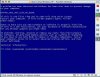
I've been using 3094 Beta 2 for several days now. This evening, it decided to go blue screen on me. Windows will put up a blue screen (see attached) if I have the networking enabled. This is really annoying.

The blue screen has the error "DRIVER_IRQL_NOT_LESS_OR_EQUAL". Screen cap available on requst.

I've got a MacBook Pro, 2.33 Core 2 Duo. 2 Gig of ram.
I'm running Windows XP SP2 off the boot camp partition.

Boot camp still works fine (including networking).

According to Microsoft, the error I'm getting is caused by a bad driver. Any ideas on how to remove the network driver and install a fresh one? I tried removing the Parrallels network adapter from the Device manager in hopes of reinstalling it, but that did not work.

bd
 

Attachments

  • Picture 1.jpg
    Picture 1.jpg
    49.9 KB · Views: 7
Coherence still not working and we tried 4 other machines

4 machines in our overseas office have been updated with latest build, (2 imacs, 1 15" macbook pro 1, and 1 17" macbook pro 2). Installation went well, and everything works well except coherence does not work on all of them, and same issue as mine.

It appears to be a bug. But strange not all people are seeing the problem.

Will report later if other issues arise
 
Bootcamp option grayed out still with 3094 Beta 2, configuration info

Tim Surgent said:
other guys having troubles booting Boot Camp - will you please post here the follwing:
- How many HDDs does your Mac have?
- Where is your Boot Camp partition located?
- What is the OS installed on Boot Camp exact name and version? Is it 64-bit one or 32-bit one?
- open Terminal, issue the "mount" command and post its output here please

- How many HDDs does your Mac have?
MacBook Pro (2,33 GHz Core2Duo), with internal 120 GB HD
- Where is your Boot Camp partition located?
On the 4th partition
- What is the OS installed on Boot Camp exact name and version? Is it 64-bit one or 32-bit one?
XP SP2, 32bit
- open Terminal, issue the "mount" command and post its output here please
/dev/disk0s2 on / (local, journaled)
devfs on /dev (local)
fdesc on /dev (union)
<volfs> on /.vol
/dev/disk0s3 on /Volumes/DATEN_FAT (local)
/dev/disk0s4 on /Volumes/Windows (local, read-only)
automount -nsl [144] on /Network (automounted)
automount -fstab [202] on /automount/Servers (automounted)
automount -static [202] on /automount/static (automounted)
...and diskutil list
/dev/disk0
#: type name size identifier
0: GUID_partition_scheme *111.8 GB disk0
1: EFI 200.0 MB disk0s1
2: Apple_HFS Macintosh HD 31.0 GB disk0s2
3: Microsoft Basic Data DATEN_FAT 31.6 GB disk0s3
4: Microsoft Basic Data Windows 49.0 GB disk0s4
...and the fdisk print
Disk: /dev/rdisk0 geometry: 14593/255/63 [234441648 sectors]
Offset: 0 Signature: 0xAA55
Starting Ending
#: id cyl hd sec - cyl hd sec [ start - size]
------------------------------------------------------------------------
1: EE 0 0 2 - 25 127 14 [ 1 - 409639] <Unknown ID>
2: AF 25 127 15 - 1023 74 10 [ 409640 - 65011712] HFS+
3: 0B 1023 74 11 - 1023 254 63 [ 65421352 - 66247388] Win95 FAT-32
*4: 07 1023 0 1 - 1023 80 63 [ 131668740 - 102772908] HPFS/QNX/AUX


Hope this helps to solve or to provide better options to get rid of the greyed out Bootcamp option, though Bootcamp is perfectly running fine!

Good luck and continue this excellent work!
 
Last edited:
Back
Top