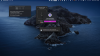
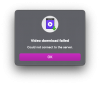
OK, YouTube downloads not working at all...

ERNESTOV

Bit poster
Hello. I am a new Parallels user, and so far loving the app.
HOWEVER....
I am trying to download a YouTube video (see link below)
Nothing seems to be working! different videos also not working
Very frustrating, considering this was the main reason for my purchase.
I have created the following report ID:
357194221
https://www.youtube.com/watch?v=8nOaC0PraP4
 
Hello,
I checked your link, it should work fine. Also I don't see any information about downloading failure in your report.

Let's do the next:
- Make sure that 'Use detailed log messages' option is enabled in Parallels Toolbox preferences;
- Try to download same video again;
- If error occurred then a) generate and send Technical Report again b) Make screenshot of error appeared and post it here;
 
Hello,

I have the same issue here. btw I'm also a new user
- Make sure that 'Use detailed log messages' option is enabled in Parallels Toolbox preferences;
- Try to download same video again;
- If error occurred then a) generate and send Technical Report again b) Make screenshot of error appeared and post it here;
- share problem link with us;
 
Thank you for your response, I did exactly the steps above but I still have the same problem.
- 'Use detailed log messages' option is enabled as you can see in the screenshot
- Here is an example video I want to download (
)
- I tried also with the Safari extension, but also it didn't work
 

Attachments

  • Download probelm.png
    Download probelm.png
    926.3 KB · Views: 2
Unfortunately it didn't work at all.
I tried to reinstall the app and Parallels Toolbox several times, but I don't know why it doesn't work
Btw "Use detailed log messages" is enabled
 

Attachments

  • Screenshot 2021-01-05 at 2.40.54 PM.png
    Screenshot 2021-01-05 at 2.40.54 PM.png
    48.1 KB · Views: 1
Oh sorry, I found the problem.
I'm using Pi-Hole in my network, and it seems like when I connect my Mac to the internet with Pi-hole, it doesn't download the videos anymore
 
Oh sorry, I found the problem.
I'm using Pi-Hole in my network, and it seems like when I connect my Mac to the internet with Pi-hole, it doesn't download the videos anymore
I tried to reinstall the app and Parallels Toolbox several times, but it didn't work as expected, but I think this could be the reason.

Thanks for sharing.
 
I tried to reinstall the app and Parallels Toolbox several times, but it didn't work as expected, but I think this could be the reason.

Thanks for sharing.
I actually installed pi-hole on my network a couple of days ago, and Download Video works fine for me. So a couple of things to consider:
- try disabling some of the black lists and see if this solves the problem
- consider adding some of the youtube URLs to the whitelist (s.youtube.com, s2.youtube.com, www.youtube-nocookie.com, youtube-nocookie.com, youtu.be).
 
Back
Top