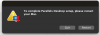
The same happened to me but I found a solution:
- restart your Mac
- hold CMD + R while booting
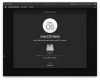
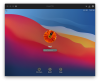
- wait; then login with your macOS credentials
- in the menu bar go to utilities > terminal
- enter the following "spctl kext-consent add 4C6364ACXT" and press the return key
- go to the Apple menu in the menu bar and click restart
spctl kext-consent list
Allowed Team Identifiers:
4C6364ACXT
P8DQRXPVLP