Guys, if you follow this http://kb.parallels.com/123053, you will successfully install windows 10.
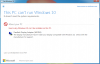
You don't have to upgrade from that taskbar icon. Go to https://www.microsoft.com/en-us/software-download/windows10ISO and download media creation tool and choose upgrade this PC. That's all.
I have just done it. And works perfectly. I had Windows 8.1 Pro now Win 10 Pro and works without any problem.
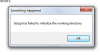
Tried it twice now following these instructions and this is the error message I got each time
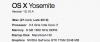
I'm using the latest version of Parallels and have more than 2GB RAM allocated to the VM on my MacBook Pro.
Any comments from Parallels is appreciated. None received on same post yesterday.