
Install the app
How to install the app on iOS
Follow along with the video below to see how to install our site as a web app on your home screen.
Note: This feature may not be available in some browsers.
You are using an out of date browser. It may not display this or other websites correctly.
You should upgrade or use an alternative browser.
You should upgrade or use an alternative browser.
Need to move license for parallels desktop 10 to new mac
- Thread starter ppobozy
- Start date

SaravananR@Parallels
Member
Hi ICS1, thank you for reaching out! Kindly follow the steps in the article to move your Parallels Desktop license key to a new Mac.Hello. I have an old mac mini that I am migrating to a slightly less old mac mini. Parallels 10 is activated on the current mini. Is there a way for me to move my data and also allow Parallels to activate on the newer machine? Thanks.
Please download Parallels Desktop 10 for Mac from the link and install it by referring to the article.
If you wish to transfer your existing virtual machine to the new Mac, please refer to the article.
Thanks, Saravanan.
Hi Saravanan,
I looked through the KB articles, and the problem I'm running into is that the Accounts dropdown in the upper-right of the screenshot isn't there for me. I also have several active PD10 installs running on machines, so re-entering activation keys just to see which one is the right one isn't really an option. Is there a way to tell which key this particular machine has? I could then put that in on the newer Mac and have it force the other copy to deactivate, if I'm reading things correctly.
Thanks
I looked through the KB articles, and the problem I'm running into is that the Accounts dropdown in the upper-right of the screenshot isn't there for me. I also have several active PD10 installs running on machines, so re-entering activation keys just to see which one is the right one isn't really an option. Is there a way to tell which key this particular machine has? I could then put that in on the newer Mac and have it force the other copy to deactivate, if I'm reading things correctly.
Thanks

Maria@Parallels
Problem solver
Hi, we've made necessary changes and changed your Parallels Desktop 10 keys' settings. Please try to move it to new Mac and let us know how does it work.Hi Saravanan,
I looked through the KB articles, and the problem I'm running into is that the Accounts dropdown in the upper-right of the screenshot isn't there for me. I also have several active PD10 installs running on machines, so re-entering activation keys just to see which one is the right one isn't really an option. Is there a way to tell which key this particular machine has? I could then put that in on the newer Mac and have it force the other copy to deactivate, if I'm reading things correctly.
Thanks
Please remove my existing Mac license key so that I can active Parallels Desktop 10 on my new laptop. When I try to activate on my new mac it says:
"You have reached the maximum number of activations available for your activation key. Please upgrade to a new product license". I can't afford to upgrade at this time, please remove the existing license key so that I can move my work to the new mac to do my work, make some money and upgrade.
"You have reached the maximum number of activations available for your activation key. Please upgrade to a new product license". I can't afford to upgrade at this time, please remove the existing license key so that I can move my work to the new mac to do my work, make some money and upgrade.
Maria@Parallels
Problem solver
Hi, your key has been reset, please try to activate it.Please remove my existing Mac license key so that I can active Parallels Desktop 10 on my new laptop. When I try to activate on my new mac it says:
"You have reached the maximum number of activations available for your activation key. Please upgrade to a new product license". I can't afford to upgrade at this time, please remove the existing license key so that I can move my work to the new mac to do my work, make some money and upgrade.
Thanks, it worked, after I use the terminal to activate with this line:Hi, your key has been reset, please try to activate it.
prlsrvctl activate-license-online
We have reset the activation key. Please follow the instructions below:Please reset my PD10 (Mac) license key so that I can move PD10 to a new Mac. Thanks!
1. Quit Parallels Desktop, then try to activate after launching it again.
2. If you are still unable to activate, Open Terminal on the Mac and execute this command: prlsrvctl activate-license-online
Note: Parallels Desktop 10 is not compatible with Sierra or newer macOS X versions.
Maria@Parallels
Problem solver
Hello, we've reset your Parallels Desktop 10 license key, please check the issue.Hello, I have changed computers and my Parallels Desktop 10 does not work on my new one. I've tried the command: "prlsrvctl activate-license-online" in terminal, but it still doesn't work. I don't know how to deactivate it on my old computer either. Please advise, thanks!
Maria@Parallels
Problem solver
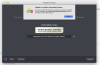
Did you try the Terminal command as mentioned above?Hi, I quit Parallels and restarted. It's still saying I've reached my activation limit. When I put my license # in it says "unable to confirm" (see attached screen shot).
Thanks
prlsrvctl activate-license-online
Thank you! That worked!Did you try the Terminal command as mentioned above?
prlsrvctl activate-license-online
KaranveerA
Bit poster
Hi
I have reinstalled my Mac, please disable the currently active key for PD version 10 on the backend. I want to use it on the new mac.
Thank you
I have reinstalled my Mac, please disable the currently active key for PD version 10 on the backend. I want to use it on the new mac.
Thank you
Maria@Parallels
Problem solver
Hello, we've made some changes, please check the issueHi
I have reinstalled my Mac, please disable the currently active key for PD version 10 on the backend. I want to use it on the new mac.
Thank you
ariasalvaro
Bit poster
Hello dear Support:
I have a Parallels 10 which was installed in a MacBook Air. Such laptop was reimaged, then no access to move or change in any way the license. Now, I need to install such license in another MacBook and then apply a license upgrade that a friend bought some days ago and I will use it, not him. However, I can't activate Parallels 10 because it says that license is already in use. Can you help me please?
I have a Parallels 10 which was installed in a MacBook Air. Such laptop was reimaged, then no access to move or change in any way the license. Now, I need to install such license in another MacBook and then apply a license upgrade that a friend bought some days ago and I will use it, not him. However, I can't activate Parallels 10 because it says that license is already in use. Can you help me please?
We are unable to find Parallels Desktop 10 purchased or registered with this email address. We request you to reply to this post from the account in which the key is registered so we can reset the key.Hello dear Support:
I have a Parallels 10 which was installed in a MacBook Air. Such laptop was reimaged, then no access to move or change in any way the license. Now, I need to install such license in another MacBook and then apply a license upgrade that a friend bought some days ago and I will use it, not him. However, I can't activate Parallels 10 because it says that license is already in use. Can you help me please?
ariasalvaro
Bit poster
Dear Support,We are unable to find Parallels Desktop 10 purchased or registered with this email address. We request you to reply to this post from the account in which the key is registered so we can reset the key.
I've updated my profile to use the former email address that could have been used for the registered account. Thank you for your attention to this request.