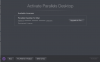
"Your Product Activation Key Reached Its Activation Limit..."

Same here, reached activation limit for my Parallels Desktop 10 license. won't activate the old installations anymore
Hi danielF3, we've made few changes in the key settings, please reactivate with the same license key. If the issue persists, please open Terminal end execute this command: prlsrvctl activate-license-online and let us know how it works. Thanks!
 
Hi. Whereas I am upgrading to new MacBook Pro, my PD 11 license has been deactivated from the old MBP, via "sign out" as KB article http://kb.parallels.com/123461 says, but it won't work on the new MBP saying I have reached the limit. Please kindly help. Thank you.
Hi @SoonukJ
We have made few changes in the key settings, please restart Parallels Desktop to reactivate the product and let us know how it works.
 
Hi, I need my license to be reset please. It say's that I'm at my limit.
Thanks,
Andrew

Update: I have tried the terminal command but it say's this:
Failed to activate the license: Unable to confirm the product license. Please activate the product first.
 
Last edited:
Hi, I need my license to be reset please. It say's that I'm at my limit.
Thanks,
Andrew

Update: I have tried the terminal command but it say's this:
Failed to activate the license: Unable to confirm the product license. Please activate the product first.
Please let us know the version of Parallels Desktop you are trying to activate.
 
I've just moved Parallels 10 from an old Mac to a new one, but when I try and activate it I get this message:
You have reached the maximum number of activations available for your activation key (http://www.parallels.com/eula). Please purchase a new product license.

There seems to be no reliable info on how to do this. The deactivate instructions for versions 11 and 12 don't apply. Does anyone have any info on how to get this to work?
 
I've just moved Parallels 10 from an old Mac to a new one, but when I try and activate it I get this message:
You have reached the maximum number of activations available for your activation key (http://www.parallels.com/eula). Please purchase a new product license.

There seems to be no reliable info on how to do this. The deactivate instructions for versions 11 and 12 don't apply. Does anyone have any info on how to get this to work?
We have made changes to the activation key. Please follow the instructions below:
1. Quit Parallels Desktop, then try to activate after launching it again.
2. If you are still unable to activate, Open Terminal on the Mac and execute this command: prlsrvctl activate-license-online
 
I need to move my copy of Parallels 10 to another Mac, are you able to reset license? Thank you.
We have made changes to the activation key. Please follow the instructions below:
1. Quit Parallels Desktop, then try to activate after launching it again.
2. If you are still unable to activate, Open Terminal on the Mac and execute this command: prlsrvctl activate-license-online
 
There is probably zero chance of hearing back from them today. I am also thinking of jumping ship to VMWare. Their licensing is very similar, with one major execption: "Starting with Fusion 4.x, personal users only need one license to install on all Macs."(There is probably zero chance of hearing back from them today. I am also thinking of jumping ship to VMWare. Their licensing is very similar, with one major execption: "Starting with Fusion 4.x, personal users only need one license to install on all Macs."(https://passwordmania.blogspot.com/
Khurram,

Maheeshwar would have sent you a private message in Parallels Forum. Please check your forum private messages.

) If I read that correctly, we only need one license for multiple machines.

HomerS, do you know of a number or email address we can use to contact support directly? It's important that I sort this out by the EOD; otherwise, I will jump ship to VMWare Fusion.
 
I had the same problem ... I got a new Mac and after re-install parallel it would not activate and state that I had reached my limit.
 
I am also trying to move Parallels 10 to a new mac and receive the "Your product activation key reached its activation limit..." message. I have tried quitting Parallels and running the "prlsrvctl activate-license-online" command, but that also results in a "You have reached the maximum number of activations..." message.

Please reset my license so I can complete activation.
 
Back
Top