BenjaminA8
Bit poster
Get Install error - 0x80070002 when attempting to install Cumulative Update Preview for Windows 11 Version 22H2 for arm64-based Systems (KB5026446). See PastedGraphic1.png
VM System Information:
OS Name: Microsoft Windows 11 Pro
Version: 10.0.22621 Build 22621
Host OS Information
MacOS Ventura 13.3.1 (a) (22E772610a)
Parallels Information:
Version: 18.3.0 (53606)
License Renewal: 2/23/24
Steps Taken:
VM System Information:
OS Name: Microsoft Windows 11 Pro
Version: 10.0.22621 Build 22621
Host OS Information
MacOS Ventura 13.3.1 (a) (22E772610a)
Parallels Information:
Version: 18.3.0 (53606)
License Renewal: 2/23/24
Steps Taken:
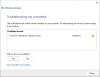
- Run Windows Update Troubleshooter (see PastedGraphic7.png)
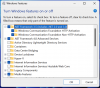
- Ensured .NET 3.5 is enabled (see PastedGraphic6.png)
- Removed TPM and retried
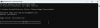
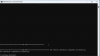
- Execute DISM.exe /Online /Cleanup-Image /Restorehealth (see PastedGraphic2.png and PastedGraphic.png)
- Execute SFC /SCANNOW (see PastedGraphic3.png)
- Added the vm.bios.efi=1 boot flag (VM failed to boot - see PastedGraphic5.png)
- Attempted all the steps in this post: https://forum.parallels.com/threads...-windows11-on-paralles-17.358481/#post-908891