I'm running Windows 11 ARM Insider Preview on my macOS Big Sur.
I'm using Parallels Desktop 17 for Mac on a Mac Big sur version 11.6 with M! processor and 16 GB RAM.
Upon installation Windows Updatevstartaed installing Insider Preview Build 22478.rs-prerelease.211008-1414. AFTER this update Windows started misbehaving. Example:
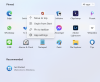
- Start menu opens but I can't open/start (can't open settings app)
- Windows Update menu doesn't exist under the Control Panel
- Windows Insider menu to login and link computer to doesn't exist
- File explorer takes time to open
Overall a very buggy experience.
I had Windows 10 before this on my Mac computer, it was slow, but functioned. This time, Windows 11, isn't useable.
I hope someone has a solution, an update or a workaround....?
I'm using Parallels Desktop 17 for Mac on a Mac Big sur version 11.6 with M! processor and 16 GB RAM.
Upon installation Windows Updatevstartaed installing Insider Preview Build 22478.rs-prerelease.211008-1414. AFTER this update Windows started misbehaving. Example:
- Start menu opens but I can't open/start (can't open settings app)
- Windows Update menu doesn't exist under the Control Panel
- Windows Insider menu to login and link computer to doesn't exist
- File explorer takes time to open
Overall a very buggy experience.
I had Windows 10 before this on my Mac computer, it was slow, but functioned. This time, Windows 11, isn't useable.
I hope someone has a solution, an update or a workaround....?