
Install the app
How to install the app on iOS
Follow along with the video below to see how to install our site as a web app on your home screen.
Note: This feature may not be available in some browsers.
You are using an out of date browser. It may not display this or other websites correctly.
You should upgrade or use an alternative browser.
You should upgrade or use an alternative browser.
Upgrade to 10.2.2 (29105) just DESTROYED my Win10 Virtual Machine
- Thread starter buckZor
- Start date
Hello Dhruba, the Windows 10 Preview is no longer on the Parallels Wizard for creating a new VM. How can we reinstall it without going to an unoffical download service. It's off MS insider as well.Hi BuckZor,
You will have to re-install Windows in order to resolve the issue. Follow the steps suggested at, http://kb.parallels.com/4729
BTW, it was from installing the Parallels desktop tools while in Windows 10 that gave me the Windows Recovery screen.
Same issue.
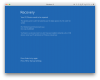
Running Windows 10 preview, working great until upgrade. Now this message:
Message: The operating system couldn't be loaded because the digital signature of a file couldn't be verified.
File: \Windows\System32\drivers\prl_tg.sys
Error code: 0xc0000428
Tried this suggestion (resetting clock), did not work. And no amount of madly pounding F8 will result in the startup settings window.
Running Windows 10 preview, working great until upgrade. Now this message:
Message: The operating system couldn't be loaded because the digital signature of a file couldn't be verified.
File: \Windows\System32\drivers\prl_tg.sys
Error code: 0xc0000428
Tried this suggestion (resetting clock), did not work. And no amount of madly pounding F8 will result in the startup settings window.
Attachments
I have windows developer preview and have tried re-installing it. It will not work.Hello Dhruba, the Windows 10 Preview is no longer on the Parallels Wizard for creating a new VM. How can we reinstall it without going to an unoffical download service. It's off MS insider as well.
BTW, it was from installing the Parallels desktop tools while in Windows 10 that gave me the Windows Recovery screen.
This was my thought exactly. Was there not even a simple, hey let me try to upgrade my windows 10 developer preview software?!! I have tried posting on their Facebook page so that others don't make the same mistake, but it informed me that the developer screens the post and then will decide on whether to post it or not. I really hope they allow it to be post, it's not acceptable to not warn people.How on earth did this update get released without even the most basic of testing?! Not happy at all.
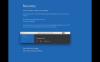
Parallels has updated the display driver without signing it. The work-around is to disable driver signature enforcement in Windows 10 from within the safe mode menu. Once you do that you should be able to boot normally. Safe mode booting has to be enabled from a Windows 10 iso.
70464025@1___ could you provide me with ticket number please?
Or your email which you used to submit support request?
Hello, thank you for helping. Any idea how to get into safe mode? I seem to be stuck on the blue screen. I really appreciate your help, I'm willing to try it, so long as I get this fixed. I even have informed them I'm willing to downgrade to the old version that used to work.Parallels has updated the display driver without signing it. The work-around is to disable driver signature enforcement in Windows 10 from within the safe mode menu. Once you do that you should be able to boot normally. Safe mode booting has to be enabled from a Windows 10 iso.
Instructions on how to boot into safe mode in Windows 10.
http://www.tomshardware.com/faq/id-2569556/safe-mode-windows.html
Bottom line is you can disable driver signature enforcement with the safe mode menu option and use the Parallels driver. The display driver that Parallels tools installs is unsigned. This should be easy for Parallels to correct in the next update.
http://www.tomshardware.com/faq/id-2569556/safe-mode-windows.html
Bottom line is you can disable driver signature enforcement with the safe mode menu option and use the Parallels driver. The display driver that Parallels tools installs is unsigned. This should be easy for Parallels to correct in the next update.
Gotcha, thank you for your help. Always appreciate people sharing their knowledge. Thanks again.Instructions on how to boot into safe mode in Windows 10.
http://www.tomshardware.com/faq/id-2569556/safe-mode-windows.html
Bottom line is you can disable driver signature enforcement with the safe mode menu option and use the Parallels driver. The display driver that Parallels tools installs is unsigned. This should be easy for Parallels to correct in the next update.
Friends, i've managed to install Windows 10 again in a new virtual environment and is usable, however i've had to reinstall my windows specific software and use Dropbox to import and export documents to & from the Mac desktop/environment. untick express installation (see picture) and don't install the Parallels Desktop Tool. It's a messy hack but very usable.
Best, Sat.

Best, Sat.
hi guys,
got an update from Parallels after a remote session support - they said there's an internal note that the issue happens only to Windows 10 build 10074; the advise given was either upgrade to the latest build, or wait for 1 more day as Microsoft is now releasing the official Windows 10 release...
Cheers.
got an update from Parallels after a remote session support - they said there's an internal note that the issue happens only to Windows 10 build 10074; the advise given was either upgrade to the latest build, or wait for 1 more day as Microsoft is now releasing the official Windows 10 release...
Cheers.
Great info, can you update us tomorrow if you end up getting the full windows 10 version. I'm using a co-workers computer currently since mine is on the blue screen of death for work due to this issue. Wish certain software was just available for mac.hi guys,
got an update from Parallels after a remote session support - they said there's an internal note that the issue happens only to Windows 10 build 10074; the advise given was either upgrade to the latest build, or wait for 1 more day as Microsoft is now releasing the official Windows 10 release...
Cheers.
Hi All,Great info, can you update us tomorrow if you end up getting the full windows 10 version. I'm using a co-workers computer currently since mine is on the blue screen of death for work due to this issue. Wish certain software was just available for mac.
Yes today I've got the official Windows 10 edition installed - and Parallels works like a magic...
It's a bit annoying that Parallels didn't announce they don't support Windows 10 build 10074 before.
 but hey it was technical preview anyway, that sort of bad luck should have been expected....
hi,
same problem, just tried to install a 10162 build but it doesn't works better... I'm using this stuff to pilot machines in my workshop and all the machines are useless now, got a lot of work to do and not very happy to spend days to put again all the drivers and parameters... I've bought Parallels 2 weeks ago and this is already crashed... Can someone at Parallels tell us if a solution will come soon ?
same problem, just tried to install a 10162 build but it doesn't works better... I'm using this stuff to pilot machines in my workshop and all the machines are useless now, got a lot of work to do and not very happy to spend days to put again all the drivers and parameters... I've bought Parallels 2 weeks ago and this is already crashed... Can someone at Parallels tell us if a solution will come soon ?