Upgrade to 10.2.2 (29105) just DESTROYED my Win10 Virtual Machine

buckZor

Bit poster
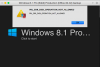
Well this sucks, I was encountering the unable to access //psf shared folders bug, so I just upgraded to the latest version to correct this and.. now it will not boot, see picture. This was after the Parallels Tools upgrade which happened automatically on first boot. Please help, I don't want to start over!

File: \Windows\System32\drivers\prl_tg.sys
Error code: 0xc0000428
 

Attachments

  • parallels.png
    parallels.png
    42.2 KB · Views: 49
The v10.2.2 (29105) apparently causes problems with Windows 8.1 VM as well.

Right after upgrading, PD crashed twice few seconds after opening. I rebooted the computer & repaired permissions. I started the VM and v10.2.2 Tools were installed. Everything was working till critical error of PD application occured (curiously, the VM didn't crash and PD didn't close) whereas the VM was simply running in background till I was browsing Internet on Mac side.
I sent the report (ID 70202663) to Parallels.
For now, I uninstalled tools coming with 10.2.2, reverted to PD previous v10.2.1 (29006) and reinstalled tools. Now I cross my fingers.
v10.2.2 (29105) may corrects some known bugs but also introduced new ones where it worked before :mad:.
 
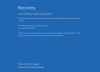
Same here on the upgrade, but I don't even get as far as a windows screen, but instead get this:
Screen Shot 2015-07-26 at 11.13.34 PM.png
So perhaps this is recoverable? If not, I have last week's backup :(
 
Same here on the upgrade, but I don't even get as far as a windows screen, but instead get this:
View attachment 10042
So perhaps this is recoverable? If not, I have last week's backup :(
Well, if troubles showed up right after upgrading PD (like for my case), tools of last build v10.2.2 were not installed yet in your Windows 8.1 VM. If correct, you should try to reinstall previous version of PD (v12.2.1).
 
Imagine how cool it would be if someone from Parallels actually responded to this thread..
Technical support guys and developers are probably too busy to make PD works with Windows 10 that is not released yet... users who must WORK with previous and stable versions of Windows cannot even dream not to be a "brand new OS fashion victim" simply not installing/using Windows 10 too fast :(. That's the height of absurdity! :mad:
 
Same here on the upgrade, but I don't even get as far as a windows screen, but instead get this:
View attachment 10042
So perhaps this is recoverable? If not, I have last week's backup :(
Hello Coocooforcocoapuffs,
Please try to remove Parallels Desktop and re-install again and check how it goes.
To remove Parallels Desktop, please refer to this article, http://kb.parallels.com/122653
To download, please use this link, www.parallels.com/directdownload/pd10

Note: Un-installing and re-installing Parallels Desktop will not affect your virtual machines.
 
Well this sucks, I was encountering the unable to access //psf shared folders bug, so I just upgraded to the latest version to correct this and.. now it will not boot, see picture. This was after the Parallels Tools upgrade which happened automatically on first boot. Please help, I don't want to start over!

File: \Windows\System32\drivers\prl_tg.sys
Error code: 0xc0000428
Hi BuckZor,
You will have to re-install Windows in order to resolve the issue. Follow the steps suggested at, http://kb.parallels.com/4729
 
Hi BuckZor,
You will have to re-install Windows in order to resolve the issue. Follow the steps suggested at, http://kb.parallels.com/4729
Hi Dhruba,

This won't help - I can confirm that I had the same issues like the one buckZor and have done exactly what you suggested:

1) I tried to remove Parallels and re-installed it on Mac ---> doesn't work (Once VM upgraded to the Parallels tools and restart, it fails to boot up again!!)

2) Then I tried to create a new Windows 10 VM; once completed installation I then installed the Parallels tools - and then immediately after restart, it went into the blue screen

Lucky I had a snapshot of my VM before upgrading Parallels so currently I'm working on the snapshot version and only suspend my VM instead of shutting it down. It's very annoying, someone please fix asap.
 
Sorry BuckZor stole your topic :)

Hi Maria@Parallels, I've submitted a ticket for this:
40078-60282
NOTE: I used @mac.com email address which won't work... please replace @mac.com with @me.com if any email will be sent for this ticket. thanks.

Cheers.
 
Had same issue yesterday. Took steps in this post and still have same results. I'll watch thread for resolution.

Thanks Parallels Support Team
 
The exact same thing just happened to me this morning. I was using my Windows 10 installation, got a Parallels update notification. Shut down. Updated. Boom. Blue Screen on loading back up - exactly the same error message. I cannot recall if parallels tools installed first and then restarted to that error or if the error occurred immediately upon initial boot of the update, but either way it hosed my box.

Thankfully I didn't yet have anything but the base Win10 installation setup yet, so I deleted that VM and attempted to reinstall Win10. Unfortunately during the installation process I received the same exact error - so I can't even install Win 10 now.

If you're curious, my PRID is 70373685
 
Back
Top