
Install the app
How to install the app on iOS
Follow along with the video below to see how to install our site as a web app on your home screen.
Note: This feature may not be available in some browsers.
You are using an out of date browser. It may not display this or other websites correctly.
You should upgrade or use an alternative browser.
You should upgrade or use an alternative browser.
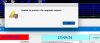
Unable to process the upgrade request
- Thread starter TucoRiley
- Start date
S
Sathiya@Parallels
Hi TucoRiley. Please provide the screenshot of the error message to check and assist further.For the past month or two I get the above message once a day. I am running OSX High Sierra, with Windows 10 as a virtual machine. My version of parallels is 11.2.3.
Any ideas why or how to get rid of this message?
Thank You
Arun@Parallels
Parallels Support
Hi @TucoRiley , Parallels Desktop 11 for mac is not compatible with High Sierra. Please install Parallels Desktop 14 for mac trial ( https://kb.parallels.com/124227 ) and check if that resolves this issue.
My version of parallels worked fine with Sierra and High Sierra for quite some time. This is a new message. In all other aspects Parallels and High sierra work without a hitch. I do not want to pay for an upgrade to get rid of an annoying message that is having no impact on my files or programs I am running. There has to be an easy simpler way to get rid of a software upgrade notice that obviously only is looking for more revenue while having no extra benefit to the software I am running?

Hemnath@Parallels
Parallels Support
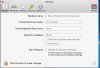
Please click on the Parallels Desktop icon in the Mac menu bar on the top (it looks like 2 red lines), navigate to Preferences -> General, set 'Check for updates:' to 'Never' and close that window. Quit Parallels Desktop now and launch it again.There has to be an easy simpler way to get rid of a software upgrade notice
Hello TucoRiley, To help us understand the issue better, please take a screenshot of it which shows the ' never ' option is checked in (refer to http://bit.ly/2pSJ1AZ for assistance) and reply with the same.Good Day;
I did as you suggested, still occurred the following day. Shut down parallels, restarted, still happening once a day. Check for updates shows never in "preferences/General/check for updates/"
Hemnath@Parallels
Parallels Support
The next time the error message appears, generate a Technical Data Report while the error message is being displayed (very important) and reply with the report ID number. We'll then investigate.For the past month or two I get the above message once a day.
ID number 279729140The next time the error message appears, generate a Technical Data Report while the error message is being displayed (very important) and reply with the report ID number. We'll then investigate.
Hemnath@Parallels
Parallels Support
Thanks. We will get back to you on this at the earliest.ID number 279729140
Hemnath@Parallels
Parallels Support
Sorry for the delay. We'll get back to you on this asap. Thank you for your patience.I am wondering wha if anything you have found?
Arun@Parallels
Parallels Support
Hi @TucoRiley , thank you for your patience. Please execute the following command in Terminal.app to fix this: defaults write "com.parallels.Parallels Desktop" "ProductPromo.ForcePromoOff" -bool yes