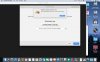
Unable to connect to the Mac "%1".

KarljurgenF

Bit poster
My old MacBook Pro has died and I've got a new one.

My subscription was renewed just today, so following various instructions I found on the Parallels site, I've downloaded a new version, I enter my "primary key" and get a green checkmark. But when I try to activate, I get this error message.

I've searched older threads and yes I do have network capability (the fact that I'm posting here shows that anyway) and all the proxy settings for wireless connection (which is what I'm using) are indeed turned off as recommended.

I'm not getting anywhere. I have migrated my .pvm files and clicking on them gets me into the same problem....

How do I resolve this, please?
 
Last edited by a moderator:
My subscription was renewed just today, so following various instructions I found on the Parallels site, I've downloaded a new version, I enter my "primary key" and get a green checkmark. But when I try to activate, I get this error message.
Hello KarljurgenF. Thanks for reaching out. We're working on this issue at present. Although there is no ETA, we will fix this as soon as possible. Apologies for the inconvenience.
 
Hemnath@Parallels I'm having the EXACT same problem and I don't know how to fix this! I just purchased an upgrade key from your website. After entering it, I get the green checkmark but when I try to hit ACTIVATE, I receive the same error message. I have disabled all firewalls, I have no anti-virus applications running and I even switched to 2 different networks to see if that was the issue. Nothing I have tried is working. Obviously, this is extremely frustrating because I have spent good money - and I expect your service to work. I was very happy with your previous versions but I was forced to upgrade, and my previous version is no longer compatible with my current OS. Parallels, please sort this out and provide a solution, so I can use this software. Thank you.
 

Attachments

  • Screen Shot 2018-08-19 at 8.14.07 PM - Error Message.jpg
    Screen Shot 2018-08-19 at 8.14.07 PM - Error Message.jpg
    217.7 KB · Views: 5
Last edited:
Im also having the same issue - just bought 13 to upgrade my system and now stuck on this. Was able to go back to 11, I depend on Parallels and use it daily.

Is there anything to do but wait?

thanks,
Timothy
 
I have the same problem too. I've even tried the older version for parallels 13 but the same error message came up!
 
Hello KarljurgenF. Thanks for reaching out. We're working on this issue at present. Although there is no ETA, we will fix this as soon as possible. Apologies for the inconvenience.
Well, good to know it's not at my end. However, I use this to teach classes which will start as of Sep 5 so I hope that "no ETA" doesn't mean a long wait.... I need time to develop the material before then!

K
 
I'm having the same problem. I'm a student so I got this through my college but I'm getting the same error message when I enter the activation code. I'm working off the free trial now and I need this program to do my class work so I need to figure this out before the trail ends. Any thoughts or advice? Thanks
 
Folks, please quit Parallels Desktop now, launch it again and re-attempt the activation. It should work now. Apologies for any inconvenience caused.
 
Back
Top