Trying reinstall Parallels Desktop after it constantly was "not responding"

NathalieM

Bit poster
I am on a MacBook Air, OSX Yosemite 10.10.5. Parallels 13.1.1. Windows 10,

Since Friday, my Parallels was "not responding". Today I uninstalled it and tried to re-install it, however, the process gets stuk at the stage of "checking for new software".

Could you please advise on what to do?

 
Well, after I succeeded to reinstall, it will not go fiurther than crashing each time that I to open it, so I am dealing with the same problem again (Parallels Desktop "not responding".

Please help.
 
It worked for one day and afterwards I still have the same issue:

This happens is because of the wrong permissions to the necessary folder on the Mac side.Please follow as suggested below:

1.Open Terminal application (Finder > Applications > Utilities > Terminal);
2.Copy the following command, paste it into Terminal window and press Return:
sudo chown -R root:wheel /Library/Preferences/Parallels
3.Try to run Parallels Desktop now.

NOTE: Also, there might an alias called 'Parallels' in the /Library/Preferences directory instead of folder called 'Parallels'. In such case please remove an alias. Please check if this works.Thanks!
 
Not sure which password it is asking for. The Administrator's?

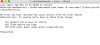
This is the result
 

Attachments

  • Screen Shot 2017-11-15 at 14.09.32.png
    Screen Shot 2017-11-15 at 14.09.32.png
    35.7 KB · Views: 2
Back
Top