
Install the app
How to install the app on iOS
Follow along with the video below to see how to install our site as a web app on your home screen.
Note: This feature may not be available in some browsers.
You are using an out of date browser. It may not display this or other websites correctly.
You should upgrade or use an alternative browser.
You should upgrade or use an alternative browser.
[RESOLVED] How to install apps from App Store in macOS VM?
- Thread starter TOMO-ONE
- Start date
Best answer

Hello!
Sign-in to Apple ID in macOS virtual machine on Apple silicon Macs works in macOS 15 beta3 and newer virtual machines running on Mac computers with macOS 15 beta 3 and newer operating system.
Sign-in to Apple ID in macOS virtual machine on Apple silicon Macs works in macOS 15 beta3 and newer virtual machines running on Mac computers with macOS 15 beta 3 and newer operating system.
I don't know where to download iMovie, Photometer and other apps. AFAIK installation is only possible via AppStore.
BTW: It is a Parallels limitation not to be able to login with an Apple ID. See https://kb.parallels.com/128867 (no. 13).
A VM where I cannot install (standard) apps looks useless for me. :-(
BTW: It is a Parallels limitation not to be able to login with an Apple ID. See https://kb.parallels.com/128867 (no. 13).
A VM where I cannot install (standard) apps looks useless for me. :-(

same problem here.
I have just bought Parallels and installed Sonoma MAC OS as a guest OS. Using a Sonoma M2 MBP. App store in the guest OS isn't working; also, the apple id is not logging in. Error : "The action could not be completed" when trying to login with apple id.
Any ideas how to install apps in the guest OS with the apple store ? also how to sync my guest Mac OS with my apple id notes , contacts, etc ?
Thanks a lot!
I have just bought Parallels and installed Sonoma MAC OS as a guest OS. Using a Sonoma M2 MBP. App store in the guest OS isn't working; also, the apple id is not logging in. Error : "The action could not be completed" when trying to login with apple id.
Any ideas how to install apps in the guest OS with the apple store ? also how to sync my guest Mac OS with my apple id notes , contacts, etc ?
Thanks a lot!

GreenVomit8
Bit poster
I had similar success by copying the app from the host and pasting it into the guest's Application folder.I've had good luck installing the app on the Host system, and then dragging the app to the Guest system.

Mikhail Ushakov
Problem solver
Hello!
Sign-in to Apple ID in macOS virtual machine on Apple silicon Macs works in macOS 15 beta3 and newer virtual machines running on Mac computers with macOS 15 beta 3 and newer operating system.
Sign-in to Apple ID in macOS virtual machine on Apple silicon Macs works in macOS 15 beta3 and newer virtual machines running on Mac computers with macOS 15 beta 3 and newer operating system.
michaelk132
Bit poster
I have tried to login in App store with 15.3.1 and also with 15.4 Beta and it´s still NOT working to login for downloading Apps, however iCloud is working

MiroslavM2
Bit poster
Tahoe works fine - I've tried it myself (Host MacOs - Tahoe, Virtual MacOs (Also Tahoe))What about Tahoe?
Attachments
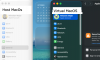
And does your App Store work?Tahoe works fine - I've tried it myself (Host MacOs - Tahoe, Virtual MacOs (Also Tahoe))
Interesting,Tahoe works fine - I've tried it myself (Host MacOs - Tahoe, Virtual MacOs (Also Tahoe))
a) Tried to add my apple account and failed
I am able to reproduce this 'n' number of times
b) I tried to login via the browser to see if there was any issue, but I was able to successfully login; so that rules out the issue 1. Internet access 2. my ability to login in my account.
c) I am running the latest version of Parallels and I downloaded the macOS Tahoe VM via Parallels.
Still no success! What's the connection settings you are using (VM settings)?