
Install the app
How to install the app on iOS
Follow along with the video below to see how to install our site as a web app on your home screen.
Note: This feature may not be available in some browsers.
You are using an out of date browser. It may not display this or other websites correctly.
You should upgrade or use an alternative browser.
You should upgrade or use an alternative browser.
Record the system audio
- Thread starter JRRC
- Start date
- Status
- Not open for further replies.
ParallelsU46
Bit poster
Many of us want to record the system audio, including the mic. Just mic recording is kind of useless.

Alex Patsay
Parallels Team
Thanks for this suggestion, it is being considered for the future update for Parallels Toolbox
In the latest version you guys finally added audio recording to the screen which is very useful but not when it is recording my key clicks and stuff... People usually need to record lectures or presentations and microphones pickup a lot of background noise including typing. If you switch to an audio driver that records the system audio or an external microphone (bluetooth or what have you) that would be way better.

Andrew@Parallels
Parallels Team
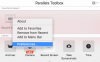
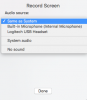
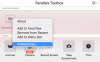
Thanks again for your feedback. This feature has been implemented in Parallels Toolbox 1.5
Andrew@Parallels
Parallels Team
Thanks for your feedback. This option has been added in Parallels Toolbox 1.5
Andrew@Parallels
Parallels Team
Thanks for your suggestion. This option has been added in Parallels Toolbox 1.5
Andrew@Parallels
Parallels Team

Alex Patsay
Parallels Team
Check out Preferences for Record tools - they can record system audio!
Alex Patsay
Parallels Team
It does! 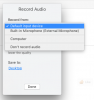
- Status
- Not open for further replies.