Hello,
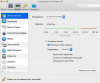
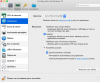
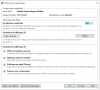
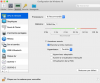
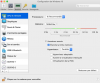
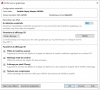
I recently purchased a Macbook Pro with the Radeon Pro Vega 20 GPU. I notice when configuring my Win10 VM, the [Graphics] -> [Advanced Settings] menu does not contain an option for 3d acceleration via Direct X like I have seen in the past.
My concern is that my previous laptop which was a Macbook Pro 2017 (Mojave 10.14.6) with Radeon Pro 560 seems to handle my 3d applications better with Direct X 10 enabled under 3d Acceleration.
Looking on my new Macbook (Catalina 10.15) at [Apple] -> [About This Mac] -> [System Report] -> [Graphics/Display] shows:
Radeon Pro Vega 20:
Chipset Model: Radeon Pro Vega 20
Type: GPU
Bus: PCIe
PCIe Lane Width: x16
VRAM (Total): 4 GB
Vendor: AMD (0x1002)
Device ID: 0x69af
Revision ID: 0x00c0
ROM Revision: 113-D2060I-087
VBIOS Version: 113-D20601MA0T-016
Option ROM Version: 113-D20601MA0T-016
EFI Driver Version: 01.01.087
Automatic Graphics Switching: Supported
gMux Version: 5.0.0
Metal: Supported, feature set macOS GPUFamily2 v1
I recently purchased a Macbook Pro with the Radeon Pro Vega 20 GPU. I notice when configuring my Win10 VM, the [Graphics] -> [Advanced Settings] menu does not contain an option for 3d acceleration via Direct X like I have seen in the past.
My concern is that my previous laptop which was a Macbook Pro 2017 (Mojave 10.14.6) with Radeon Pro 560 seems to handle my 3d applications better with Direct X 10 enabled under 3d Acceleration.
Looking on my new Macbook (Catalina 10.15) at [Apple] -> [About This Mac] -> [System Report] -> [Graphics/Display] shows:
Radeon Pro Vega 20:
Chipset Model: Radeon Pro Vega 20
Type: GPU
Bus: PCIe
PCIe Lane Width: x16
VRAM (Total): 4 GB
Vendor: AMD (0x1002)
Device ID: 0x69af
Revision ID: 0x00c0
ROM Revision: 113-D2060I-087
VBIOS Version: 113-D20601MA0T-016
Option ROM Version: 113-D20601MA0T-016
EFI Driver Version: 01.01.087
Automatic Graphics Switching: Supported
gMux Version: 5.0.0
Metal: Supported, feature set macOS GPUFamily2 v1