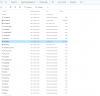
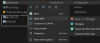
But the license errorfor me it's here
C:\Program Files\PTC\Creo 10.0.0.0\Parametric\bin

Follow along with the video below to see how to install our site as a web app on your home screen.
Note: This feature may not be available in some browsers.
But the license errorfor me it's here
C:\Program Files\PTC\Creo 10.0.0.0\Parametric\bin
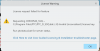
I can open it too , but the license error show up "(-8) Invalid(inconsistent) license key". I am sure the liencese key is okIT WORKS ! just installed Creo 10! Finally modern UI ! (was using Creo 3 since the upgrade)
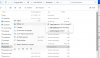
open windows file option to show file extension.That is my screen
save it to another place and then paste to replace itWhen I Want to save the new document, I get a note, that I am not in the position to Open/change the data
How do I do that, it is Not possible. I can Save it to another place but not with the same name and only as a.txt version and not as a .psf
When I Want to save the new document, I get a note, that I am not in the position to Open/change the data
 But my issue ......... the license
Creo Simulation Live requires an Nvidia graphics card, so it's not going to run no matter what. That's also been true on Intel Macs.The hardware does not meet the requirements of Creo Simulation Live,How do we need to solve it? Mac Sonoma14
I ran into this issue when I *thought* that I was running the latest version of Windows 11 (22H3) but in fact was running an older version (22H1). Once I upgraded to 22H3, I was able to install and my license worked fine. I'd suggest checking that you are on the latest Windows 11 release, and possibly also re-installing (I had to reinstall Windows to get the upgrade).