
Install the app
How to install the app on iOS
Follow along with the video below to see how to install our site as a web app on your home screen.
Note: This feature may not be available in some browsers.
You are using an out of date browser. It may not display this or other websites correctly.
You should upgrade or use an alternative browser.
You should upgrade or use an alternative browser.
Parallels Desktop for Mac computers with Apple silicon M4 chips
- Thread starter Mikhail Ushakov
- Start date
-
- Tags
- apple silicon m4 chip
I downloaded the Parallels Desktop 20.1.1 build using the link: https://download.parallels.com/desktop/v20/20.1.1-55740/ParallelsDesktop-20.1.1-55740.dmg that @Pramesh Boodadoo suggested and I confirm it works on my M4 pro macbook pro. thanks!
I am unable to install any *nix operating system in Parallels v. 20.1.1 on a new MacBook M4 Pro. The installer (for kali for example) randomly fails at a different spot each time. Sometimes it simply fails during the initial probing of hardware, other times it gets all the way through to installing software and then fails at 90%.
I have tried the Netinstall, the Full ISO image, etc. Using the arm64 edition so it can run natively without rosetta.
Not sure what to do to troubleshoot. I also tried FreeBSD and same issue... dies at a random different part of the installer.
I have tried the Netinstall, the Full ISO image, etc. Using the arm64 edition so it can run natively without rosetta.
Not sure what to do to troubleshoot. I also tried FreeBSD and same issue... dies at a random different part of the installer.
So, this means that we "HAVE" (one more time) to buy the new version (20) ? or your guys are going to make a patch for the version 19?Hello,
Please note that is a known issue with Parallels Desktop App Store Edition, our development team is currently working on this issue.
As a temporary work-around, please download and use Parallels Desktop 20.1.1 build using the link: https://download.parallels.com/desktop/v20/20.1.1-55740/ParallelsDesktop-20.1.1-55740.dmg
We advise you to subscribe to this article https://kb.parallels.com/en/123851 ("Get Updates" button) to get informed once there are any updates on this.
Thank you.

Mikhail Ushakov
Problem solver
Dear Parallels Desktop Community,
Apple M4 chips are fully supported by the latest versions of Parallels Desktop 20.x and Parallels Desktop 1.10.x App Store Edition.
Parallels Desktop 19 didn't support macOS 15 Sequoia as a main system. Since the new M4 Macs have macOS 15 preinstalled, you might experience issues running your virtual machines on Parallels Desktop 19.
- If you have a subscription, we advise you to install Parallels Desktop 20, which is fully compatible with macOS 15;
- If you have a perpetual license of Parallels Desktop 19, we suggest you upgrade to Parallels Desktop 20.
Linux virtual machines can experience crashes on M4. Check the workaround and subscribe to https://kb.parallels.com/en/130273 to get notified when the issue is resolved.
Apple M4 chips are fully supported by the latest versions of Parallels Desktop 20.x and Parallels Desktop 1.10.x App Store Edition.
Parallels Desktop 19 didn't support macOS 15 Sequoia as a main system. Since the new M4 Macs have macOS 15 preinstalled, you might experience issues running your virtual machines on Parallels Desktop 19.
- If you have a subscription, we advise you to install Parallels Desktop 20, which is fully compatible with macOS 15;
- If you have a perpetual license of Parallels Desktop 19, we suggest you upgrade to Parallels Desktop 20.
Linux virtual machines can experience crashes on M4. Check the workaround and subscribe to https://kb.parallels.com/en/130273 to get notified when the issue is resolved.
Hello,
Please note that is a known issue with Parallels Desktop App Store Edition, our development team is currently working on this issue.
As a temporary work-around, please download and use Parallels Desktop 20.1.1 build using the link: https://download.parallels.com/desktop/v20/20.1.1-55740/ParallelsDesktop-20.1.1-55740.dmg
We advise you to subscribe to this article https://kb.parallels.com/en/123851 ("Get Updates" button) to get informed once there are any updates on this.
Thank you.
Hi Mikhail,Hello Dear Parallels Desktop Community,
Parallels Desktop 19 isn't supported to run on Mac computers with macOS 15 as a main system. Since new M4 Macs have macOS 15 preinstalled, you might experience some issues with running your virtual machines in Parallels Desktop 19.
- If you have a subscription, we advise you to install Parallels Desktop 20 that is fully compatible with macOS 15;
- If you have a perpetual license of Parallels Desktop 19, we advise you to purchase an upgrade to Parallels Desktop 20.
As for Parallels Desktop App Store Edition 1.9.4 - we're releasing an update for this version shortly. Subscribe to https://kb.parallels.com/123851 to get an email notification once the new version is released.
Let me first tell you that this statement "Parallels Desktop 19 isn't supported to run on Mac computers with macOS 15 as a main system" it's completely inaccurate;
I was using version 19 until last week with my previous mac mini (M2 pro) and macOS 15 installed on it.; all virtual machines were working without any issue; hence, it's NOT macOS 15 the issue but something with the new processor M4.
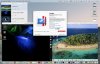
Additionally, I'm STILL using version 19 on my macBook Pro M3 Pro with macOS 15 installed (See attached picture)
I have been using Parallels for years, but lately I've noticed that you guys don't support previous versions almost immediately something happens (update macOS or issues with new processors).
If you are not guaranteeing supporting your products for "perpetual licenses" why you don't stop to sell them and only offer what you are willing to support ?
I found this completely disconsidered behavior to ask us (your customer) to pay for "upgrades" every year. (in my case 2 licenses)
At least, this time, since this nothing to do with macOS, should offer us another option that just "buy" the new version.
Please let us know if you definitely won't patch version 19 and no other option will be offer but just pay for the upgrade.
Thanks,
Fred
Attachments
I am also on m4 mac and every ubuntu image I try to run (Noble, Noble + Rosetta, Jammy) all have corrupted ca-certificates and dpkg so I am unable to do much.
Setting up ca-certificates (20240203) ...
Updating certificates in /etc/ssl/certs...
Segmentation fault (core dumped)
dpkg: error processing package ca-certificates (--configure):
installed ca-certificates package post-installation script subprocess returned error exit status 139
Setting up ca-certificates (20240203) ...
Updating certificates in /etc/ssl/certs...
Segmentation fault (core dumped)
dpkg: error processing package ca-certificates (--configure):
installed ca-certificates package post-installation script subprocess returned error exit status 139
Similar issue hereI'm running MBP with M4 Pro with Parallels Version 20.1.1 (55740).
I can't get any Ubuntu OS installed. I've tried 24.04 Desktop and Server with ARM and 22.04 Server with ARM. Neither of them can be installed.
I was able to install 24.04 Desktop but after "sudo apt upgrade" and restarting i get a kernel panic. The server installations all cancel after a while.
Have you tried this on your side?
ParallelsU1377
Bit poster
Yeah, I also have seen similar issues. Generally certain operations are really slow or the process is just freezing.
any answer about this ?Hi Mikhail,
Let me first tell you that this statement "Parallels Desktop 19 isn't supported to run on Mac computers with macOS 15 as a main system" it's completely inaccurate;
I was using version 19 until last week with my previous mac mini (M2 pro) and macOS 15 installed on it.; all virtual machines were working without any issue; hence, it's NOT macOS 15 the issue but something with the new processor M4.
Additionally, I'm STILL using version 19 on my macBook Pro M3 Pro with macOS 15 installed (See attached picture)r
I have been using Parallels for years, but lately I've noticed that you guys don't support previous versions almost immediately something happens (update macOS or issues with new processors).
If you are not guaranteeing supporting your products for "perpetual licenses" why you don't stop to sell them and only offer what you are willing to support ?
I found this completely disconsidered behavior to ask us (your customer) to pay for "upgrades" every year. (in my case 2 licenses)
At least, this time, since this nothing to do with macOS, should offer us another option that just "buy" the new version.
Please let us know if you definitely won't patch version 19 and no other option will be offer but just pay for the upgrade.
Thanks,
Fred

Hello,I'm running MBP with M4 Pro with Parallels Version 20.1.1 (55740).
I can't get any Ubuntu OS installed. I've tried 24.04 Desktop and Server with ARM and 22.04 Server with ARM. Neither of them can be installed.
I was able to install 24.04 Desktop but after "sudo apt upgrade" and restarting i get a kernel panic. The server installations all cancel after a while.
Have you tried this on your side?
We have created a support ticket to further assist you, you will shortly receive an email with further instructions.
Thank you.
Hello,I am also on m4 mac and every ubuntu image I try to run (Noble, Noble + Rosetta, Jammy) all have corrupted ca-certificates and dpkg so I am unable to do much.
Setting up ca-certificates (20240203) ...
Updating certificates in /etc/ssl/certs...
Segmentation fault (core dumped)
dpkg: error processing package ca-certificates (--configure):
installed ca-certificates package post-installation script subprocess returned error exit status 139
We have escalated your existing support ticket to the Level 2 team to further assist you on this issue.
Thank you
Keshav Dosieah
Staff member
I am unable to install any *nix operating system in Parallels v. 20.1.1 on a new MacBook M4 Pro. The installer (for kali for example) randomly fails at a different spot each time. Sometimes it simply fails during the initial probing of hardware, other times it gets all the way through to installing software and then fails at 90%.
I have tried the Netinstall, the Full ISO image, etc. Using the arm64 edition so it can run natively without rosetta.
Not sure what to do to troubleshoot. I also tried FreeBSD and same issue... dies at a random different part of the installer.
Hello,
We have created a Support Ticket to further assist you for the issue you are experiencing. You should receive an email from our support team shortly.
Thank you.
Mikhail Ushakov
Problem solver
Hi Fred,Hi Mikhail,
Let me first tell you that this statement "Parallels Desktop 19 isn't supported to run on Mac computers with macOS 15 as a main system" it's completely inaccurate;
I was using version 19 until last week with my previous mac mini (M2 pro) and macOS 15 installed on it.; all virtual machines were working without any issue; hence, it's NOT macOS 15 the issue but something with the new processor M4.
Additionally, I'm STILL using version 19 on my macBook Pro M3 Pro with macOS 15 installed (See attached picture)
I have been using Parallels for years, but lately I've noticed that you guys don't support previous versions almost immediately something happens (update macOS or issues with new processors).
If you are not guaranteeing supporting your products for "perpetual licenses" why you don't stop to sell them and only offer what you are willing to support ?
I found this completely disconsidered behavior to ask us (your customer) to pay for "upgrades" every year. (in my case 2 licenses)
At least, this time, since this nothing to do with macOS, should offer us another option that just "buy" the new version.
Please let us know if you definitely won't patch version 19 and no other option will be offer but just pay for the upgrade.
Thanks,
Fred
Thank you for your question, I appreciate it.
First of all, we don't have an incentive to push our customers who have perpetual licenses to purchase upgrades to a new major version of the product every year. But we also define a list of Mac operating systems where a major version of Parallels Desktop is supported to run. In case of Parallels Desktop 19, this is macOS 12 - macOS 14. This information is publicly available: https://kb.parallels.com/114381. So, it remains the main drawback of all perpetual licenses: it might not be compatible with the latest major releases of macOS. For the customers who want to upgrade to the latest versions of macOS and have Parallels Desktop running there without any issues, we offer a subscription model that includes all the latest patches and fixes.
So does that mean if you have a Parallels 19 license and are unlucky enough to have bought an M4 Mac, then you have to update to 20 and pay extra again?Hi Fred,
Thank you for your question, I appreciate it.
First of all, we don't have an incentive to push our customers who have perpetual licenses to purchase upgrades to a new major version of the product every year. But we also define a list of Mac operating systems where a major version of Parallels Desktop is supported to run. In case of Parallels Desktop 19, this is macOS 12 - macOS 14. This information is publicly available: https://kb.parallels.com/114381. So, it remains the main drawback of all perpetual licenses: it might not be compatible with the latest major releases of macOS. For the customers who want to upgrade to the latest versions of macOS and have Parallels Desktop running there without any issues, we offer a subscription model that includes all the latest patches and fixes.
ParallelsU1377
Bit poster
Hello,
We have created a Support Ticket to further assist you for the issue you are experiencing. You should receive an email from our support team shortly.
Thank you.
I'm having similar problems, can I also be added to this support ticket?
I'm running MBP with M4 Pro with Parallels Version 20.1.1 (55740).
I can't get any Ubuntu OS installed. I've tried 24.04 Desktop and Server with ARM and 22.04 Server with ARM. Neither of them can be installed.
I was able to install 24.04 Desktop but after "sudo apt upgrade" and restarting i get a kernel panic. The server installations all cancel after a while.
Have you tried this on your side?
I have the same issue cannot do anything on either ubuntu22/arm64 or ubuntu24/arm64. Results in either stack corruption error or segmentation violation SIGSEGV...
tried creating a new ubuntu VM from Parallels provided image, but see same errors