Didn't make any difference -- did exactly as described and Coherence mode still gives me a big black area on my main screen (the bottom of which is at the same vertical position as the bottom of my second screen) and no Windows apps in sight.wreck said:1. Uninstall old version of Parallels tools, reboot VM.
2. Start Menu --> Run --> sc delete "parallels coherence service"
3. Reinstall Parallels tools, reboot VM.
Coherence should now work.

Install the app
How to install the app on iOS
Follow along with the video below to see how to install our site as a web app on your home screen.
Note: This feature may not be available in some browsers.
You are using an out of date browser. It may not display this or other websites correctly.
You should upgrade or use an alternative browser.
You should upgrade or use an alternative browser.
Parallels Desktop for Mac build 3094 Beta 2 is available for download.
- Thread starter STim
- Start date
wreck said:For those having coherence issues after upgrading from the previous beta: The entry for the parallels coherence service is not cleanly removed when uninstalling the previous version of parallels tools. This causes the installer of the new version of parallels tools to not fully install the coherence service.
1. Uninstall old version of Parallels tools, reboot VM.
2. Start Menu --> Run --> sc delete "parallels coherence service"
3. Reinstall Parallels tools, reboot VM.
Coherence should now work.
This worked awesome for me! When I would try to start Coherence mode the it wouldn't do anything, and then the VM (running off my Boot Camp partition) wouldn't respond to the keyboard (except for the windows, alt, and control keys), and whenever I clicked anywhere it would run a right-click action instead of left-click.
After doing what wreck said to do it works great!
yesno said:Since installing Beta 2 on my Macbook with a Boot Camp partition, I've had all kinds of problems. I did uninstall the Parallels tools correctly from within Boot Camp.
First off, everything seemed to work, but networking didn't. I eventually uninstalled the Parallels tools but still networking did not work. So I uninstalled Parallels, then reinstalled it. I then noticed that the "Shared Networking" bit was greyed out when re-setting up the VM. Rebooting the Mac and uninstalling then reinstalling Parallels had no effect- this is what the FAQ said to do.
I eventually figured out that I could get the "Shared Networking" ungreyed by making sure that "ethernet adapter en3" was listed and turned on under Network prefs in System Preferences.
Meanwhile, in the VM Windows keeps insisting on being reactivated. I can't, because the networking doesn't work. Several VM reboots later and now I'm locked out of Windows because I haven't activated it. Networking still does not work, so I still can't network.
I have gone through every combination of network settings and I still cannot get the VM to see the network. Before uninstalling the tools, I even tried switching to the old network driver. No luck.
I then was able to boot into Windows in safe mode and get the tools reinstalled. Coherence now works, but I can only ever see the nag screens and failed activation attempts because, still, I can't get the VM to see the network!
I think if I can get networking to work, my problems will be solved. I should be able to activate Windows and move on. What could possibly be causing all of this? I can still boot into Windows fine through boot camp. Is there a way to make the Paralles VM "start over" so that I can use it and tinker, trying to fix the networking from within the VM? Why did Windows not give me three days to activate?
Okay, and now Parallels keeps telling me to turn off internet sharing, but internet sharing is not on. Whatever this new Beta did it right and truly hosed my network settings.
edit: I totally trashed every network related plist in OS X, uninstalled Parallels, tried to make sure no trace of it was left. Started over; reinstalled Parallels. Lots of rebooting. STILL NOTHING. New, weird stuff happens each time. Resolution changing no longer works. Mouse drift. I am begining to fear that there is no solution; that Parallels has just utterly hosed my machine.
Last edited:
Any word on the Blue Screen of Death Issue?
MacPro 2.66
3GB RAM
X1900
4 Hard Drives no partitions and Windows in on a dedicated drive in bay 4
I uninstalled parallels tools but I still get the selestion of parallels configuration or WindowsXP and then it gives me the BSOD
terminal:
mount
/dev/disk1s2 on / (local, journaled)
devfs on /dev (local)
fdesc on /dev (union)
<volfs> on /.vol
/dev/disk2s2 on /Volumes/Backup (local, journaled)
/dev/disk0s2 on /Volumes/Work (local, journaled)
automount -nsl [143] on /Network (automounted)
automount -fstab [147] on /automount/Servers (automounted)
automount -static [147] on /automount/static (automounted)
/dev/disk5s3 on /Volumes/holt’s iPod (local, nodev, nosuid, journaled)
/dev/disk4s2 on /Volumes/R6VEGAS (local, nodev, nosuid, read-only)
/dev/disk3s2 on /Volumes/Untitled (local, read-only)
MacPro 2.66
3GB RAM
X1900
4 Hard Drives no partitions and Windows in on a dedicated drive in bay 4
I uninstalled parallels tools but I still get the selestion of parallels configuration or WindowsXP and then it gives me the BSOD
terminal:
mount
/dev/disk1s2 on / (local, journaled)
devfs on /dev (local)
fdesc on /dev (union)
<volfs> on /.vol
/dev/disk2s2 on /Volumes/Backup (local, journaled)
/dev/disk0s2 on /Volumes/Work (local, journaled)
automount -nsl [143] on /Network (automounted)
automount -fstab [147] on /automount/Servers (automounted)
automount -static [147] on /automount/static (automounted)
/dev/disk5s3 on /Volumes/holt’s iPod (local, nodev, nosuid, journaled)
/dev/disk4s2 on /Volumes/R6VEGAS (local, nodev, nosuid, read-only)
/dev/disk3s2 on /Volumes/Untitled (local, read-only)
Definitely a great improvement.
I am wondering, I have difficulties when my MBP sleeps while Parallels is open. It has difficulty waking, and Parallels seems frozen. I am running Win Vista Ultimate. I had to switch between window, full screen and coherence mode a few times to get vista to "wake up" again
Another issue I have seen when running in Coherence mode is that there are parts and pieces of the Vista desktop that don't get hidden and they stay on the Mac desktop. Sorta unsightly, but nothing serious.
I am wondering, I have difficulties when my MBP sleeps while Parallels is open. It has difficulty waking, and Parallels seems frozen. I am running Win Vista Ultimate. I had to switch between window, full screen and coherence mode a few times to get vista to "wake up" again
Another issue I have seen when running in Coherence mode is that there are parts and pieces of the Vista desktop that don't get hidden and they stay on the Mac desktop. Sorta unsightly, but nothing serious.
CA Anti-Virus problem
I just did everything from scratch for the new Beta, most everything is fine.
But, I installed CA Anti-Virus while running under Parallels, then when I ran under Boot Camp, it said it was disabled, and got some kind of error when I tried to enable it. I reinstalled it under Boot Camp, and now when running under Parallels, it again is disabled and can't be reenabled without reinstallation.
I just did everything from scratch for the new Beta, most everything is fine.
But, I installed CA Anti-Virus while running under Parallels, then when I ran under Boot Camp, it said it was disabled, and got some kind of error when I tried to enable it. I reinstalled it under Boot Camp, and now when running under Parallels, it again is disabled and can't be reenabled without reinstallation.
I am confused. Page 172 of the user guide that was released with Build 3094 states:
"To use Boot Camp Windows installation in a virtual machine you have to install Parallels Tools
for Boot Camp on it. Parallels Tools and Parallels Tools for Boot Camp will not interfere with
the system when you boot into it via Boot Camp. "
So...should I remove the Parallels Tools that I installed on my BootCamp parition that I installed when running XP natively (back in the previous beta build)?
Thanks!
"To use Boot Camp Windows installation in a virtual machine you have to install Parallels Tools
for Boot Camp on it. Parallels Tools and Parallels Tools for Boot Camp will not interfere with
the system when you boot into it via Boot Camp. "
So...should I remove the Parallels Tools that I installed on my BootCamp parition that I installed when running XP natively (back in the previous beta build)?
Thanks!
Parallels on Mac partition
Have been able to get Parallels to work well with XP on the Boot Camp partition, which is excellent. However, when attempting to see how it works with XP on the Mac side, I get as far as a message saying Parallels Tools needs to be updated (which is expected) and the Mac spinning color wheel - it stays in that color wheel cursor mode for as long as I like to wait and am obliged to force quit to get control again.
Any ideas, thanks.
Have been able to get Parallels to work well with XP on the Boot Camp partition, which is excellent. However, when attempting to see how it works with XP on the Mac side, I get as far as a message saying Parallels Tools needs to be updated (which is expected) and the Mac spinning color wheel - it stays in that color wheel cursor mode for as long as I like to wait and am obliged to force quit to get control again.
Any ideas, thanks.
don montalvo
Hunter
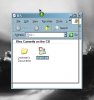
3094b2 bug...only cosmetical (screenshot#1)
nice to have coherence back! i noticed a few minor bugs. first, if youdrag a window across the screen, you get the green (+) icon. nothing is actually copied, but it makes you stop to second guess things for a sec. i'm used to it but thought i'd point it out.
see attached screenshot
thanks,
don
nice to have coherence back!
i noticed a few minor bugs. first, if youdrag a window across the screen, you get the green (+) icon. nothing is actually copied, but it makes you stop to second guess things for a sec. i'm used to it but thought i'd point it out.see attached screenshot
thanks,
don
Attachments
Last edited:
very simple question for the devs
with all the problems with parallels not detecting boot camp partitions and windows installed on separate hard disks, why not just have a drive selection dialog and let the user pick a mounted drive?
if it's for simplicity sake to try to auto-detect it for the user, then its counter-productive because it is making it harder to get it working when a manually selected drive should work.
if there's a technical reason, please share if you can or at least tell us there is a reason but you can't share it.
thanks.
with all the problems with parallels not detecting boot camp partitions and windows installed on separate hard disks, why not just have a drive selection dialog and let the user pick a mounted drive?
if it's for simplicity sake to try to auto-detect it for the user, then its counter-productive because it is making it harder to get it working when a manually selected drive should work.
if there's a technical reason, please share if you can or at least tell us there is a reason but you can't share it.
thanks.
BladeRunner
Junior Member
VERY impressed! - Results 3 to 4 houres in.
I upgraded from 3036 to 3094 earlier today. I ran the 3036 uninstall first and then ran the 3094 install. When I started Parallels my registration was still recognized and so was the inventory of VM systems.
My system has 3.0Ghz Pent 4 proc with HT Technology (2 threads) and 2.0Gb Ram. I am currently running WinXP-Pro with 636Mb ram and Ubunto-6.1 with 512 Mb ram on Mac OS X 10.4.8. The Ubuntu system is currently downloading about 35 application updates and the WinXP system is running FireFox browser retrieving some web pages - and I am writing this post.
If I activate the DashBoard with an iStat-Pro widget it shows the system is running both threads at about max capacity. The total CPU is running about 95%. Still, the performance is quite reasonable. If I switch OS X desktops sometimes the Cube rotation shows a very slight delay.
Still, NOT Bad!
So far, everything I have tried is working great. The only thing I wish I could figure out is how to stop the WinXP apps from showing in the OS X Doc
I upgraded from 3036 to 3094 earlier today. I ran the 3036 uninstall first and then ran the 3094 install. When I started Parallels my registration was still recognized and so was the inventory of VM systems.
My system has 3.0Ghz Pent 4 proc with HT Technology (2 threads) and 2.0Gb Ram. I am currently running WinXP-Pro with 636Mb ram and Ubunto-6.1 with 512 Mb ram on Mac OS X 10.4.8. The Ubuntu system is currently downloading about 35 application updates and the WinXP system is running FireFox browser retrieving some web pages - and I am writing this post.
If I activate the DashBoard with an iStat-Pro widget it shows the system is running both threads at about max capacity. The total CPU is running about 95%. Still, the performance is quite reasonable. If I switch OS X desktops sometimes the Cube rotation shows a very slight delay.
Still, NOT Bad!
So far, everything I have tried is working great. The only thing I wish I could figure out is how to stop the WinXP apps from showing in the OS X Doc
BBH said:I initially installed the 3094 build over 3036 and it seemed to be going ok.. When the Guest OS (WXP Home) started up, it popped up some stuff about new video drivers..I selected the default (top) choice...I THINK it hiccuped...
When I went to restart the Guest OS, it locked on a black screen after the few second or two of the log on logo...
I uninstalled and reinstalled a couple of times with the same black screen result. I have now gone back to 3036 which appears to be ok.
Awaiting Beta 3....
AAAaggghhhhhh
EXACTLY the same thing has happened to me except I cannot find my copy of the 3036 installer so I cannot go backwards.
HELP PLEASE.
Robin
Unable to get boot camp volume to boot in parallels .. both the previous and the current (3094) beta give me the same error inside the virtual machine:
Booting from hard disk ... Error loading operating system
Given it's unmounting the disk properly before booting the VM, and that when I fiddle with the IDE chain it gives me a whole bunch of different errors (the kind you'd expect when it doesn't find a disk at all) .. I'm pretty sure it's finding the disk properly. Just not the OS
This is a fully functioning boot camp disk.
To answer your specifics:
- How many HDDs does your Mac have?
2 x 500g disks
- Where is your Boot Camp partition located?
2nd hard disk (all by itself) .. NTFS formatted
- What is the OS installed on Boot Camp exact name and version? Is it 64-bit one or 32-bit one?
Windows XP Professional, 32 bit
- open Terminal, issue the "mount" command and post its output here please
/dev/disk1s2 on / (local, journaled)
devfs on /dev (local)
fdesc on /dev (union)
<volfs> on /.vol
automount -nsl [167] on /Network (automounted)
automount -fstab [194] on /automount/Servers (automounted)
automount -static [194] on /automount/static (automounted)
/dev/disk0s2 on /Volumes/Untitled (local, read-only)
/dev/disk2s0 on /Volumes/disk2 (local, nodev, nosuid, read-only)
If it matters, here's the rest of the configuration:
Mac Pro, 2.66ghz
2g ram
ATI X1900 video card
24" cinema display (this was an issue for a while with boot camp until the mac pros got a firmware upgrade about a month ago)
Booting from hard disk ... Error loading operating system
Given it's unmounting the disk properly before booting the VM, and that when I fiddle with the IDE chain it gives me a whole bunch of different errors (the kind you'd expect when it doesn't find a disk at all) .. I'm pretty sure it's finding the disk properly. Just not the OS
This is a fully functioning boot camp disk.
To answer your specifics:
- How many HDDs does your Mac have?
2 x 500g disks
- Where is your Boot Camp partition located?
2nd hard disk (all by itself) .. NTFS formatted
- What is the OS installed on Boot Camp exact name and version? Is it 64-bit one or 32-bit one?
Windows XP Professional, 32 bit
- open Terminal, issue the "mount" command and post its output here please
/dev/disk1s2 on / (local, journaled)
devfs on /dev (local)
fdesc on /dev (union)
<volfs> on /.vol
automount -nsl [167] on /Network (automounted)
automount -fstab [194] on /automount/Servers (automounted)
automount -static [194] on /automount/static (automounted)
/dev/disk0s2 on /Volumes/Untitled (local, read-only)
/dev/disk2s0 on /Volumes/disk2 (local, nodev, nosuid, read-only)
If it matters, here's the rest of the configuration:
Mac Pro, 2.66ghz
2g ram
ATI X1900 video card
24" cinema display (this was an issue for a while with boot camp until the mac pros got a firmware upgrade about a month ago)
Last edited:
don montalvo
Hunter
3094b2 bug...only cosmetical (screenshot#2)
here's the second bug i found (others have mentioned i think). if i have coherence on, i can use both monitors, but the start menu extends beyond one screen onto the second. obviously this is a problem since is tagger my monitors.
see attached screenshot
thanks,
don
don montalvo said:nice to have coherence back!
see attached screenshot
thanks,
don
here's the second bug i found (others have mentioned i think). if i have coherence on, i can use both monitors, but the start menu extends beyond one screen onto the second. obviously this is a problem since is tagger my monitors.
see attached screenshot
thanks,
don
Attachments

manfredell
Hunter
Tim Surgent said:manfredell, kperry7505 - what are exactly your Palms names and versions? I'm buying this one immediately...
I have a Palm Treo 650 smartphone. Latest Palm software installed in the VM under XP. Hotsync manager configured to synch over usb.
Works fine in all versions until 1970. Stopped working with latest 2 betas.
manfredell
Hunter
Tim Surgent said:manfredell, kperry7505 - what are exactly your Palms names and versions? I'm buying this one immediately...
Palm hotsynch name is Manfred Ell
I have to chime in here...up until this point, I've been firmly on the side of Boot Camp, as I run some fairly processor-intensive apps (Rhino 3D, AutoCAD, etc.), but now after installing build 3094, I'm finally to the point where I can run these apps via Parallels for smaller tasks without having to completely reboot. I had installed some of the previous betas with very limited success, as I couldn't get it to read my FAT 32 formatted Boot Camp drive, but this release seems super snappy.
A great big thank you to the dev team and beta testers who have made this a great product!
A great big thank you to the dev team and beta testers who have made this a great product!
[email protected]
Junior Member
Problem with multiple os x users and parallels/bootcamp
I have two OS X user accounts. One is administrator, the other user.
I installed parallels 3094 beta 2 under the admin account.
Whenever I try to run the VM for the user account I am asked to verify with an Administrator Acccount to allow modification of the Parallels Desktop.
Any ideas on how to resolve this?
Regards
John
I have two OS X user accounts. One is administrator, the other user.
I installed parallels 3094 beta 2 under the admin account.
Whenever I try to run the VM for the user account I am asked to verify with an Administrator Acccount to allow modification of the Parallels Desktop.
Any ideas on how to resolve this?
Regards
John