
Install the app
How to install the app on iOS
Follow along with the video below to see how to install our site as a web app on your home screen.
Note: This feature may not be available in some browsers.
You are using an out of date browser. It may not display this or other websites correctly.
You should upgrade or use an alternative browser.
You should upgrade or use an alternative browser.
Parallels Desktop 9 and Mac OS X 10.10 Yosemite (as a guest OS) compatibility
- Thread starter Andrew@Parallels
- Start date
Hi all,
Mac OS X 10.10 Yosemite is now supported with Parallels Desktop 9. Please download and install the latest update for Parallels Desktop 9 available.
To update Parallels Desktop 9, Please refer this link http://kb.parallels.com/111603
Please let us know, if you have any additional questions. We're happy to help you.
Hmm, I'm running Parallels Desktop on Yosemite, with the latest DP of 10.10. I'm using Parallels to run Windows 8.1 on Yosemite, but whenever I browse around Modern/Metro apps within Windows, the Mac kernel panics (i.e the Mac mini just restarts completely) - it seems to only really be when using Metro/Modern UI apps. For example, I can boot into Win 8.1 and use the desktop, but opening the Mail app or Flipboard, for example, will reboot the Mac. Also, the graphics seem jittery when compared to what they were on Mavericks.
That is correct.
For those of you who want to run Parallels Desktop on Yosemite, it now should work.
Yosemite as a guest OS (in a virtual machine) isn't yet supported and our engineering team is working on it.
Andrew@Parallels - can you please confirm the engineering team plans to add Yosemite as a GUEST support to Parallels 9 and not just a new version 10 they're feverishly trying to push out in time for the GA Yosemite release?
PleasespecifyYourNickName
Bit poster
I'm really disappointed by Parallels Desktop. It has been well over a month now that OS X Yosemite for beta testers came out, and I'm still not able to install it as a guest to test my own software. Should I really need to switch to VirtualBox or VMWare just to be able to install Yosemite?
I'm really disappointed by Parallels Desktop. It has been well over a month now that OS X Yosemite for beta testers came out, and I'm still not able to install it as a guest to test my own software. Should I really need to switch to VirtualBox or VMWare just to be able to install Yosemite?
Apparently, yes.
Parallels was working perfectly with Yosemite for all my OS's (Win 8.1, Ubuntu 13.01) until I updated it today (as prompted by Parallels). Now it doesn't even start. Not even the icon will load.
My advise, if it is currently working for you on 10.10, is not to update. Now I have to try and revert to my previous version.
My advise, if it is currently working for you on 10.10, is not to update. Now I have to try and revert to my previous version.
To bad a company like parallels who is owning the Mac virtualisation market for many years now can't make it work...
Until Apple drops the BETA in OS X 10.10 Yosemite BETA, I believe you need to re-think that statement.
And the thing is they need to react before the Yosemite Public Beta is made available. Remember that even though Yosemite is in beta, REAL average joe customers are signed up for it, they won't understand the beta stuff, just that they installed something Apple offered them and PD doesn't work on it. They are gonna have a pretty rough time if they don't get ready before the public beta lands.
Public beta launching tomorrow (July 24). Any news from Parallels?
Surprised at the silence. Yes, the public beta launches tomorrow and Apple actually recommends to install it on a "secondary device". This is exactly what Parallels would be ideal for if the guys could make it work! I don't know why they can't focus on this instead of making Parallels run on the Yosemite.
Well, here is what their VP of communication had to say on Twitter:
Of course he does not mention that the version of PD on which Yosemite runs is not available to mere mortals like us. Clearly they're behind.
@uppendahl
@XavierChaillot we are excited about Yosemite; its previews run on Parallels Desktop. We will let you know when have more news to share.
Of course he does not mention that the version of PD on which Yosemite runs is not available to mere mortals like us. Clearly they're behind.
sandeepchdy
Bit poster
I also tried installing Yosemite beta for public today on a clean Mavericks install in Parallels. It brings me to darwin boot loader screen. Not sure Whether other people also get stuck here. I am a newbie. Please pardon my ignorance if there is already a fix to it.
The Patcher
Bit poster
I also tried installing Yosemite beta for public today on a clean Mavericks install in Parallels. It brings me to darwin boot loader screen. Not sure Whether other people also get stuck here. I am a newbie. Please pardon my ignorance if there is already a fix to it.
I have exactly the same problem - I've managed to install Mavericks as guest OS, but no luck with the current Yosemite Beta, got stuck in the darwin boot loader screen.
Last edited:
Gilescooperuk
Bit poster
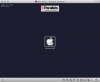
I guess this is the same as other people. One Screen with a Parallels badge at the top and a Macintosh HD apple logo in the centre that doesn't do anything?
Last edited: