
Install the app
How to install the app on iOS
Follow along with the video below to see how to install our site as a web app on your home screen.
Note: This feature may not be available in some browsers.
You are using an out of date browser. It may not display this or other websites correctly.
You should upgrade or use an alternative browser.
You should upgrade or use an alternative browser.
Parallels desktop 10: "You have reached the maximum number of activations available"
- Thread starter George Fidias
- Start date

Hi @DavidW27, we have made few changes to the key settings. Please restart Parallels Desktop to reactivate the same key. Thanks!I have the same issue after my logic board failed on my old MacBook Pro and purchasing a replacement MacBook Pro. When I try to automatically deactivate the old Mac I get this error message and cannot activate Parallels.
Alfena@Parallels
Pro

We have made changes to the activation key. Please try to activate again. You can contact us through any support medium if you have issues.I also get this error. MBP died and got replaced.
This is super frustrating. Does everyone who has this problem have to post directly here on this forum?
+1 Please fix my key also
Version 11.2.3 (32663)
Sorry for bring back old thread, but I also have encountered this issue with ParallelsDesktop for Mac 10.4.0 (29337) when I was transferring to new MacBookPro from old one.
I searched up for a solution, but it kept setting me back to looking for a license reactivation button in the app which doesn't actually exist in the ParallelsDesktop for Mac 10.4.0 (29337).
Regardless to say, this is frustrating, can someone please help/advise me how to address this issue as well? Thanks in advance.
I searched up for a solution, but it kept setting me back to looking for a license reactivation button in the app which doesn't actually exist in the ParallelsDesktop for Mac 10.4.0 (29337).
Regardless to say, this is frustrating, can someone please help/advise me how to address this issue as well? Thanks in advance.
We have made changes to the activation key. Please follow the instructions below:Sorry for bring back old thread, but I also have encountered this issue with ParallelsDesktop for Mac 10.4.0 (29337) when I was transferring to new MacBookPro from old one.
I searched up for a solution, but it kept setting me back to looking for a license reactivation button in the app which doesn't actually exist in the ParallelsDesktop for Mac 10.4.0 (29337).
Regardless to say, this is frustrating, can someone please help/advise me how to address this issue as well? Thanks in advance.
1. Quit Parallels Desktop, then try to activate after launching it again.
2. If you are still unable to activate, Open Terminal on the Mac and execute this command: prlsrvctl activate-license-online
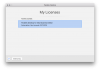
I too have this problem, switching to a new Mac - however I don't have the option on my old Mac to click on my email address as directed in KB http://kb.parallels.com/en/123461. There is nothing at all in the top right corner (see attached screenshot). V13.2.0 (43213). Please help!
Attachments
We have made changes to the activation key. Please follow the instructions below:I had Parallels Desktop on an Mac Pro 1,1. It died. Now have Mac Pro 5,1 and cannot use license to install 10.4.
1. Quit Parallels Desktop, then try to activate after launching it again.
2. If you are still unable to activate, Open Terminal on the Mac and execute this command: prlsrvctl activate-license-online
We see that you have a Business license there is no need for you to signout on old Mac. You have to deactivate the license using your account portal. We have made changes now, you can try to activate.I too have this problem, switching to a new Mac - however I don't have the option on my old Mac to click on my email address as directed in KB http://kb.parallels.com/en/123461. There is nothing at all in the top right corner (see attached screenshot). V13.2.0 (43213). Please help!
NicholasL3
Bit poster
Hi, I have this same issue, my old MacBook's logic board failed and I am trying to get parallels installed on a new MacBook. I get the message that my activations are all used up, I only want to transfer the licence from my old laptop to the new one. This is for work and its been 3 days of no response with regards to this issue. If I can get someone to respond that would be great.
We have made necessary changes to Parallels Desktop 11 key, try to activate again.Hi, I have this same issue, my old MacBook's logic board failed and I am trying to get parallels installed on a new MacBook. I get the message that my activations are all used up, I only want to transfer the licence from my old laptop to the new one. This is for work and its been 3 days of no response with regards to this issue. If I can get someone to respond that would be great.
We can only find Parallels Desktop 9 key under your account. We request you to reply our private message with the activation key.Hi,
I have the same problem with Parallels 10.
I would like to use Parallels on new my MacBookPro but I could not find "Signout" menu on Parallels 10 on my old MacBookPro.
Could you help me?
We have made changes to the activation key. Please follow the instructions below:Hi,
I have exactly the same problem as @HijimeS. Please help!
1. Quit Parallels Desktop, then try to activate after launching it again.
2. If you are still unable to activate, Open Terminal on the Mac and execute this command: prlsrvctl activate-license-online
Alfena@Parallels
Pro