Parallels 19 on macos Sonoma bad

ParallelsU1212

Bit poster
I have upgraded to macos Sonoma and this for a big part broke my Parallels 19.

My Windows VM's cannot use the recommended "Shared Networking", this just doesn't work, only Bridged Networking seems to work.
Networking on my Linux VM's doesn't work either way, no matter what I do.

Beside this Parallels and my VM's respond really slow when changing states and editing configurations.
Reinstalling Paralles, VM's or updating tools: Nothing helps.

Is anyone experiencing the same issues?
 
I have upgraded to macos Sonoma and this for a big part broke my Parallels 19.

My Windows VM's cannot use the recommended "Shared Networking", this just doesn't work, only Bridged Networking seems to work.
Networking on my Linux VM's doesn't work either way, no matter what I do.

Beside this Parallels and my VM's respond really slow when changing states and editing configurations.
Reinstalling Paralles, VM's or updating tools: Nothing helps.

Is anyone experiencing the same issues?
Hello,
Thank you for your feedback.
To let us better understand the situation, please perform the following steps:
1. Reproduce the issue.
2. Collect a technical report (click the Parallels icon on top of the mac menu bar > Help > Send technical data > check "Attach screenshots..." > press Send Report) and send the report's 9- ID in a reply to this message.
Thanks!
 
I already contacted support, but that didn't help. I created a report with ID 437137328.
Are these common and known issues with Sonoma? If so, I will have to downgrade. :(
 
I have just discovered exactly the same issue. Parallels no longer connects to the Internet on the shared network default setting. It seems to work on bridged and Ethernet so far.
 
Hello, we'd like to investigate this issue. Kindly collect the following data for us:
0. Revert the Virtual Machine configuration into the state where the issue reproduces.

1. Shut down the Windows 11 virtual machine.

2. On the terminal on your Mac, execute the below command:

sudo tcpdump -i all -w net-host.pcap

3. Start the virtual machine, wait until it boots up, ensure that the VM configures the link-local IP address (169.254.x.x) on the virtual interface.

4. Kill tcpdump on the host (Control+C), and share net-host.pcap with us (you can upload it to any file share storage and share the link with us).

Let us know when you have completed the above steps.
 
For me reinstalling didn't help. I also created a new VM with fresh Windows, which also didn't help.

It appears that the DHCP for IPv4 doesn't work anymore. I found that the IP-address in the VM was 169.254.216.223. Setting it manually to 10.211.55.12 with all according settings fixed the problem.

By the way, IPv6 and the DHCP settings do work. I found that websites with IPv6 addresses were working, but with only IPv4 aren't. So microsoft.com works, cocacola.com doesn't.

Beside this Parallels is still really slow when it comes to change the machine state, e.g. startup, shutdown, suspend. Very annoying.
 
I have the same issue. After upgrading to Sonoma, Parallels lose my internet connection and it is too slow! - It just happens inside the VM. My internet connection works fine on my Mac running Safari and other apps. Tried to shutdown and restarting and same thing. I am using Parallels Desktop v19 under a MacBook Pro M2.
 
I have the same issue after upgrading to Sonoma, and like others above, it happens only inside the VM. Tried shutting down (many times), and tried reinstalling Parallels Tools (many times). I am using MacBook Pro M1.
 
I have the same issue after upgrading to Sonoma, and like others above, it happens only inside the VM. Tried shutting down (many times), and tried reinstalling Parallels Tools (many times). I am using MacBook Pro M1.
Hello David, I got response from Parallels Support team and see below what they recommend me to do. After doing this it, I noticed a good improvement on my side.
give it a try:

As a possible solution, kindly follow the below steps:
1. Make sure that the Virtual Machine is Shutdown (Actions on top of the mac menu bar > select Shutdown).
2. Open the virtual machine configuration ( see: https://kb.parallels.com/117287 ) > Options > Optimization.
3. Set "Resource usage" to "No Limit".
4. Reinstall Parallels Tools (Actions > Reinstall Parallels Tools).
5. Restart your virtual machine and verify if the issue is present ?
 
I have a similar problem. After update MAC OS to Sonoma Parallels cannot be used anymore because it is extremely slow.

I can work normally in Windows for about 1 minute, then Windows completely freezes for about 1 minute so that nothing works anymore. After a minute I can work normally again for 1 minute etc. I am currently no longer able to work. If only I hadn't updated to Sonoma :-(.

Is there a way back?
Can anyone help?
 
Hello David, I got response from Parallels Support team and see below what they recommend me to do. After doing this it, I noticed a good improvement on my side.
give it a try:

As a possible solution, kindly follow the below steps:
1. Make sure that the Virtual Machine is Shutdown (Actions on top of the mac menu bar > select Shutdown).
2. Open the virtual machine configuration ( see: https://kb.parallels.com/117287 ) > Options > Optimization.
3. Set "Resource usage" to "No Limit".
4. Reinstall Parallels Tools (Actions > Reinstall Parallels Tools).
5. Restart your virtual machine and verify if the issue is present ?

Regrettably, this did not help me. It was/is already set to "No Limit."
 
Unfortunately, this does not solve the problem. Again about the error: Immediately after updating to Sonoma, Windows freezes for about 1 minute every minute. During this time nothing will work in Windows. Even the task manager stops. Then it works normally again for 1 minute.
 
Problems here also, Parallels 19 ran fine when initially purchased. Since Sonoma update a week or so back it is constantly crashing. Reinstalled VM several times to no avail. Also Windows latest updates now fail to install. I would try adjusting the compatability settings for the apps I need to run on windows but the crashes happen whether I am opening or using an app or not. Windows can crash (blue screen frown face) with me doing nothing at all.
 
After contact to Parallels technical support, I have switched the hypervisor type to "Apple", which solves the problem for me :-)

1. Shut down your Virtual Machine (Actions > Shut down)
2. Open the virtual machine's configuration: https://kb.parallels.com/117287
3. Hardware -> CPU & Memory -> Advanced Settings -> change the hypervisor type to "Apple"
 
I have upgraded to macos Sonoma and this for a big part broke my Parallels 19.

My Windows VM's cannot use the recommended "Shared Networking", this just doesn't work, only Bridged Networking seems to work.
Networking on my Linux VM's doesn't work either way, no matter what I do.

Beside this Parallels and my VM's respond really slow when changing states and editing configurations.
Reinstalling Paralles, VM's or updating tools: Nothing helps.

Is anyone experiencing the same issues?
yes, I installed today Sonoma on Mac + parallels v19
 
After contact to Parallels technical support, I have switched the hypervisor type to "Apple", which solves the problem for me :)

1. Shut down your Virtual Machine (Actions > Shut down)
2. Open the virtual machine's configuration: https://kb.parallels.com/117287
3. Hardware -> CPU & Memory -> Advanced Settings -> change the hypervisor type to "Apple"
I haven't tried changing the hypervisor to Apple, but I did seem to have a workaround (so far) by doing the VM install to the Mac hard drive and not to reside on my Samsung T7 SSD. So far no crashes and the Windows updates install as expected. I would prefer the image on the SSD but for now this will work. Would the Hypervisor change improve my chances of the image on the external drive?
 
I haven't tried changing the hypervisor to Apple, but I did seem to have a workaround (so far) by doing the VM install to the Mac hard drive and not to reside on my Samsung T7 SSD. So far no crashes and the Windows updates install as expected. I would prefer the image on the SSD but for now this will work. Would the Hypervisor change improve my chances of the image on the external drive?
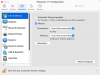
I followed the steps as you describe them, however no hypervisor type available to choose from : see attached screenshot
 

Attachments

  • Screenshot 2023-10-13 at 15.15.34.png
    Screenshot 2023-10-13 at 15.15.34.png
    72.3 KB · Views: 62
Back
Top