
Install the app
How to install the app on iOS
Follow along with the video below to see how to install our site as a web app on your home screen.
Note: This feature may not be available in some browsers.
You are using an out of date browser. It may not display this or other websites correctly.
You should upgrade or use an alternative browser.
You should upgrade or use an alternative browser.
Parallels 16 extremely slow on MBP
- Thread starter PatrickP9
- Start date

Mine is same case. I find it almost impossible to use my computer once I start windows10 in MACOS Big Sur 11.1. I have performed all recommendations shared by Parallel Desktop but all useless till now. Is there any other VM which can import snapshot of parallel desktop and I can use it as it is. Parallel desktop is really frustrating and I need to switch to other VM to resume my work.
Mine is same case. I find it almost impossible to use my computer once I start windows10 in MACOS Big Sur 11.1. I have performed all recommendations shared by Parallel Desktop but all useless till now. Is there any other VM which can import snapshot of parallel desktop and I can use it as it is. Parallel desktop is really frustrating and I need to switch to other VM to resume my work.
Someone recently told me that Big Sur is a resource hog. I wonder if that is part of the problem. I'm still using Mojave (no plans on upgrading).
The issue was same with Catalina too. I was expecting better result with Big Sur but all useless.Someone recently told me that Big Sur is a resource hog. I wonder if that is part of the problem. I'm still using Mojave (no plans on upgrading).
MatthewH11
Junior Member
I'd found VM performance in Catalina got pretty bad and Big Sur was even worse for both Windows and macOS VMs, but the latest update has really helped.

Maria@Parallels
Problem solver
Hello, please let us know if you still have a performance issue.I'd found VM performance in Catalina got pretty bad and Big Sur was even worse for both Windows and macOS VMs, but the latest update has really helped.
Maria@Parallels
Problem solver
Hi, did you check the issue with the latest update?The issue was same with Catalina too. I was expecting better result with Big Sur but all useless.
Also could you collect the tech report once the issue reproduced and reply us back with the report's ID please
Running current versions of Parallels, VMWare Fusion and Big Sur, i9 Macbook Pro, 4 cores and 8GB memory for both VMs, same Excel sheet. Approx. 10s compute time for Fusion, very smooth, 60s for Parallels, very stuttery. Have converted VMs both ways from Fusion to Parallels and Parallels to Fusion, makes no difference to the timings, definitely appears to be Parallels, or a Parallels configuration issue. Will check back occasionally for any further developments/advice.
Maria@Parallels
Problem solver
Hi, did you check the same issue with the latest Parallels Desktop update?Running current versions of Parallels, VMWare Fusion and Big Sur, i9 Macbook Pro, 4 cores and 8GB memory for both VMs, same Excel sheet. Approx. 10s compute time for Fusion, very smooth, 60s for Parallels, very stuttery. Have converted VMs both ways from Fusion to Parallels and Parallels to Fusion, makes no difference to the timings, definitely appears to be Parallels, or a Parallels configuration issue. Will check back occasionally for any further developments/advice.
If the issue still persists could you collect the tech report and post the report's ID here please?
It seemed like performance improved for a little while, but after a day or two it is still bad even with the latest 16.1.3 update. I'm running Big Sur 11.2Looks like Parallels just released an update today, 16.1.3 (49160). I upgraded to it and so far it seems to have resolved my performance issues.
Hi, did you check the same issue with the latest Parallels Desktop update?
If the issue still persists could you collect the tech report and post the report's ID here please?
The technical report number is 361377877.
MatthewH11
Junior Member
I have experienced that performance was good for a few days, and then regressed. I'm also seeing host CPU at 100% for Parallels when the VM is doing nothing which causes the host fans to spin up unnecessarily.
Another finding: limiting the amount of graphics memory to a set value (512MB for example) fixes the problem so far: https://kb.parallels.com/en/124575
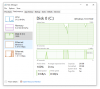
What I notice is that with this value set, I don't see my host memory pressure get to the red state. When it would go red, I would experience the disk thrashing like AustinG2 with the disk in the Windows guest pegging at 100% and locking up the host. My guess is something is awry with the Auto setting, causing the host RAM to fill up and then need to swap. Just guessing though. At least my host isn't completely crashing now!
What I notice is that with this value set, I don't see my host memory pressure get to the red state. When it would go red, I would experience the disk thrashing like AustinG2 with the disk in the Windows guest pegging at 100% and locking up the host. My guess is something is awry with the Auto setting, causing the host RAM to fill up and then need to swap. Just guessing though. At least my host isn't completely crashing now!
My issue is to do with Excel macros involving complex computation and cell manipulation. 5-6 times slower than when using the same VM running under VMWare Fusion (imported directly). During the calculations Parallels never uses more than 30% of the CPU but the CPU stutters badly. Using Fusion the mouse hourglass spins without interruption but not so with Parallels where it is stop/start for the duration. This has happened only recently, say within the last month or two, at some stage following the Big Sur update. I am using the latest versions of Big Sur, Windows, Office 365 and Parallels on an i9 Macbook Pro.I have experienced that performance was good for a few days, and then regressed. I'm also seeing host CPU at 100% for Parallels when the VM is doing nothing which causes the host fans to spin up unnecessarily.
Thank you for pointing out display memory as the (likely) culprit!Another finding: limiting the amount of graphics memory to a set value (512MB for example) fixes the problem so far: https://kb.parallels.com/en/124575
What I notice is that with this value set, I don't see my host memory pressure get to the red state. When it would go red, I would experience the disk thrashing like AustinG2 with the disk in the Windows guest pegging at 100% and locking up the host. My guess is something is awry with the Auto setting, causing the host RAM to fill up and then need to swap. Just guessing though. At least my host isn't completely crashing now!
So I went to Settings "Display" and set Shared Graphics Memory to the "recommended" value in the drop box, in my case 8192mb (being all memory allocated to the VM). Previously I had a lower value assigned. It appears that Parallels carves up total memory and allocates display memory from that.
Anyway, the problem is now fixed for me at least. Thanks again.