macOS Big Sur/Parallels 16.1.1: don't connect usb external devices

Well, in my case I was using USB smart card reader and smart card and it worked. When the USB reader was first connected to VM, Parallels displayed notification that the device was not connected to VM, however device was not visible under VM | System Report | Hardware | USB. Then (with USB device "connected"), I restarted the VM and USB smart card reader was now visible and usable in VM.
So (at least) external HDDs and USB smart card readers (tested with Gemalto IDBridge CT30 and ACS ACR39U-N1) work.
 
Well, in my case I was using USB smart card reader and smart card and it worked. When the USB reader was first connected to VM, Parallels displayed notification that the device was not connected to VM, however device was not visible under VM | System Report | Hardware | USB. Then (with USB device "connected"), I restarted the VM and USB smart card reader was now visible and usable in VM.
So (at least) external HDDs and USB smart card readers (tested with Gemalto IDBridge CT30 and ACS ACR39U-N1) work.

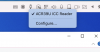
Unfortunately I am not so lucky. My USB device for managing my cryptocurrencies is not recognized within the Virtual machine.
 
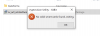
I get this message ... but the windows (parallels) sees the reader.. any thoughts?
 

Attachments

  • Screenshot 2021-04-15 at 22.46.33.png
    Screenshot 2021-04-15 at 22.46.33.png
    41.3 KB · Views: 62
  • Screenshot 2021-04-15 at 22.51.17.png
    Screenshot 2021-04-15 at 22.51.17.png
    127.8 KB · Views: 61
I get this message ... but the windows (parallels) sees the reader.. any thoughts?
Exactly, I can't get many of my devices to be detected within Paralles. I changed my solution from VMware to this one, but here I have this problem with USB devices. With VMware, no network adapter works inside the virtual machine, already here at Paralles, however, not all USB devices work.
 
I had the same experience. Everything was fine in Catalina, then the USB devices were no longer recognized after updating to Big Sur. This issue still exists in Parallels Version 16.5.
I uninstalled Parallels and then re-installed it as a previous poster suggested. All is well now.
 
Hello everybody,
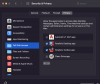
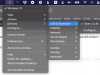
Had the same issue. Solved by activating usb in Parallels menu on the top. See screenshot
 

Attachments

  • Screen Shot 2021-06-16 at 9.30.31 PM.png
    Screen Shot 2021-06-16 at 9.30.31 PM.png
    288.4 KB · Views: 282
Update: I have my USB devices connected to an OWC Thunderbolt 3 dock. When I disconnected the dock, then reconnected sometime later, I was able to reproduce the original problem where the USB devices were not recognized by Parallels. Rebooting my MacBook while connected to the dock solved the problem.
 
Paralles Desktop 17 solved this problem
Using parallels 17, windows 11, Mac OS Monterey. My CAC reader shows when I try to launch CAC required websites in edge, but when prompted for credentials it says the generic card reader can't find a card
 
I had a related issue- I was unable to connect to commercial devices over Ethernet- using a USB-C to Ethernet adaptor. All worked OK until I upgraded to V17 (despite issues with V16 locking up the virtual machine which could only be reset by "sample process" incidentally), I was then unable to do anything with USB adapters.
The solution was in enabling Full Disk Access. upload_2021-11-10_18-55-50.png
 
I will confirm that setting Full Disk Access for the Parallels Desktop.app did fix my problems with accessing mounted SD Cards.
 
MacBook Pro 13, i5
Monterey 12.4
Parallels desktop 17.1.2
Windows does not see external devices via USB, sees external flash drives and hard drives, but does not see other peripheral devices.

my device is being detected:
maсOS - yes
parallels - yes
windows - no

but in the list "devices -> usb & bluetooth" the device appeared, but it is not possible to select it.

Is there any way to fix this?
 
Hello MrJuice, please refer to the Link to fix the external hard usb. Thanks.
thanks, but my question is different

I need to work in Windows with my usb sound card. but my sound card is not detected in Windows Device Manager.

my sound card has been detected in mac os.

how do I identify my sound card in Windows?
 
Back
Top