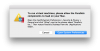
Here's how to get around the "storage and verification" error when trying to upgrade from 10.12 to 10.13 beta from within 10.12.
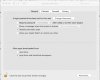
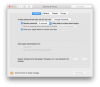
Create a 10.12 VM, as you have no doubt already done. Close it, go into Parallels configuration, change the disk from "expanding to 64 GB" to a fixed size of 64 GB, assuming you have enough room on your HD for a VM of fixed size of 64 GB. It will take a little while to expand it.
Then boot up your 10.12 VM as usual. Run the Disk Utility program from within the VM 10.12, and find the main VM drive in Disk Utility. Choose "Partition," create a secondary partition and call it High Sierra or whatever you want, and format it as Extended (Journaled) GUID. Shrink the primary partition (probably called Macintosh HD) almost as much as you can to make the secondary partition larger than 32 GB. Exit Disk Utility.
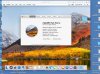
Run the High Sierra Beta utility from within 10.12. When it asks where to install the High Sierra, choose the High Sierra partition. After installation it may have some hiccups, give you a grey screen, and you may have to reset it from the Parallels main menus. Eventually it will boot up into High Sierra, after giving you a "push any key" prompt. You don't have to push a key--it will just boot into High Sierra.
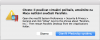
You can try to install Parallels Tools, and it will look as though they are installing, but they won't get rid of the yellow triangle and won't work, presumably not until Parallels updates to tools that support 10.13. So the VM will work, but slowly and disabled.
Create a 10.12 VM, as you have no doubt already done. Close it, go into Parallels configuration, change the disk from "expanding to 64 GB" to a fixed size of 64 GB, assuming you have enough room on your HD for a VM of fixed size of 64 GB. It will take a little while to expand it.
Then boot up your 10.12 VM as usual. Run the Disk Utility program from within the VM 10.12, and find the main VM drive in Disk Utility. Choose "Partition," create a secondary partition and call it High Sierra or whatever you want, and format it as Extended (Journaled) GUID. Shrink the primary partition (probably called Macintosh HD) almost as much as you can to make the secondary partition larger than 32 GB. Exit Disk Utility.
Run the High Sierra Beta utility from within 10.12. When it asks where to install the High Sierra, choose the High Sierra partition. After installation it may have some hiccups, give you a grey screen, and you may have to reset it from the Parallels main menus. Eventually it will boot up into High Sierra, after giving you a "push any key" prompt. You don't have to push a key--it will just boot into High Sierra.
You can try to install Parallels Tools, and it will look as though they are installing, but they won't get rid of the yellow triangle and won't work, presumably not until Parallels updates to tools that support 10.13. So the VM will work, but slowly and disabled.