
Install the app
How to install the app on iOS
Follow along with the video below to see how to install our site as a web app on your home screen.
Note: This feature may not be available in some browsers.
You are using an out of date browser. It may not display this or other websites correctly.
You should upgrade or use an alternative browser.
You should upgrade or use an alternative browser.
Mac OS X Snow Leopard and Parallels Desktop for Mac compatibility topics
- Thread starter Forgiven
- Start date
Ben Gravely
Bit poster
I have multiple problems with SL and Parallels 4.0. Fortunately, it will still run OK.
1. on startup, I get the message that the file .....fusefs.fs.kext.... is broken
2. on shutdown, I get the message that sygmatel-IDT-systray is broken
3. shutdown and startup can take minutes
4. this morning XP wouldn't startup because it couldn't fine the boot Drive 1 (boot camp)
When it does start up it runs OK. Had to reboot to get past #4.
1. on startup, I get the message that the file .....fusefs.fs.kext.... is broken
2. on shutdown, I get the message that sygmatel-IDT-systray is broken
3. shutdown and startup can take minutes
4. this morning XP wouldn't startup because it couldn't fine the boot Drive 1 (boot camp)
When it does start up it runs OK. Had to reboot to get past #4.
Ben Gravely
Bit poster
fusefs.kext error refuses to die
Victor, you worked long and hard on my system and got rid of all the problems.
You replaced the MacFUSE files and deleted the IDT sound driver (asygmatel-IDT-systray error).
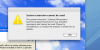
Everything was fine. Until this morning. When I started up, the fusefs.kext problem dialog came up again.
What now?
Victor, you worked long and hard on my system and got rid of all the problems.
You replaced the MacFUSE files and deleted the IDT sound driver (asygmatel-IDT-systray error).
Everything was fine. Until this morning. When I started up, the fusefs.kext problem dialog came up again.
What now?
Attachments
similar problem
i was reading through this forum, as I may face similar problem, which I wish to confirm before upgrading Mac OS X.
Now i m holding Mac OS X 10.4.11, Parallels Build 3214 (21 June 2007) with Window XP.
Before I upgrade to Mac OS X 10.6 Snow Leopard and keep Window XP, I should upgrade parallels to Desktop5 first before upgrade to Mac OS 10.6. Am I right?
i was reading through this forum, as I may face similar problem, which I wish to confirm before upgrading Mac OS X.
Now i m holding Mac OS X 10.4.11, Parallels Build 3214 (21 June 2007) with Window XP.
Before I upgrade to Mac OS X 10.6 Snow Leopard and keep Window XP, I should upgrade parallels to Desktop5 first before upgrade to Mac OS 10.6. Am I right?
Asking the same!
I have Parallels 4.0 (4.0.3848)
(What is Parallels Build?)
Mac OSX 10.5.8
Bootcamp with Windows XP Pro
So, I update Parallels to 5.0.
Then update to Snow Leopard?
I am in Lima, Peru and run my business from this machine
i was reading through this forum, as I may face similar problem, which I wish to confirm before upgrading Mac OS X.
Now i m holding Mac OS X 10.4.11, Parallels Build 3214 (21 June 2007) with Window XP.
Before I upgrade to Mac OS X 10.6 Snow Leopard and keep Window XP, I should upgrade parallels to Desktop5 first before upgrade to Mac OS 10.6. Am I right?
I have Parallels 4.0 (4.0.3848)
(What is Parallels Build?)
Mac OSX 10.5.8
Bootcamp with Windows XP Pro
So, I update Parallels to 5.0.
Then update to Snow Leopard?
I am in Lima, Peru and run my business from this machine
Markus Lepper
Bit poster
3.0 VM could not be converted to 5.0
I tried to convert a paralles 3.0 VM into 5.0 format:
- Mac OSX 10.5
- Parallels 3.0 where a Windows XP VM was running smoothly.
- Upgrade to MacOSX 10.6 => Required changing to Parallels 5.0
- OK, downloaded and installed 10days test version of Parallels 5
- Starting Parallels, using either "Import virtual machines" or "Use your virtual machines" options:
- =>
- =>
Lot of trys and searching forums/www wasted plenty hours...I'm really annoyed! ((
((
Is there any way to get my VM convert and running?
Hopefully yes...Surely I would not buy any upgrade if this does not work.
Thanks for any tips/a solution.
BR, Markus
I tried to convert a paralles 3.0 VM into 5.0 format:
- Mac OSX 10.5
- Parallels 3.0 where a Windows XP VM was running smoothly.
- Upgrade to MacOSX 10.6 => Required changing to Parallels 5.0
- OK, downloaded and installed 10days test version of Parallels 5
- Starting Parallels, using either "Import virtual machines" or "Use your virtual machines" options:
- =>
- Ok, after backing up the original data I get an error screen (see screenshot):"This virtual machine needs to be converted before it can be used with Paralles Desktop"
- =>
"Failed to convert the virtual machine. The virtual machine could not be converted to the new format."
Lot of trys and searching forums/www wasted plenty hours...I'm really annoyed!
((Is there any way to get my VM convert and running?
Hopefully yes...Surely I would not buy any upgrade if this does not work.
Thanks for any tips/a solution.
BR, Markus
Attachments

Hi Markus,
Please try the following:
1. locate initial .hdd files with virtual machine (by default in ~/Documents/Parallels)
2. right-click (Control-click) hdd file, select Show Package Contents
3. Locate the oldest .hds file, copy it to another location (copy, not move)
4. right-click copied .hds file, select Get Info and rename the file to something like winxp.hdd
5. confirm extension changing when prompted
6. Try to create new virtual machine based on existing hard disk image (point Virtual Machine Assistant to renamed winxp.hdd file)
Please try the following:
1. locate initial .hdd files with virtual machine (by default in ~/Documents/Parallels)
2. right-click (Control-click) hdd file, select Show Package Contents
3. Locate the oldest .hds file, copy it to another location (copy, not move)
4. right-click copied .hds file, select Get Info and rename the file to something like winxp.hdd
5. confirm extension changing when prompted
6. Try to create new virtual machine based on existing hard disk image (point Virtual Machine Assistant to renamed winxp.hdd file)
Markus Lepper
Bit poster
Hello I-che,
I did as suggested, just the important step 6. does not work:
'Parallels > New > Choose image file' looks for *.iso, *.dmg or *.cdr; but not *.hdd
'Parallels > Open' requests a *.pvs file; *.hdd is not accepted
'Parallels > New > Skip Detection > Version=XP > Custom > Existing Image File > creating the virtual machine...
The Vm has no OS, Please install it. => Image file as well only iso, dmg or cdr.
I'm stuck :-((
Any other tip or idea? Countdown is now on 11 remaining days to test Parallels 5.
Is this really a too high expectation being able to use an upgraded SW and not loosing old data?
Could you imagine that I'm thinking about using a competition product?!? ...frustrated...
I did as suggested, just the important step 6. does not work:
'Parallels > New > Choose image file' looks for *.iso, *.dmg or *.cdr; but not *.hdd
'Parallels > Open' requests a *.pvs file; *.hdd is not accepted
'Parallels > New > Skip Detection > Version=XP > Custom > Existing Image File > creating the virtual machine...
The Vm has no OS, Please install it. => Image file as well only iso, dmg or cdr.
I'm stuck :-((
Any other tip or idea? Countdown is now on 11 remaining days to test Parallels 5.
Is this really a too high expectation being able to use an upgraded SW and not loosing old data?
Could you imagine that I'm thinking about using a competition product?!? ...frustrated...
Windows 7 or XP?
I have a brand new IMAC with Intel Core 2 Duo, 4GB of memory and I have the latest version of Parallels 5 installed. Should I install Windows 7 or Windos XP? These would have to be full versions since I have neither at the moment. Some say XP other say 7. I will not be a big Windows user. Mostly it will be internet stuff. Any thougts or advice before I go get a Windows operating system? Thanks!
I have a brand new IMAC with Intel Core 2 Duo, 4GB of memory and I have the latest version of Parallels 5 installed. Should I install Windows 7 or Windos XP? These would have to be full versions since I have neither at the moment. Some say XP other say 7. I will not be a big Windows user. Mostly it will be internet stuff. Any thougts or advice before I go get a Windows operating system? Thanks!
Parallels Desktop and Paragon NTFS
Hi,
I'm currently running Snow Leopard and WinXP on a 24" iMac with 4GBs RAM and 1TB HDD. The bootcamp partition is NTFS and I've installed Paragon Software's Mac NTFS to communicate between the two partitions. Will I have any conflicts installing Parallels desktop so that it uses my current bootcamp partition?
Hi,
I'm currently running Snow Leopard and WinXP on a 24" iMac with 4GBs RAM and 1TB HDD. The bootcamp partition is NTFS and I've installed Paragon Software's Mac NTFS to communicate between the two partitions. Will I have any conflicts installing Parallels desktop so that it uses my current bootcamp partition?
Hello Greg,
I did not meet such cases when Paragon Software and Parallels Desktop conlicts with each other. Although there is a known issue between NTFS3G utility and Paralellels Destkop, both utilities are trying to grasp control of BootCamp partition, NTFS3G prevails and Virtual Machine does not start. In such cases we recommended to disable NTFS3G when user needs Virtual Machine up and running. The best way I can suggest is to download and install Parallels Desktop with the trial key
I did not meet such cases when Paragon Software and Parallels Desktop conlicts with each other. Although there is a known issue between NTFS3G utility and Paralellels Destkop, both utilities are trying to grasp control of BootCamp partition, NTFS3G prevails and Virtual Machine does not start. In such cases we recommended to disable NTFS3G when user needs Virtual Machine up and running. The best way I can suggest is to download and install Parallels Desktop with the trial key
Hi Polina,
yes, it is possible. Please check the Knowledgebase articles below for more information:
http://kb.parallels.com/en/6852
http://kb.parallels.com/en/6838
yes, it is possible. Please check the Knowledgebase articles below for more information:
http://kb.parallels.com/en/6852
http://kb.parallels.com/en/6838