I am trying to install Windows 10 arm on MacBook M1 Pro using Parallels. I already installed windows 11 using the package downloaded from the windows insider which works OK, however some applications I use do not work in windows 11. I downloaded the ISO file of this version: Windows 10 Insider Preview 10.0.22478.1012 (rs_prerelease) arm64 from uupdump.net. however I receive this error from parallels:
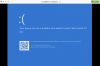
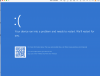
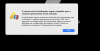
"the secure boot feature prevented the operating system from starting. Secure boot found unauthorized changes to the firmware, operating system, or UEFI drivers. To manage secure boot settings, go to the virtual machine configuration settings, click hardware, and expand advanced settings."
Under hardware in the settings I could not find any options after clicking on Advanced. How can I install windows 10?
"the secure boot feature prevented the operating system from starting. Secure boot found unauthorized changes to the firmware, operating system, or UEFI drivers. To manage secure boot settings, go to the virtual machine configuration settings, click hardware, and expand advanced settings."
Under hardware in the settings I could not find any options after clicking on Advanced. How can I install windows 10?