installing windows 10 ARM on M1 Pro instead of windows 11

Status
Not open for further replies.

mochajoe

Bit poster
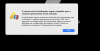
I am trying to install Windows 10 arm on MacBook M1 Pro using Parallels. I already installed windows 11 using the package downloaded from the windows insider which works OK, however some applications I use do not work in windows 11. I downloaded the ISO file of this version: Windows 10 Insider Preview 10.0.22478.1012 (rs_prerelease) arm64 from uupdump.net. however I receive this error from parallels:
"the secure boot feature prevented the operating system from starting. Secure boot found unauthorized changes to the firmware, operating system, or UEFI drivers. To manage secure boot settings, go to the virtual machine configuration settings, click hardware, and expand advanced settings."
Under hardware in the settings I could not find any options after clicking on Advanced. How can I install windows 10?
 
I have the same problem when I install win11 arm64 insider preview from uudump.
Then I remove TPM option , it can boot into the windows install assistant , but it shows that I didn't meet the requirement
 
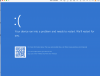
I'm also trying to install Windows 10 ARM on iMac M1 using parallels 17 (trial), as the software I need to use is only Windows 10 compatible. When I try to install Windows 10 ARM (Windows 10 Insider Preview 10.0.22478.1012 (rs_prerelease) amd64, I get the following 'SYSTEM THREAD EXCEPTION NOT HANDLED'. I can't proceed and am unable to use the required software, which unfortunately makes my nice new shiny imac pretty defunct! Any help much appreciated.
 

Attachments

  • Screenshot 2021-11-08 at 15.52.28.png
    Screenshot 2021-11-08 at 15.52.28.png
    208.9 KB · Views: 84
Hi Mochajoe, was wondering if you already found a solution to 'the secure boot issue' installing Windows 10 arm on MacBook M1 Pro using Parallels
"the secure boot feature prevented the operating system from starting. Secure boot found unauthorized changes to the firmware, operating system, or UEFI drivers. To manage secure boot settings, go to the virtual machine configuration settings, click hardware, and expand advanced settings."
Under hardware in the settings I could not find any options after clicking on Advanced. How can I install windows 10?[/QUOTE]
 
Hi all, I have the same problem with this error, and have found the solution.
@YutingC1 you are showing that you are using the AMD64 version, not the ARM64 version. You must use the ARM version for an M1 mac.

I used Windows 10 Insider Preview 10.0.21390.1010 (co_release) arm64 and got this error.
So frustrating. I was able to get Windows 11 to work but parallels keeps crashing my computer when I am using excel in windows 11, so I thought I would try windows 10 to see if it was any more stable. Parallels needs to look into this as it is making windows 11 very unusable and unreliable.
FYI: For windows 11, don't use a current build, but rather find the one with 22000 in it - the current build doesn't work properly and is buggy. You can still update to the latest once it is installed.
Back to the error solution:
You need to remove the TPM chip. To read more about what TPM does, https://kb.parallels.com/en/122702
So you go to Control Center, configuration for the VM you are trying to install (Windows 10) and then go to Hardware and find the TPM setting. Once you select the TPM, you need to click on the "-" symbol at the bottom to remove it. Windows 10 does not need TPM.
If you are installing windows 11, you NEED to use the TPM and it should work with build 22000 arm64 version from uupdump.net.
Hope this helps!
 
I'm also trying to install Windows 10 ARM on iMac M1 using parallels 17 (trial), as the software I need to use is only Windows 10 compatible. When I try to install Windows 10 ARM (Windows 10 Insider Preview 10.0.22478.1012 (rs_prerelease) amd64, I get the following 'SYSTEM THREAD EXCEPTION NOT HANDLED'. I can't proceed and am unable to use the required software, which unfortunately makes my nice new shiny imac pretty defunct! Any help much appreciated.
Ensure you are using ARM64 not AMD64 - see my post for the solution to this problem as well.
 
I have the same problem when I install win11 arm64 insider preview from uudump.
Then I remove TPM option , it can boot into the windows install assistant , but it shows that I didn't meet the requirement
Windows 11 requires the TPM setting, so you can't remove it. You need to find the build with 22000 in it on ARM64 - this worked great for me except for issue with crashing involving a full restart of the mac. I think this is a parallels issue.
 
Hi all, I have the same problem with this error, and have found the solution.
@YutingC1 you are showing that you are using the AMD64 version, not the ARM64 version. You must use the ARM version for an M1 mac.

I used Windows 10 Insider Preview 10.0.21390.1010 (co_release) arm64 and got this error.
So frustrating. I was able to get Windows 11 to work but parallels keeps crashing my computer when I am using excel in windows 11, so I thought I would try windows 10 to see if it was any more stable. Parallels needs to look into this as it is making windows 11 very unusable and unreliable.
FYI: For windows 11, don't use a current build, but rather find the one with 22000 in it - the current build doesn't work properly and is buggy. You can still update to the latest once it is installed.
Back to the error solution:
You need to remove the TPM chip. To read more about what TPM does, https://kb.parallels.com/en/122702
So you go to Control Center, configuration for the VM you are trying to install (Windows 10) and then go to Hardware and find the TPM setting. Once you select the TPM, you need to click on the "-" symbol at the bottom to remove it. Windows 10 does not need TPM.
If you are installing windows 11, you NEED to use the TPM and it should work with build 22000 arm64 version from uupdump.net.
Hope this helps!
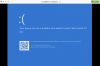
So I followed your recommendation of removing the TPM, this did not work I am still receiving the "BlueScreen" error message.
 
Hi, please provide us detailed information about the issue so that we can help you out.
Parallels v17.1.0 installed on a Macbook Air M1, I am trying to install a Win10.iso prepped by our University to handle command-line licensing. I continue to receive a Bluescreen error message, that doesn't provide an error code. I also have a Windows 11.iso, and am having the same issue with it
 

Attachments

  • Screen Shot 2021-11-28 at 7.49.13 PM.png
    Screen Shot 2021-11-28 at 7.49.13 PM.png
    355 KB · Views: 31
Parallels v17.1.0 installed on a Macbook Air M1, I am trying to install a Win10.iso prepped by our University to handle command-line licensing. I continue to receive a Bluescreen error message, that doesn't provide an error code. I also have a Windows 11.iso, and am having the same issue with it
Hi, please let us know if your virtual machine has a back up.
 
Estou tentando instalar o braço do Windows 10 no MacBook M1 Pro usando o Parallels. Já instalei o windows 11 usando o pacote baixado do windows insider que funciona bem, porém alguns aplicativos que uso não funcionam no windows 11. Baixei o arquivo ISO desta versão: Windows 10 Insider Preview 10.0.22478.1012 (rs_prerelease) arm6 4 de uupdump.net. no entanto, recebo este erro de paralelos:
"o recurso de inicialização segura impediu a inicialização do sistema operacional. A inicialização segura encontrou alterações não autorizadas no firmware, sistema operacional ou drivers UEFI. Para gerenciar as configurações de inicialização segura, vá para as configurações da máquina virtual, clique em hardware e expanda as configurações avançadas. "
Em hardware nas configurações, não consegui encontrar nenhuma opção depois de clicar em Avançado. Como posso instalar o Windows 10?
Olá, informe-nos se sua máquina virtual tem um backup.
Estou tentando instalar o braço do Windows 10 no MacBook M1 Pro usando o Parallels. Já instalei o windows 11 usando o pacote baixado do windows insider que funciona bem, porém alguns aplicativos que uso não funcionam no windows 11. Baixei o arquivo ISO desta versão: Windows 10 Insider Preview 10.0.22478.1012 (rs_prerelease) arm6 4 de uupdump.net. no entanto, recebo este erro de paralelos:
"o recurso de inicialização segura impediu a inicialização do sistema operacional. A inicialização segura encontrou alterações não autorizadas no firmware, sistema operacional ou drivers UEFI. Para gerenciar as configurações de inicialização segura, vá para as configurações da máquina virtual, clique em hardware e expanda as configurações avançadas. "
Em hardware nas configurações, não consegui encontrar nenhuma opção depois de clicar em Avançado. Como posso instalar o Windows 10?
 

Attachments

  • Captura de Tela 2022-06-15 às 03.31.20.png
    Captura de Tela 2022-06-15 às 03.31.20.png
    249.9 KB · Views: 45
Hi!

I found a solution!

When boot from ISO is start press "esc" imediately, and go to EFI settings.
In Hardware section, change TPM mode to 1.2
Also change Secure boot state to OFF.

And woila!

Installer run and pass the TPM check!

Cheers!
 
Hi!

I found a solution!

When boot from ISO is start press "esc" imediately, and go to EFI settings.
In Hardware section, change TPM mode to 1.2
Also change Secure boot state to OFF.

And woila!

Installer run and pass the TPM check!

Cheers!
Thank you so much!!!
 
I found a solution

Parallels Configuration > Hardware > Select boot device on startup
Start windows and Device Manager > Secure Boot Configuration > Attempt secure boot
 
you can bypass the windows checks for tpm ram CPU and even secure boot. When you boot the installer hit shift+f10 type regedit hot enter, navigateto HKEY_LOCAL_MACHINE\SYSTEM\Setup
Then make a new key named(capitalization matters): LabConfig. R-click Create new dword
Name it BypassTPMCheck, another for BypassSecureBoot, BypassCPUCheck, BypassRAMCheck. Set them to 1. Now you can install on almost anything.

 
Status
Not open for further replies.
Back
Top