Hey everyone!
I hope you're doing well. I just downloaded the free trial to test everything first before buying Parallels Desktop (Private use (gaming, coding in VS)).
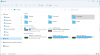
I installed Virtual Machine only on my macOS's System Drive (Macintosh HD) and now I want to use Windows on my
External Drive only for storage and everything Windows related (Download files there, Install programs run apps & games etc).
How would I have to set it all up right away from the start to ensure it's all correctly set up and ready to go?
I'm a Windows 10 user so Windows 11 is all new to me (new interface is a little confusing).
Here are my specs for better understanding if needed:
This way I can mentally separate macOS and Win the best.
I appreciate your time and thank you already for your help.
I hope you're doing well. I just downloaded the free trial to test everything first before buying Parallels Desktop (Private use (gaming, coding in VS)).
I installed Virtual Machine only on my macOS's System Drive (Macintosh HD) and now I want to use Windows on my
External Drive only for storage and everything Windows related (Download files there, Install programs run apps & games etc).
How would I have to set it all up right away from the start to ensure it's all correctly set up and ready to go?
I'm a Windows 10 user so Windows 11 is all new to me (new interface is a little confusing).
Here are my specs for better understanding if needed:
- Macbook M1 Pro 14 inch 2021, 32GB RAM, Ventura 13.3.1, 1TB Macintosh HD (System Drive).
- My External Drive is actually a JetDrive Lite 330 (which is a SD-Card with 1TB).
This way I can mentally separate macOS and Win the best.
I appreciate your time and thank you already for your help.