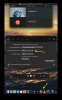
In the attached image, you can see the "Parallels Desktop" icon in the dock. How do I hide that? It's ugly, takes space, and if I need it I can find it on the menu bar at the top. It's the way most normal apps do it (Docker, VPNs, ...).

Install the app
How to install the app on iOS
Follow along with the video below to see how to install our site as a web app on your home screen.
Note: This feature may not be available in some browsers.
You are using an out of date browser. It may not display this or other websites correctly.
You should upgrade or use an alternative browser.
You should upgrade or use an alternative browser.

DebasmitaM
Forum Maven
Hi, please refer to https://kb.parallels.com/en/112798 for resolving the issue.In the attached image, you can see the "Parallels Desktop" icon in the dock. How do I hide that? It's ugly, takes space, and if I need it I can find it on the menu bar at the top. It's the way most normal apps do it (Docker, VPNs, ...).
It talks about removing application icons. I want to remove extra "Parallels Desktop" icon from the dock. How do I do it?Hi, please refer to https://kb.parallels.com/en/112798 for resolving the issue.

Avinash Bundhoo
Staff member
Hello,It talks about removing application icons. I want to remove extra "Parallels Desktop" icon from the dock. How do I do it?
Thank you for your reply.
To remove an item from the Dock, you need to drag the item out of the Dock until Remove is shown.
Note: Only the alias is removed; the actual item remains on your Mac.
Thanks
That didn't work either.Hello,
Thank you for your reply.
To remove an item from the Dock, you need to drag the item out of the Dock until Remove is shown.
Note: Only the alias is removed; the actual item remains on your Mac.
Thanks
Avinash Bundhoo
Staff member
Hello,Did you test it yourself? This does not work either. The parallels extra icon remains along with OS icon.
Thank you for your feedback
Can you please share a screenshot of the "Parallels Extra icon"?
Thanks
Avinash Bundhoo
Staff member
Hello,As you can see there is no option to disable parallels dock icon. Only for Virtual Machine dock icon.
We do not have a feature to disable Parallels Desktop icon from the Mac dock.
You can hide only the virtual machine icon from Parallels Settings
You can remove it by following the steps as previously mentioned
1. Quit Parallels Desktop
2. Drag Parallels Desktop icon out of the Dock to the trash
Note: Only the alias is removed; the actual item remains on your Mac.
Let us know if this is what you wanted to do
Thanks
RealFireAU
Bit poster
Please add a hide from dock option like the hide from menu bar.
I prefer to keep my dock clean and would like for the icon to not be on the dock and only interact with it from the menu bar especially since if you quit parallels the menu bar icon goes away.
I prefer to keep my dock clean and would like for the icon to not be on the dock and only interact with it from the menu bar especially since if you quit parallels the menu bar icon goes away.