Hello IsaacF, We have made the necessary changes for the Parallels Desktop license key. kindly try to activate it. If the issue still persists, please execute the following command with Terminal < prlsrvctl activate-license-online >. May I know the Mac OS X of the computer in which you are trying to activate the Parallels Desktop 10?Hi I'm trying to Activate parallels 10 on my Mac and keep getting a connection error: "Failed to activate the license: Unable to confirm the product license. The operation failed due to a connection problem. Please try again later or contact the Parallels support team for assistance." My support code is 77866-19537. I tried rebooting and all of the other suggestions in here including running the prlsrvctl command from terminal. I think my license key needs to be reset like everyone else, could someone please do this for me?

Install the app
How to install the app on iOS
Follow along with the video below to see how to install our site as a web app on your home screen.
Note: This feature may not be available in some browsers.
You are using an out of date browser. It may not display this or other websites correctly.
You should upgrade or use an alternative browser.
You should upgrade or use an alternative browser.
how to deactivate my Parallel Desktop license key and transfer to my new Mac
- Thread starter FabCafeT
- Start date
Hmm, thanks but the prlsrvctl command gave me the same connection error. I have a MacBook Pro 13,2 running macOS Sierra 10.12.6. I am definitely connected to the internet as I am able to send this post and port 443 is open.
Attachments
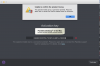
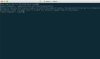
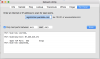
We do see that you are in contact with one of our support channel for the same issue, kindly follow the instructions provided.Hmm, thanks but the prlsrvctl command gave me the same connection error. I have a MacBook Pro 13,2 running macOS Sierra 10.12.6. I am definitely connected to the internet as I am able to send this post and port 443 is open.
I'm having trouble deactivating my key on my old computer and transferring it to a new computer. Running the prlsrvctl command gives me the error message: "Failed to activate the license: Unable to confirm the product license. Please activate the product first.". Trying to activate through the regular UI gives me the message "You have reached the maximum number of activation available for your activation key (http://www.parallels.com/eula). Please purchase a new product license." I have signed out on my old computer and uninstalled the application. How can I activate on my new computer?
S
Sathiya@Parallels
Hi BradyP2. We have reset the Parallels Desktop 11 for Mac license key. Please try to activate now and it should work.I'm having trouble deactivating my key on my old computer and transferring it to a new computer. Running the prlsrvctl command gives me the error message: "Failed to activate the license: Unable to confirm the product license. Please activate the product first.". Trying to activate through the regular UI gives me the message "You have reached the maximum number of activation available for your activation key (http://www.parallels.com/eula). Please purchase a new product license." I have signed out on my old computer and uninstalled the application. How can I activate on my new computer?
S
Sathiya@Parallels
Hi scatman. We have sent you a private message. Please check and revert with the necessary details.Hi, I need to transfer my key to another acc. Plz, help
Hello FrankL11, We have reset the Parallels Desktop license key. kindly try to activate it. If the issue still persists, please execute the following command with Terminal < prlsrvctl activate-license-online >.Hi there.
I'm also stucked with my PD 9 for Mac in the "to many activations" Scenario.
Thanks for helping me on this.


Hi @FrankL11, is it prompts for mac admin credentials or registration? Can you please send us a Technical Data collected right after the error and a splash screen (Help menu > Send Technical Data...)? This will help us significantly, please reply me back with the report ID number.Thanks. But every time I'm starting the app it asked for registration (e-mail and password for my parallels account)
Any hints on that? Cheers, appreciate the quick response.
Hi @RalphT1, we have reset the license key limit. Please restart Parallels Desktop to reactivate the same key. Thanks!Same Problem here. Please reset my License (or remove from other computers), so that I can access my Parallels 11 again. Thanks!
We have reset the activation key. You can try to activate it again.I have a new Mac and am seeing the same issues. Can you reset my Paralles 12 key please?
Arun@Parallels
Parallels Support
ChaloupkaO
Bit poster
Hi there, I am having issues with Parallels 11 for mac. I have deleted Parallels on the old mac however I am still unable to activate on new one. Please could you help!
Arun@Parallels
Parallels Support
Hi @ChaloupkaO , we have reset the license key. Please try to activate now.