Install the app
How to install the app on iOS
Follow along with the video below to see how to install our site as a web app on your home screen.
Note: This feature may not be available in some browsers.
You are using an out of date browser. It may not display this or other websites correctly.
You should upgrade or use an alternative browser.
You should upgrade or use an alternative browser.
Desktop icons into hidden files
- Thread starter DenisL7
- Start date
-
- Tags
- desktop icons
Experiencing this as well on os Monterey. Toolbox installed and then the desktop icons disappeared. I was able to command + shift + . to see them however they are all greyed out. I've uninstalled and reinstalled with no resolution. However I noticed that after the reinstall the parallels toolbox was installed on the windows side and not the Mac side?
Hello, same problem here so I cannot use Parallels Toolbox. If I start the app then all my files and folders from my desktop disappears. I need to go to terminal and go to desktop folder and then type command "chflags nohidden *" and then it will give access to all my desktop items. Only bad thing here is that I cannot use Parallels Toolbox anymore 
Macbook pro 14", Apple M3 Pro chip, sonoma 14.6.1
Macbook pro 14", Apple M3 Pro chip, sonoma 14.6.1
To see the hidden files on your desktop press command+shift+. Press them once more and they will be once more hidden.
If you want to change them so that you will see them once again
If you want to change them so that you will see them once again
- open terminal
- type : ls ~/desktop
- then type : chflags nohidden *
- then make sure that you don start parallels toolbox and you will be fine or if you do then redo the steps 1,2 and 3.

Adeboye Adeotan
Forum Maven
Hi everyone,
Could you please confirm if Presentation mode is turned on when you experience this issue?
If so, please turn it off and let us know if this persists.
Could you please confirm if Presentation mode is turned on when you experience this issue?
If so, please turn it off and let us know if this persists.
Hi everyone,
Could you please confirm if Presentation mode is turned on when you experience this issue?
If so, please turn it off and let us know if this persists.
You might have a point there. Normally I disable the presentation mode, but now I did not check that is it on or is "hide desktop files" app on. It might be that either of those 2 apps have accidentally been enabled and that was the reason. Now both apps are disabled and I also gave Toolbox full access to hd and files/folders in desktop are visible. I even restarted my mac and still files/folders in desktop are visible. Thanks Adeboye Adeotan
Attachments
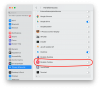
Well, I have been following what my MAC is doing lately and found out following. Time to time on daily bases Presentation mode (parallels toolbox) kicks in and then I loose the items from my desktop. I haven't yet find out that what causes this but it has to be the settings of Presentation mode and especially when I change my displays/beamers/etc. It could be a good idea to add a setting in to presentation mode so you just could disable this feature from your Parallels Toolbox if you don't need it. Thanks.
I am having this exact issue. I finally figured out that the problem was Parallels tools presentation mode. But it keeps turning back on without any action on my part. I turn it off, get my normal desktop back and then eventually presentation mode is back on. Most of the time my VM is in suspended mode, so this is happening when I am NOT using the VM. This isn't good app behavior and I hope you are working on fixing this. I
[email protected]
Junior Member
I read your post and used terminal to apply these settings. Then I tried toggling of Presentation mode and Hide Desktop items in Parallels Tools, and voila, it's all working again. Thrilling. Thanks for that, and thanks for the Parallels tex who replied with the presentation model toggle. Really appreciate it. Apple Support wanted me to uninstall Parallels! Amazing. Thank you!To see the hidden files on your desktop press command+shift+. Press them once more and they will be once more hidden.
If you want to change them so that you will see them once again
- open terminal
- type : ls ~/desktop
- then type : chflags nohidden *
- then make sure that you don start parallels toolbox and you will be fine or if you do then redo the steps 1,2 and 3.
Can someone please explain how to find the option to turn off presentation mode? When I open the parallels toolbox I don't see anything about presentation mode. My computer displayed a box with an option to enable highlights and I chose the other do not enable option, yet it still hid all of my desktop icons. I tried the above suggestion of command shift and it doesn't do anything. if I use the plus symbol it makes my hard drive icons on the desktop larger, but it doe not reveal hidden icons.
Presentation Mode in Parallels Toolbox caused this problem for me.
Here's the fix that worked for me.
Here's the fix that worked for me.
- Click the Parallels Toolbox item in the Mac OS menu bar.
- When the toolbox window opens, hover over the Presentation Mode icon.
(ChristinaS3: click that icon to enable/disable Presentation Mode.) - When you hover over, click the gear icon that is displayed to the upper-right of the Presentation Mode icon.
- In the Presentation Mode options dialog that opens, make sure Hide Desktop Files is disabled.
(Not sure if that's the exact name of the setting; I'm not using Parallels in English.)
I have the same issue. I have had tech support try to help, they deleted the ToolBox, so I don't have access to Presentation Mode, which after awhile it didn't work anyway. I can use the command + shift + . which will bring the icons back faded. I have tried different lines in terminal but nothing works! The last recommendation is to reinstall MacOS which I may try but I am not comfortable with this...this seems like it should be an easy fix, I was able to restore the icons on the Windows side, by right clicking on each icon, properties, general, uncheck hidden files.
If there are any other ideas, I would love to know....
If there are any other ideas, I would love to know....
P
Parallels User
Forgive me... But I cannot figure out how to get to the Presentation Mode icon. Could you provide some more instructions on this? I am lost. I opened Parallels with Mac OS and I cannot figure out where presentation mode is?Presentation Mode in Parallels Toolbox caused this problem for me.
Here's the fix that worked for me.
- Click the Parallels Toolbox item in the Mac OS menu bar.
- When the toolbox window opens, hover over the Presentation Mode icon.
(ChristinaS3: click that icon to enable/disable Presentation Mode.)- When you hover over, click the gear icon that is displayed to the upper-right of the Presentation Mode icon.
- In the Presentation Mode options dialog that opens, make sure Hide Desktop Files is disabled.
(Not sure if that's the exact name of the setting; I'm not using Parallels in English.)