ParallelsU355
Bit poster
I'm trying to install Parallels for the first time on a brand new iMac to run the older macOS Sierra. I've watched the Parallels video how to run 32 bit apps on Catalina and followed the instructions for installation, including downloading Sierra from the App Store. The problem is Sierra wasn't available to download from the App Store so I found it elsewhere on the Apple web site.
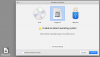
I've installed Parallels then dragged the Sierra.dmg onto the installation window. According to the video (where it shows High Sierra being installed), it should recognise the OS. In my case it didn't but I proceeded anyway. Each time I've tried, I've gotten to the same point where it says "There is no operating system installed in this virtual machine. To install an OS, connect a source with OS installation files, such as a CD, thumb drive, or disk image, and reset the virtual machine."
I've again downloaded the Sierra.dmg from Apple and tried again with no success.
Am I doing something wrong or is the .dmg from Apple corrupt or in some way or not compatible with Parallels?
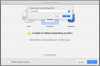
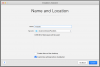
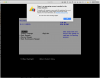
I've installed Parallels then dragged the Sierra.dmg onto the installation window. According to the video (where it shows High Sierra being installed), it should recognise the OS. In my case it didn't but I proceeded anyway. Each time I've tried, I've gotten to the same point where it says "There is no operating system installed in this virtual machine. To install an OS, connect a source with OS installation files, such as a CD, thumb drive, or disk image, and reset the virtual machine."
I've again downloaded the Sierra.dmg from Apple and tried again with no success.
Am I doing something wrong or is the .dmg from Apple corrupt or in some way or not compatible with Parallels?