
Install the app
How to install the app on iOS
Follow along with the video below to see how to install our site as a web app on your home screen.
Note: This feature may not be available in some browsers.
You are using an out of date browser. It may not display this or other websites correctly.
You should upgrade or use an alternative browser.
You should upgrade or use an alternative browser.
Can't Reserve Win10 - Parallels Display Driver Critical Issue
- Thread starter MichaelS4
- Start date
I have installed win10 TP 10166 with success in VM Parallels Desktop with the iso file I created on another computer with the esd file. Upgraded to the RTM 10240 through WU.I suppose it is possible that this is something the Windows 10 Update app is saying but the Win10 installer might not choke on. Let's see if we really can't download and/or install. I believe people who have downloaded the Win10 preview have successfully installed it.
But on my win8.1 VM, the win10 won't download, and with the message above, I think it won't download at all...
P
Parallels User
What version of Parallels are you running?Hello,
I've got the exact same problem with the win10 reservation.
I have the icon, but it says that Win10 cannot be installed.
View attachment 10056
As Windows10 is about to be released tomorrow, It's very annoying to have this message saying it can't be installed because of a display driver/adaptater...
And no workaround works...
Parallels, please, do something, quickly !
The last one :What version of Parallels are you running?

I tried to uninstall and reinstall Paralells Tools with no success...
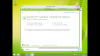
What version of windows do you run ? 7, 8, or 8.1 ? Pro, Home ?I've uninstalled the Parallels Tools and now the error is gone. Hopefully I'll be able to update tomorrow, and reinstall the Parallels Tools again after that (they worked pretty well with the Insider builds).
8.1 Pro with the all the latest updates.What version of windows do you run ? 7, 8, or 8.1 ? Pro, Home ?
IMHO it's just a driver certification issue, but I'm quite sure that the driver will work (I've used all the insider builds of Windows 10 without issues).I hope it will work fine for you, but if it's that simple, why are we not informed by Parallels yet?
I don't think so... See the attached image.It's the same with Parallels Tools uninstalled.
Attachments
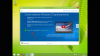
I was telling about my windows.I don't think so... See the attached image.
I uninstalled the PT but the GWX application still telling me there is a problem with the display...
P
Parallels User
Yes, I suggest as a workaround to uninstall the driver and let Windows install a certified driver in its place. Later, reinstall Parallels Tools.I don't think so... See the attached image.
P
Parallels User
Probably is, but that's supported on Windows 10 also, which is what matters.As we are on a virtual machine, the standard driver is a generic VGA card. no ?
Maybe it didn't update the report after uninstalling the driver. You should see the update date in the report page.I was telling about my windows.
I uninstalled the PT but the GWX application still telling me there is a problem with the display...
Ok, but on my installation, this won't allow w10 to preload... because I still got the error.Probably is, but that's supported on Windows 10 also, which is what matters.
P
Parallels User
I don't get what's your problem now, once the drivers have passed the test and you are eligible for the upgrade you can reinstall Parallels Tools.Ok, but on my installation, this won't allow w10 to preload... because I still got the error.
If you still can't do it, this seems to be a very exotic situation, there are so many possibilities, that yeah, you might as well start fresh.