Cannot boot Gentoo on Apple M1

RobS21

Junior Member
Hi,

I have tried installing Gentoo arm64 now several times on parallels 17.1.4 on an Apple M1 machine but cannot get it to boot, no matter what I do. I followed: https://wiki.gentoo.org/wiki/Quick_Installation_Checklist and tried both the UEFI/GPT version as BIOS/GPT version. Seems to me that UEFI/GPT is the only way to go also because grub fails installing when set to BIOS/GPT:

livecd ~ # grub-install /dev/sda
Installing for arm64-efi platform.
grub-install: error: cannot find EFI directory.​

I can complete the minimal installation without issues for UEFI/GPT but once I'm done, fstab is set and grub2 is installed and configured and I reboot, Parallels tells me no OS is installed on the disk and cannot continue to boot.

Anybody any clue what I'm doing wrong here?
 
Thanks @Bhargava@Parallels for responding. You said not supported but this does not mean it does not work right? I see others have managed to install Gentoo on Paralles 17.x with an Apple Silicon based machine.
 
Hi.
Did you solve the issue? If no I can help with that as I just installed it a few hours ago.
What bootloader did you use? I installed grub successfully with

$ mount -bind /boot /boot/efi
$ grub-install --target=arm64-efi --efi-directory=/boot
$ grub-mkconfig -o /boot/grub/grub.cfg
Generating grub configuration file ...
Found linux image: /boot/vmlinuz-5.15.52-gentoo
...
Adding boot menu entry for UEFI Firmware Settings ...
done​

but when I reboot, it says there's no valid OS on the disk.
 
I used grub too.
I see only one difference in our case.
I didn't mount /boot/EFI just keep mounted /dev/sda1 to /boot
/dev/sda1 is 256mb partition with EFI partition type and vfat filesystem.
Also make sure that your kernel is installed
 
I managed to get it booting by deleting my /boot partition, replacing it with an EFI partition and formatting it with
mkfs.vfat -F 32 /dev/sda1​
so that my / partition has the /boot folder, running 'make install' in /usr/src/linux, creating a /boot/EFI folder, mounting the EFI partition on /boot/EFI, then running
$ grub-install --target=arm64-efi --efi-directory=/boot/EFI
$ grub-mkconfig -o /boot/grub/grub.cfg​
and that seemed to work. The bootloader was looking in the /boot partition but needed to be looking in the EFI partition which gets mounted at /boot/EFI.
 
I managed to get it booting by deleting my /boot partition, replacing it with an EFI partition and formatting it with
mkfs.vfat -F 32 /dev/sda1​
so that my / partition has the /boot folder, running 'make install' in /usr/src/linux, creating a /boot/EFI folder, mounting the EFI partition on /boot/EFI, then running
$ grub-install --target=arm64-efi --efi-directory=/boot/EFI
$ grub-mkconfig -o /boot/grub/grub.cfg​
and that seemed to work. The bootloader was looking in the /boot partition but needed to be looking in the EFI partition which gets mounted at /boot/EFI.
Yeah, it is exactly the same i did.
 
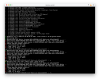
@SergeyI2 and @JamesL41 thanks for that. I'm making progress but still cannot boot. After following your steps I do get to see grub but it does not boot through. So instead of Parallels saying there is not OS installed, it's now booting in grub but it does not process. See attached screenshot.

Below the outputs of my commands:

livecd ~ # fdisk -l
Disk /dev/sda: 64 GiB, 68719476736 bytes, 134217728 sectors
Disk model: Gentoo arm64-0 S
Units: sectors of 1 * 512 = 512 bytes
Sector size (logical/physical): 512 bytes / 4096 bytes
I/O size (minimum/optimal): 4096 bytes / 4096 bytes
Disklabel type: gpt
Disk identifier: 298E7D7A-DDDC-4CAC-82F1-EC65916A72B8
Device Start End Sectors Size Type
/dev/sda1 2048 526335 524288 256M EFI System
/dev/sda2 526336 8914943 8388608 4G Linux swap
/dev/sda3 8914944 134215679 125300736 59.7G Linux filesystem
Disk /dev/loop0: 286.19 MiB, 300093440 bytes, 586120 sectors
Units: sectors of 1 * 512 = 512 bytes
Sector size (logical/physical): 512 bytes / 512 bytes
I/O size (minimum/optimal): 512 bytes / 512 bytes

livecd ~ # ls -al /boot/
total 46957
drwxr-xr-x 3 root root 4096 Jul 19 10:59 .
drwxr-xr-x 21 root root 4096 Jul 19 10:15 ..
-rw-r--r-- 1 root root 0 Jul 18 02:04 .keep
drwxr-xr-x 2 root root 512 Jan 1 1970 EFI
-rw-r--r-- 1 root root 6815496 Jul 19 10:38 System.map-5.15.52-gentoo-arm64
-rw-r--r-- 1 root root 7843000 Jul 19 10:59 initramfs-5.15.52-gentoo-arm64.img
-rw-r--r-- 1 root root 33526272 Jul 19 10:38 vmlinuz-5.15.52-gentoo-arm64

livecd ~ # grub-install --target=arm64-efi --efi-directory=/boot/EFI
Installing for arm64-efi platform.
Installation finished. No error reported.

livecd ~ # grub-mkconfig -o /boot/grub/grub.cfg
Generating grub configuration file ...
Found linux image: /boot/vmlinuz-5.15.52-gentoo-arm64
Found initrd image: /boot/initramfs-5.15.52-gentoo-arm64.img
Warning: os-prober will not be executed to detect other bootable partitions.
Systems on them will not be added to the GRUB boot configuration.
Check GRUB_DISABLE_OS_PROBER documentation entry.
Adding boot menu entry for UEFI Firmware Settings ...
done
Really wonder what I'm doing wrong. I have been installing am64 on Intel based for years without any issues.
 

Attachments

  • Screenshot 2022-07-19 at 11.11.53.png
    Screenshot 2022-07-19 at 11.11.53.png
    502.8 KB · Views: 2
Try to reinstall grub by running:
rm -rf /boot/EFI folder
grub-install --target=arm64-efi --efi-directory=/boot/
grub-mkconfig -o /boot/grub/grub.cfg
 
@SergeyI2 How? as you mentioned I adding /boot/ as folder on root / and booted /dev/sda1 as /boot/EFI.

So if I remove it there is no EFI partition anymore IMO (?)
 
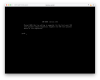
@SergeyI2 thanks, for reasons I do not understand it works. It boots but now has issues with my partitioning appearantly. See attached.
I will try switching to old style fstab and not use genfstab
 

Attachments

  • Screenshot 2022-07-19 at 13.03.43.png
    Screenshot 2022-07-19 at 13.03.43.png
    929.5 KB · Views: 5
@SergeyI2 thanks, for reasons I do not understand it works. It boots but now has issues with my partitioning appearantly. See attached.
I will try switching to old style fstab and not use genfstab
I never use genfstab as it is produces a lot of issues. Basically i'm just using blkid + vim
 
Back
Top