Broken Games - Speak up here if you want to see a particular game working.

NWN2 closer with 4.0.3810

Saw that Pixel Shaders Model 2 support is available with 4.0.3810 but NWN2 is not quite working. Now it starts running but crashes soon after the screen resizes. I tried changing the FullScreen setting in the nwn2.ini file but it did not help.
 
Source Engine Games

I've been having the oddest problem with source engine games. This is build 3810, WinXP SP3, on a new Macbook Pro 15" (unibody). Virtual machine is set for 2 processors, 1200MB ram, and 128 vram. Games like Half-Life 2 and Counter Strike: Source run impressively well (does parallels make use of the new add-on MPB 3d graphics processor?), except for the occasional 1-second hang-up, but there's one oddity, and one bad graphical glitch I'm seeing:

The oddity is that non-environment textures sometimes seem to be at a different brightness (or gamma) than environmental ones. I.e., player/npc models, boxes, debris, etc look washed out & bright compared to the world.

The glitch is that player & npc models occasionally disappear, except for shadows. This includes gun and hand models for my character, and enemies and their weapons. Moving around seems to randomly show and hide models.

??
 
Civ 4 issues

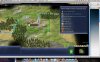
Ever since I upgraded to Parallels 3810, I've had the following problems with Civ 4. The boot screen main menu flickers between opaque and transparent (Picture 3), the loading screen does the same (Picture 4), and the city information in the game is not displayed (Picture 5).

This has only happened since I upgraded to the most recent build. I'm on a macbook pro (nov 2006), running XP sp3 in the virtual machine.

 

Attachments

  • Picture 3.jpg
    Picture 3.jpg
    448.2 KB · Views: 12
  • Picture 4.jpg
    Picture 4.jpg
    312.3 KB · Views: 9
  • Picture 5.jpg
    Picture 5.jpg
    467.6 KB · Views: 9
Games

wow.. what a long thread..... I spose i better stick my 2 cents worth in.

Descent 3 - minor graphics glitches on main menu

Call Of Duty 4 & 5 .... Of course who wouldn't wanna play COD under VM...

But all these threads make out like its soo easy to do... people probably just want them to work...... I know its harder in VM cause of hardware virtulization, and not everything is possible in a due to probably limitation of emulation of video . If Parallels could showhow gain control at the hardware level, the same they do with cd-rw drives (which is why cd recording is possible), then that would probably be alott easier..... Time will tell... however,

People do know that cpu goes up (particularly on 3D) games, not to mention running in a vm right??
 
Civ 4 broken in build 3810

I am having the same issue too. Civilization 4 worked very well in previous build. Since upgrading to build 3810 I have same graphic issues in game as Tirial.

Ever since I upgraded to Parallels 3810, I've had the following problems with Civ 4. The boot screen main menu flickers between opaque and transparent (Picture 3), the loading screen does the same (Picture 4), and the city information in the game is not displayed (Picture 5).

This has only happened since I upgraded to the most recent build. I'm on a macbook pro (nov 2006), running XP sp3 in the virtual machine.

 
Hitman Triple Pack

Please get the hitman series to work with parallels. the 3.0 version says hitman 2 will work but when i tried intalling it, a message came up saying it could not open the readme file. same applies for hitman contracts. on hitman blood money, i can completely finish the installation but when i try to run the game, a message comes up saying it cannot find dx file or something like that. i tried reinstalling with the direct x but nothing changed. i am using parallels 4.0
 
The game I want to work is The Adventure Company's Keepsake. It works right after I finish installing the game and patch 1.6, but not after I restart my Windows XP virtual machine. After I restart Windows XP there are a bunch of white boxes where some of the graphics used to be, such as where to click to start the game and the cursor is a moving white box. When I click to start the game there are more white boxes in the bottom left hand corner where you click to interact with the game's options. It should look like the lower screenshots found here: http://www.strategyinformer.com/pc/keepsake/screenshots.html. Secrets of the Ark (also from the Adventure Company) works just fine and appears to be a newer game. Keepsake seems to skip the introductory credits when I restart the game after rebooting.

Another touchy game is Empire Interactive's Ghost Master. It likes to quit right after the opening credits, and when it does work there is a white bar across the screen where the cursor is located.

I have Parallels 4, and 3D acceleration has been enabled. Can you help me?
 
Homeworld 2

searched thread for Homeworld and got nothing, despite it being on the lsit of siupported games it kept crashing on me after the 1.1 update (worked fine on 1.0)

in the end i found a thread to add a switch to the command line -fragment_program 0 so put this on the end of the shortcut and it should run
 
Game request: Total War Series

The total war Series, including Rome Total War, are my favorite games and part of the reason I purchased parallels. Please make them work.

Thank you!
 
Cities xl

Cities XL is not working. When launching the game, an error message appears and indicates that the graphic card isn't powerful enough. We can still enter the game, but only see parts of the image and no text at all.

Is there anything I can do to make it work?

Thanks!
 
Final Fantasy 11, this game worked slowly at times in PD4. About five minutes into loading in PD5 I got a blue screen and it crashed windows and rebooted. I can try it again get the event viewer crash info.
 
Dragon age origins PLEASE! and Fable if not already. i have version 4.0 and i cant get dragon age origins to work. it says failed to detect support video device...
 
Back
Top