Mikhail Ushakov
Problem solver
This thread has been created to let you share your experience and findings of working with third-party apps and games in Windows on ARM.

Follow along with the video below to see how to install our site as a web app on your home screen.
Note: This feature may not be available in some browsers.
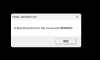
Trying to run Lineage 1 Justice on MacBook Pro M1 Sonoma with Parallels 19 and Windows 11. I run jLauncher.exe, click Play (after setting windowing mode to full screen) and then click Justice Server. I get Set failed err 80004001. Somewhere I've read that it might have to do with video scaling. I've tried a variety of different settings and combinations with the same error. The app is x86. Works fine on regular PCs. Anyone have any ideas? Thanks.
 - is it possible to run this application on the M2 machine? is there a workaround for running applications that worked on intel macs on M2 machines?
Hello @JamesB67Im running World of Warships on my M2 Max Studio Mac and it won't draw a small number of very important lines (or maybe shading?) that make it unusable. Happy to give more detail as needed.
I can't get the FTR player to install and run correctly. I've tried both versions 5.6.2 (which doesn't even start) and 7.7. Error states:
C:\Program Files (x86)\FTR\ForTheRecord\AMuxL.dll
Unable to register the DLL/OCX: RegSvr32 failed with exit code 0x3
Things I have already tried:
Further, if I tell the installation to ignore the dll registration error and try to play audio, I get the error 'Could not load the recording for playback. (0x80040154).
- Running an SFC Scan and also repairing possible corrupted system files
- Running the program in admin mode
- Disabling UAC
- Checking for system updates
- Installing both the 32bit and 64bit versions of Visual C++ Runtime
- using Win+R then typing in regsvr32 "C:\Program Files (x86)\FTR\ForTheRecord\AMuxL.dll" (which gives me the module failed to load error with 'make sure the binary is stored at the specified path' etc, with 'A dynamic link library (DLL) intialization routine failed.')
- running cmd in admin mode and entering C:\Windows\SysWOW64\REGSVR32 "C:\Program Files (x86)\FTR\ForTheRecord\AMuxL.dll" (same error)
I'm using Parrallels 19.1.1 (54734) with Windows 11 Pro 23H2 on an Apple M2 chip. I'll follow it up with the app's support, but I'm sure it's a Parallels-specific problem so thought I'd ask here first. Thanks in advance to anyone who might be able to help.
This thread has been created to let you share your experience and findings of working with third-party apps and games in Windows on ARM.

Hey @PeterB80, please disregard the DirectX version you see in dxdiag - this is the Microsoft runtime version (see Feature Levels on the Display tab > Drivers). DirectX 12 is still in development and not available in Parallels Desktop yet.I've a M3 Mac with 24gb running Parrallels. I've tried Resident Evil 3 and 4 using Steam. Both fail on start up with a DirectX12 error, despite DXDiag showing that DirectX12 is present. As I want to add mods from Nexus, I need to be inside a working MS Windows environment.
Is this a bug in DirectX12?
Dmitry - any ideas on if or when Parallels will support DirectX 12? Would love to be able to play Diablo IV and Diablo II Resurrection on Parallels and then get rid of Crossover which runs them fine.Hey @PeterB80, please disregard the DirectX version you see in dxdiag - this is the Microsoft runtime version (see Feature Levels on the Display tab > Drivers). DirectX 12 is still in development and not available in Parallels Desktop yet.

Is there a timetable for that? It's a pretty urgent feature for modern games.Hey @PeterB80, please disregard the DirectX version you see in dxdiag - this is the Microsoft runtime version (see Feature Levels on the Display tab > Drivers). DirectX 12 is still in development and not available in Parallels Desktop yet.
@PeterB80, @SWANDY, @HaraldSt, I'm sorry but I cannot share our development roadmap, but please note that implementing DirectX 12 graphics level is a massive engineering effort and the work is in progress.
Just now, we released Parallels Desktop version 20, updating the Parallels display and reaching version 12 for the device driver interface (DDI) with graphics' feature level 11_1. Alas, most games won't benefit from this graphics level, but I am happy to get your feedback if you notice any changes or improvements to the gaming experience.
All in all, the progress continues but there is still a lot of work to do to reach feature level 12_0 (true DirectX 12).