Applications/games not working in Windows on Arm

I am trying to install X-Plane 12 under Parallels latest version / Win 11 Pro on my Mac M1 Studio Ultra.

Installation fails with the following error message:

0:00:00.000 E/GFX: GFX bridge doesn't support required extension GL_EXT_memory_object
0:00:00.000 E/GFX: GFX bridge doesn't support required extension GL_EXT_semaphore
0:00:00.000 E/GFX: GFX bridge doesn't support required extension GL_EXT_memory_object_win32
0:00:00.000 E/GFX: GFX bridge doesn't support required extension GL_EXT_semaphore_win32
0:00:00.000 E/GFX: Failed to initialize Vulkan
0:00:00.000 E/GFX: Vulkan layer reported: An extension required to run the OpenGL bridge is not supported on Parallels using Apple M1 Ultra (Compat)
An extension required to run the OpenGL bridge is not supported on Parallels using Apple M1 Ultra (Compat)
0:00:00.000 E/SYS: MACIBM_alert: X-Plane failed to initialize Vulkan and can't run.
0:00:00.000 E/SYS: MACIBM_alert: An extension required to run the OpenGL bridge is not supported on Parallels using Apple M1 Ultra (Compat)
An extension required to run the OpenGL bridge is not supported on Parallels using Apple M1 Ultra (Compat)
0:00:00.000 E/SYS: MACIBM_alert: See the Log.txt file for detailed error information.
0:00:00.000 E/SYS: MACIBM_alert:
 
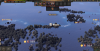
Unfortunately, there is no land visible while playing "Knights of Honor II" through Parallels Desktop for Mac as everything is covered by water (see attached image).

How could such an issue can be resolved.
 

Attachments

  • NoLandVisible.png
    NoLandVisible.png
    778.4 KB · Views: 14
Hello! I want to launch the game editor, it starts, but when I try to open the map, it gives an error "texRT: failed". I contacted the developer and he said that the engine is written in directx 9 and there may be some problems with creating textures when emulating windows. I tried to install older versions of directx - it does not help. Can you help me please?
 
Neither ESRI Drone2Map nor Fallout 4 are working for me. Both crash after I try to run the app from the launcher (fallout after the launcher changes settings, Drone2Map after trying to create a new project. I have Parallels set to Design but it does it on Gaming mode too.
 
Neither ESRI Drone2Map nor Fallout 4 are working for me. Both crash after I try to run the app from the launcher (fallout after the launcher changes settings, Drone2Map after trying to create a new project. I have Parallels set to Design but it does it on Gaming mode too.
Hello,
We have created a support ticket for you to further investigate the behaviour of these applications.
Please check your Parallels account e-mail for initial instructions.
Thank you!
 
Hello. Crucial for my work Revit plugin won't installing. Revit 2023 (x64) at same time works flawlessly! What can I do? Plugin developer tell that it's fine, and should work. Very frustrating :(
R-BIM v1.11.3
 
Didn't see world of warcraft classic mentioned (sorry if I overlooked it)

Battle.net launcher seems to work although with some rare occasional graphical glitches/slowdowns. Can download and play diablo 3 and hearthstone without issues but launching wow classic results in bluescreen "KMODE_EXCEPTION_NOT_HANDLED" 0x0000001e and just reboots.
I've noticed that the game itself is the arm64 version so the game should in reality have a pretty nice performance (if it worked). Thinking it would be related to the arm version, I also tried to manually transfer a x86/x64 version of the game and launch but that didn't work.

Also tried adding -d3d11 as additional command line argument, still same...

I know theres a native arm m1 version for macos but I dont wanna install battle.net + discord etc filling up my main drive or add lots of bloat hence i'd rather run the vm on a nvme thunderbolt drive which works perfectly fine for other games and tasks.

MBP M1 Pro, Monterey 12.6.7
Parallels desktop 18.3.2 (53621)
VM: Windows 11 arm64 (clean fresh install, tried reinstall aswell)
Anyone have any idea what to look for to help solve this issue?
 
Unable to run World of Warcraft927,10.0
system:win11 21H2
software: pd18.0 Business
I feel that dx11 and dx12 are not supported!
Hope to repair it as soon as possible!
 
Are these missing textures problem with DX11 games a known issue already that are being fixed?
Sable missing textures:
Genshin Impact missing textures:
It's shame because most of these games can run quite well on my Mac Studio (M2 Max, 12 core CPU, 38 core GPU, 64GB RAM)
 
Hey @BradB7, JFYI, our developers have been working for some time on the "Stray" game issue, but there is quite a challenge to fix the game crash. We continue to work on it but please don't expect a fix in the near future. Looking forward to your understanding! If there are other games you have tried or about to try in Windows powered by Parallels Desktop, please let me know! I would love to know your experience.
Stray is now working with the latest version of Parallels Pro (19.1.0) as long as you disable the -dx12 parameter in settings when running it from Steam within the Windows 11 pro ARM shell in the latest version (currently 23H2 as of a week ago or so). I've changed no other settings after my reinstall. I'll keep you posted if I see anything else strange happening, but it appears to work now. We've been waiting for a native Mac version forever and inow it appears that Dec 5 it will (finally) be out according to Apple Insider.
 
Dear admin,
Software version: pd commercial version 19.1.1 (54734)
macOS: Sonoma 14.1.1
Virtual system: win 11 21h2
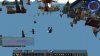
I am playing the game World of Warcraft and the map display is abnormal. Please see the picture below.
 

Attachments

  • WoWScrnShot_111323_132614.jpg
    WoWScrnShot_111323_132614.jpg
    344.8 KB · Views: 8
I can't get the FTR player to install and run correctly. I've tried both versions 5.6.2 (which doesn't even start) and 7.7. Error states:

C:\Program Files (x86)\FTR\ForTheRecord\AMuxL.dll
Unable to register the DLL/OCX: RegSvr32 failed with exit code 0x3​

Things I have already tried:
  • Running an SFC Scan and also repairing possible corrupted system files
  • Running the program in admin mode
  • Disabling UAC
  • Checking for system updates
  • Installing both the 32bit and 64bit versions of Visual C++ Runtime
  • using Win+R then typing in regsvr32 "C:\Program Files (x86)\FTR\ForTheRecord\AMuxL.dll" (which gives me the module failed to load error with 'make sure the binary is stored at the specified path' etc, with 'A dynamic link library (DLL) intialization routine failed.')
  • running cmd in admin mode and entering C:\Windows\SysWOW64\REGSVR32 "C:\Program Files (x86)\FTR\ForTheRecord\AMuxL.dll" (same error)
Further, if I tell the installation to ignore the dll registration error and try to play audio, I get the error 'Could not load the recording for playback. (0x80040154).

I'm using Parrallels 19.1.1 (54734) with Windows 11 Pro 23H2 on an Apple M2 chip. I'll follow it up with the app's support, but I'm sure it's a Parallels-specific problem so thought I'd ask here first. Thanks in advance to anyone who might be able to help.
 
ArcGIS Pro 3.2 on Windows 11 Pro in Parallels 19 mounted on a MacBook Pro M3 Pro with Sonoma.
Arcgis doesn't start, no error messages.
Arcgis instructions refers that: "Running ArcGIS Pro on a Windows VM on a Mac with an M-series processor requires Parallels Desktop version 18 and Windows 11 Azure Resource Manager (ARM) installed as the guest operating system. Install the Microsoft .NET Desktop Runtime 6.0.5 or later Windows x64 installer."
I don't know how to get or if Ia am running Windows 11 Azure resource Manager.
 
Solved! I mistakenly installed the Microsoft .NET Desktop Runtime 6.0.5 ARM installer, instead of the x64 installer, thinking about the kind of processor. Now ArcGIS Pro works.
 
I am having a problem with the EA game Unravel Two. I have first tried it on VMware fusion, where the game runs perfectly fine for the first hour or so of gameplay, but crashes when entering the second level (which seems to be a hub area of some sort, seems like it uses some shader or particle effects not present in the first level which cause the crash).
I have installed the game in Parallels in a fresh Win 11 VM. It does open, and the second level does load, but the framerate is about 1 FPS. Parallels Tools is installed, and the graphics driver is installed + enabled. I have enabled all performance- and game-related settings in Parallels. I am at a loss as to how to further troubleshoot this. Any advice?

I am using an M1 Pro macbook, using the Parallels built-in Win11 for ARM installer.
 
Back
Top