adriantoll
Bit poster
Hiya
I've been using Parallels for a while now on Leopard, and wasn't having any problems until installing the 10.5.2 update. Now I get the "Limited or no connectivity" message in the guest OS (XP Professional), and I can't connect to the internet using the guest OS.
I tried looking through the forums for an easy fix, but eventually I gave in and totally uninstalled Parallels, including all the guest OSs (I use it for checking websites on PC browsers, so have one for IE6, one for IE7 etc.) and then reinstalled. This worked until I shut down my Mac last night and started it up this morning - and again I can't get any internet connectivity.
This morning I've tried switching between Shared and Host-only networking, and also reinstalling Parallels Tools, to no avail.
Any suggestions?
Thanks, Adrian.
My setup:
2 x 3 GHz Quad-Core Mac Pro with 8Gb of memory
Mac OS X 10.5.2, including all the latest software updates as of today
Guest OS is Windows XP Professional, including all the latest updates
Parallels 3.0 build 5584 with Parallels Tools installed
2 x 500Gb hard drives
Not using Boot Camp
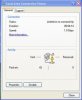
Edit 1: I've just done an ipconfig in XP, and it's getting an autoconfiguration IP, not showing Connection-specific DNS Suffix, and no Default Gateway - see attached image Picture 2.png
Edit 2: I tried changing from Shared Networking to Bridged Ethernet with the same MAC address as my Mac Pro and although the Mac Pro's network connection dropped, the network worked in the Parallels guest OS. When I shut down XP, the Mac Pro's connection came back. I'm at work, and my network only allows specified MAC addresses, so I guess the Windows XP connection chucked out the Mac Pro connection for some reason. It doesn't solve the problem - I obviously need both connections to work at the same time, but does mean that Parallels *can* work... I presume Shared Networking should shield the Windows XP installation from the network?
P.S. I couldn't search the forum for "10.5.2" - it returned no results. It would be really useful if this search did work, so that can search for answers to issues with specific versions of the host OS rather than just "Leopard" or "Tiger".
I've been using Parallels for a while now on Leopard, and wasn't having any problems until installing the 10.5.2 update. Now I get the "Limited or no connectivity" message in the guest OS (XP Professional), and I can't connect to the internet using the guest OS.
I tried looking through the forums for an easy fix, but eventually I gave in and totally uninstalled Parallels, including all the guest OSs (I use it for checking websites on PC browsers, so have one for IE6, one for IE7 etc.) and then reinstalled. This worked until I shut down my Mac last night and started it up this morning - and again I can't get any internet connectivity.
This morning I've tried switching between Shared and Host-only networking, and also reinstalling Parallels Tools, to no avail.
Any suggestions?
Thanks, Adrian.
My setup:
2 x 3 GHz Quad-Core Mac Pro with 8Gb of memory
Mac OS X 10.5.2, including all the latest software updates as of today
Guest OS is Windows XP Professional, including all the latest updates
Parallels 3.0 build 5584 with Parallels Tools installed
2 x 500Gb hard drives
Not using Boot Camp
Edit 1: I've just done an ipconfig in XP, and it's getting an autoconfiguration IP, not showing Connection-specific DNS Suffix, and no Default Gateway - see attached image Picture 2.png
Edit 2: I tried changing from Shared Networking to Bridged Ethernet with the same MAC address as my Mac Pro and although the Mac Pro's network connection dropped, the network worked in the Parallels guest OS. When I shut down XP, the Mac Pro's connection came back. I'm at work, and my network only allows specified MAC addresses, so I guess the Windows XP connection chucked out the Mac Pro connection for some reason. It doesn't solve the problem - I obviously need both connections to work at the same time, but does mean that Parallels *can* work... I presume Shared Networking should shield the Windows XP installation from the network?
P.S. I couldn't search the forum for "10.5.2" - it returned no results. It would be really useful if this search did work, so that can search for answers to issues with specific versions of the host OS rather than just "Leopard" or "Tiger".
Attachments

Last edited: