10.5.2 / XP no network connectivity

adriantoll

Bit poster
Hiya

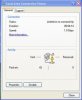
I've been using Parallels for a while now on Leopard, and wasn't having any problems until installing the 10.5.2 update. Now I get the "Limited or no connectivity" message in the guest OS (XP Professional), and I can't connect to the internet using the guest OS.

I tried looking through the forums for an easy fix, but eventually I gave in and totally uninstalled Parallels, including all the guest OSs (I use it for checking websites on PC browsers, so have one for IE6, one for IE7 etc.) and then reinstalled. This worked until I shut down my Mac last night and started it up this morning - and again I can't get any internet connectivity.

This morning I've tried switching between Shared and Host-only networking, and also reinstalling Parallels Tools, to no avail.

Any suggestions?

Thanks, Adrian.

My setup:
2 x 3 GHz Quad-Core Mac Pro with 8Gb of memory
Mac OS X 10.5.2, including all the latest software updates as of today
Guest OS is Windows XP Professional, including all the latest updates
Parallels 3.0 build 5584 with Parallels Tools installed
2 x 500Gb hard drives
Not using Boot Camp

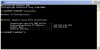
Edit 1: I've just done an ipconfig in XP, and it's getting an autoconfiguration IP, not showing Connection-specific DNS Suffix, and no Default Gateway - see attached image Picture 2.png

Edit 2: I tried changing from Shared Networking to Bridged Ethernet with the same MAC address as my Mac Pro and although the Mac Pro's network connection dropped, the network worked in the Parallels guest OS. When I shut down XP, the Mac Pro's connection came back. I'm at work, and my network only allows specified MAC addresses, so I guess the Windows XP connection chucked out the Mac Pro connection for some reason. It doesn't solve the problem - I obviously need both connections to work at the same time, but does mean that Parallels *can* work... I presume Shared Networking should shield the Windows XP installation from the network?

P.S. I couldn't search the forum for "10.5.2" - it returned no results. It would be really useful if this search did work, so that can search for answers to issues with specific versions of the host OS rather than just "Leopard" or "Tiger".
 

Attachments
  • Picture 1.jpg
    Picture 1.jpg
    9.3 KB · Views: 16
  • Picture 2.jpg
    Picture 2.jpg
    19.5 KB · Views: 17
Last edited:
Hello Adriantoll,

Thank you for the detailed report. Could you please provide another screenshot? I would like to see the output of ifconfig command run in Terminal on Mac side.

Best regards,
Xenos
 
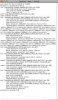
Thanks for your reply Xenos - here's the screenshot.

Adrian

Edit: Here is a copy-and-paste, as the screenshot is coming out too small:

Last login: Fri Feb 22 14:07:02 on ttys000
AdrianToll:~ adriantoll$ ifconfig
lo0: flags=8049<UP,LOOPBACK,RUNNING,MULTICAST> mtu 16384
inet6 fe80::1%lo0 prefixlen 64 scopeid 0x1
inet 127.0.0.1 netmask 0xff000000
inet6 ::1 prefixlen 128
gif0: flags=8010<POINTOPOINT,MULTICAST> mtu 1280
stf0: flags=0<> mtu 1280
en0: flags=8863<UP,BROADCAST,SMART,RUNNING,SIMPLEX,MULTICAST> mtu 1500
inet6 fe80::219:e3ff:fef8:f342%en0 prefixlen 64 scopeid 0x4
inet 134.36.41.115 netmask 0xfffffe00 broadcast 134.36.41.255
ether 00:19:e3:f8:f3:42
media: autoselect (100baseTX <full-duplex>) status: active
supported media: autoselect 10baseT/UTP <half-duplex> 10baseT/UTP <full-duplex> 10baseT/UTP <full-duplex,hw-loopback> 10baseT/UTP <full-duplex,flow-control> 100baseTX <half-duplex> 100baseTX <full-duplex> 100baseTX <full-duplex,hw-loopback> 100baseTX <full-duplex,flow-control> 1000baseT <full-duplex> 1000baseT <full-duplex,hw-loopback> 1000baseT <full-duplex,flow-control>
en1: flags=8863<UP,BROADCAST,SMART,RUNNING,SIMPLEX,MULTICAST> mtu 1500
ether 00:19:e3:f8:f3:43
media: autoselect status: inactive
supported media: autoselect 10baseT/UTP <half-duplex> 10baseT/UTP <full-duplex> 10baseT/UTP <full-duplex,hw-loopback> 10baseT/UTP <full-duplex,flow-control> 100baseTX <half-duplex> 100baseTX <full-duplex> 100baseTX <full-duplex,hw-loopback> 100baseTX <full-duplex,flow-control> 1000baseT <full-duplex> 1000baseT <full-duplex,hw-loopback> 1000baseT <full-duplex,flow-control>
fw0: flags=8802<BROADCAST,SIMPLEX,MULTICAST> mtu 4078
lladdr 00:1b:63:ff:fe:64:24:0e
media: autoselect <full-duplex> status: inactive
supported media: autoselect <full-duplex>
en2: flags=8863<UP,BROADCAST,SMART,RUNNING,SIMPLEX,MULTICAST> mtu 1500
ether 00:19:e3:dc:e8:31
media: autoselect (<unknown type>) status: inactive
supported media: autoselect
vmnet8: flags=8863<UP,BROADCAST,SMART,RUNNING,SIMPLEX,MULTICAST> mtu 1500
inet 192.168.205.1 netmask 0xffffff00 broadcast 192.168.205.255
ether 00:50:56:c0:00:08
vmnet1: flags=8863<UP,BROADCAST,SMART,RUNNING,SIMPLEX,MULTICAST> mtu 1500
inet 172.16.56.1 netmask 0xffffff00 broadcast 172.16.56.255
ether 00:50:56:c0:00:01
en3: flags=8863<UP,BROADCAST,SMART,RUNNING,SIMPLEX,MULTICAST> mtu 1500
inet6 fe80::21c:42ff:fe00:0%en3 prefixlen 64 scopeid 0xa
inet 169.254.70.81 netmask 0xffff0000 broadcast 169.254.255.255
ether 00:1c:42:00:00:00
media: autoselect status: active
supported media: autoselect
en4: flags=8863<UP,BROADCAST,SMART,RUNNING,SIMPLEX,MULTICAST> mtu 1500
inet6 fe80::21c:42ff:fe00:1%en4 prefixlen 64 scopeid 0xb
inet 169.254.70.81 netmask 0xffff0000 broadcast 169.254.255.255
ether 00:1c:42:00:00:01
media: autoselect status: active
supported media: autoselect
 

Attachments

  • Picture 1.jpg
    Picture 1.jpg
    12.4 KB · Views: 11
Last edited:
Adriantoll, please do the following:

Reboot your Mac;
Disable Firewall both on Mac and Windows sides and Keyspan software (if you have it);
Restart Parallels NAT and Host-Guest:

1. Open Mac OS System Preferences and choose Network.
2. Choose Parallels NAT from the Show menu. In Configure IP field set Off and press Apply button. Then set Using DHCP in Configure IP field and press Apply button again.
3. Choose Parallels Host-Guest from the Show menu. In Configure IP field set Off and press Apply button. Then set Using DHCP in Configure IP field and press Apply button again.

Best regards,
Xenos
 
Hi Xenos

I've tried that, but no change. I think you might be using a different version of OSX - my network control panels look a bit different than the one you're writing about, but I:

1. Rebooted my Mac
2. Turned the Mac firewall off
3. Opened Parallels and started XP
4. Turned the XP firewall off
5. Went to network preferences
6. Turned IPv6 off and renewed the IPv4 DHCP lease for both Parallels connections

That didn't change anything so I rebooted XP, but that didn't change anything, and neither did rebooting the Mac and starting Parallels / XP again.

Cheers
Adrian
 
I have exactly the same problem that I can use neither shared nor host-only networking. Following the suggestion above doesn't help.

Regards,
Mark
 
Hello Adrian and Mark,

Please run this command in Terminal: sudo killall –hup pvsnatd

Best regards,
Xenos
 
Thanks for looking into this Xenos - but it seems to be working again now, inexplicably. I haven't installed any software updates - my Software Update log only shows a new version of iTunes installed on the 22nd, and nothing after that. I haven't changed any network settings or anything like that. I'm kinda happy that it seems to work now, but it would be nice to know what went wrong!

Cheers
Adrian
 
I am having the same problem. XP is sending and receiving packets. The firewall is switched off and I have killed the relevant process at Terminal and rebooted. What is going on? And how do I fix this problem? Help please!
 
In the Network area, it says that both Parallels Guest and NAT are "Not connected". I have turned DHCP off and on again for each of them but that makes no difference.
 
I had a similar issue. For some reason I could never figure out the Parallels NAT and Parallels Host-Guest devices would not get a valid ip address, they would get a self assigned address. Even if I tried to get an address from the Network System Preference it still would come back with a self-assigned address. If I'd bounce my system, this would be corrected, and I could bring up XP and run just fine. I don't normally leave XP up or run it very often, and when I go back to it it would be back to a self assigned address. I got tired of rebooting everytime I needed to run XP, so I manually configured the devices with a valid IP address/subnet mask/router that would never be given out by my DHCP server, and I haven't had a problem since then.
 
DHCP issue in Parallels

I have the same problem. It is intermittent. It appears to be Parallels somehow not letting DHCP messages through.

At the Windows XP command line, I typed "ipconfig" and observe the DHCP query address. I typed "ipconfig /renew" and it gave up after a while saying the DHCP server is unreachable.

One time this happened I left everything alone for a few hours and when I came back everything was working.

Another time I hardwired an IP address in Windows, and everything worked fine. I set Windows networking back to DHCP and it succeeded in getting a DHCP address. Everything continued OK.

The next time this happens I will try rebooting my router instead, just to make sure it's not a router issue.

--------------
For readers who want a more detailed explanation:
>>At the Windows XP command line, I type "ipconfig" and observe the DHCP query address:
In Windows, hold down the command key and press the R key. The Run dialog appears. type "cmd" and press enter.
The Windows Terminal Window appears. Type "ipconfig".
If everything is working fine, you will see an address that probably begins with 192 or sometimes 10. If there is a problem the address will be 0.0.0.0, or something beginning with 169, which is the temporary address that the system is using to find the DHCP server.
>>I hardwire an IP address in Windows:
In Windows, hold down the command key and press the E key. This brings up the File Explorer. Make sure the Folders panel appears on the right of the window. Right-click on "My Network Places" and select "Properties."
Something like "Local Area Connection" appears in the right window panel. Double click on it, and select "Properties." A window appears with a list in it.
Scroll down the list to highlight "Internet Protocol," then click on the "Properties" button below the list.
Fill in the address fields.
 
Hello all,

Adrian, glad to know it's OK now. Thanks for the feedback. You might have changed IPv6 protocol on IPv4 and that let you get network connection back.

AnthonyG, RReuscher and Michaelstanford, we need more information to find out the causes for you network issues which can differ.

Please let us know the following:

Parallels Desktop build you are using;
Network Adapter type in your VM;
Network configuration on Mac side;
What antivirus programms you are using;
The output of ifconfig command from Mac side (run the command in Terminal);
The output of ipconfig /all command from Windows side (click Start -> Run, type cmd and run the command in CMD window);
The output of tracert www.parallels.com command from Windows side.

Best regards,
Xenos
 
same problem

I was having the same problem. In my case, however, I have two other guest installations using just disk images stored on the hard disk, one with Win XP and the other with Vista. It's just the Boot Camp guest (running XP) that's having the network issue.

All three have the same network configuration, using the Shared networking option. The Boot Camp guest was working before I upgraded to 10.5.2. No changes were made to any of the configurations before or after the 10.5.2 upgrade.

In the native Boot Camp configuration, I've got it set to a static ip address, because the subnet it's on doesn't connect to a dchp server. This has not been an issue before the 10.5.2 upgrade.

I have no anti-virus app on the Mac side, and McAfee VirusScan 8.5i on the Windows side.
Firewalls are off on both sides.

I'm running build 5582 of Parallels.

Just to see what happened, I booted into the native Boot Camp partition, which worked as expected, and then rebooted into Mac OS, and then restarted the Parallels Boot Camp.

It's happy now. (Me, too.) All network access is available.
 
Hi guys. This may be what you need to help us:

1. Mac OS Version 10.5.2
2. Parallels Build # - 5584
3. What kind of computer Macbook Pro 2.4 Ghz Intel Core 2 Duo
4. Total Physical RAM 2Gb 667 Mhz
5. Hard Drives16- GB
6. If you are using a BootCamp configuration or not No
7. Did you upgrade from a BETA- No
8. With what Build did the problem start - 5582
9. If Parallels Tools are installed - Yes
10. Anything you have tried to get things working. Turned off firewalll on windows (none on Mac as far as I know); ran in Terminal: sudo killall –hup pvsnatd
11. Anything specific about your set-up you think we should know IP config says
no connection specific DNS
no Default Gateway
But OKIp Address and Subnet Mask
12. If you are crashing, upload some crash logs
13. If you are getting an error message type it in and then attach a screenshot.
14. If you are having issues with a specific component (i.e. mouse, keyboard, monitor) tell us what it is.


ifconfig:

anthony-gilberts-computer:~ agilbert$ ifconfig
lo0: flags=8049<UP,LOOPBACK,RUNNING,MULTICAST> mtu 16384
inet6 fe80::1%lo0 prefixlen 64 scopeid 0x1
inet 127.0.0.1 netmask 0xff000000
inet6 ::1 prefixlen 128
gif0: flags=8010<POINTOPOINT,MULTICAST> mtu 1280
stf0: flags=0<> mtu 1280
en0: flags=8863<UP,BROADCAST,SMART,RUNNING,SIMPLEX,MULTICAST> mtu 1500
ether 00:1b:63:97:16:c9
media: autoselect status: inactive
supported media: autoselect 10baseT/UTP <half-duplex> 10baseT/UTP <full-duplex> 10baseT/UTP <full-duplex,hw-loopback> 10baseT/UTP <full-duplex,flow-control> 100baseTX <half-duplex> 100baseTX <full-duplex> 100baseTX <full-duplex,hw-loopback> 100baseTX <full-duplex,flow-control> 1000baseT <full-duplex> 1000baseT <full-duplex,hw-loopback> 1000baseT <full-duplex,flow-control> none
fw1: flags=8802<BROADCAST,SIMPLEX,MULTICAST> mtu 4078
lladdr 00:1b:63:ff:fe:7c:12:1a
media: autoselect <full-duplex> status: inactive
supported media: autoselect <full-duplex>
en1: flags=8863<UP,BROADCAST,SMART,RUNNING,SIMPLEX,MULTICAST> mtu 1500
inet 192.168.0.12 netmask 0xffffff00 broadcast 192.168.0.255
inet6 fe80::21b:63ff:fec7:5a92%en1 prefixlen 64 scopeid 0x6
ether 00:1b:63:c7:5a:92
media: autoselect status: active
supported media: autoselect
en2: flags=8963<UP,BROADCAST,SMART,RUNNING,PROMISC,SIMPLEX,MULTICAST> mtu 1500
inet6 fe80::21c:42ff:fe00:0%en2 prefixlen 64 scopeid 0x7
inet 10.37.129.3 netmask 0xffffff00 broadcast 10.37.129.255
ether 00:1c:42:00:00:00
media: autoselect status: active
supported media: autoselect
en3: flags=8963<UP,BROADCAST,SMART,RUNNING,PROMISC,SIMPLEX,MULTICAST> mtu 1500
inet6 fe80::21c:42ff:fe00:1%en3 prefixlen 64 scopeid 0x8
inet 10.211.55.4 netmask 0xffffff00 broadcast 10.211.55.255
ether 00:1c:42:00:00:01
media: autoselect status: active
supported media: autoselect


ipconfig /all

Host name: MACANTHONY
Primary DNS Suffix
Node Type Hybrid
IP outing enabled No
WINS Proxy enabled No

Ethernet Adapter Local Area connection

Connection Specific DNS Suffix:
Description Parallels Network Adaptor
Physical address 00-12-3F-B3-0B-1D
DHCP enabled yes
Autoconfiguration enabled yes
IP address 192.168.0.13
Subnet mask 255.255.255.0
Default gateway 192.168.0.254
DCHP server 192.168.0.254
DNS servers 212.27.53.252
212.27.54.252
Primary Win Server 192.168.0.5
Lease obtained 04 March 2008 16.42.27
Lease expires 14 March 2008 16.42.27


tracert

1 1 ms 1 ms 1 ms 192.168.0.254
2 56 ms 54 ms 56 ms 192.168.254.254
3 72 ms * * bzn-6k-5-v201.routers.proxxad.net [212.27.55.126]
4 * * * Request timed out
5 * * * Request timed out
6 59 ms 61 ms 61 ms cr02.ldn01.pccwbtn.net [195.66.224.167]
7 * 140ms 137 ms s ervint.ge5-7.br01.wdc02.pccwbtn.net [63.218.83 (rest hidden)]
8 142 ms 151 ms 171 ms dl1-si-dc.parallels.com [64.131.87.26]
9 139 ms 143 ms 139 ms pr1l-si-dc.parallels.com [64.131.89.29]
10 138 ms 138 ms 142 ms www.parallels.com [64.131.89.6]
 
Same Problem

for the record - I'm having the same connection problems on a MacBook running 3.0/build 5584 after software update to 10.5.2

Joe
 
Hello,

AnthonyG, the commands outputs show that you have network connection. So the issue might be caused either by antivirus software incompatibility - please check if disabling it will help, - or by some browser problems. Please try another browser.

Joe, could you provide the same information that AnthonyG provided?

Best regards,
Xenos
 
Same Problem As Well

I have the exact same setup and problem as Joe.

How do I get the info that Anthony provided? I would send it...

Thanks,
Neil
 
Hello Neil,

As I have mentioned above, the following information is needed:

The output of ifconfig command from Mac side (run the command in Terminal);
The output of ipconfig /all command from Windows side (click Start -> Run, type cmd and run the command in CMD window);
The output of tracert www.parallels.com command from Windows side.

Best regards,
Xenos
 
I, too, am suffering similar problems in my Boot Camp partition. After a multitude of the many previously discussed and documented issues after installing and attempting to run Parallels on a new MacBook Pro, I uninstalled Parallels using the included 'uninstallation' application. Now, when booting to my Boot Camp partition to access what used to be a pristine XP/SP2 load, my trackpad and keyboard are completely non operational. Therefore, you'll be receiving not screen shots from me for awhile. It baffles me how the Parallels dev. team could allow this kind of thing to happen. I'm a dedicated user of both Windows and Mac OS X and was merely seeking to simplify and make more practical my entire computer usage experience. Now look where I am. What a load of )(*&.
 
Back
Top