How can I deactivate my Parallels Desktop 10 license

AleksandrV

Bit poster
I am trying to move parallels to a new computer. But when I enter activation code I got this error

Failed to activate the license: Unable to confirm the product license. You have reached the maximum number of activations available for your activation key (http://www.parallels.com/eula). Please purchase a new product license.

How can I deactivate my Parallels Desktop 10 license on my old mac?

Thanks
Alex
 
Hello, I have a similar problem to move my Parallels Desktop 10 from an old Mac to a new one. I have uninstalled Parallels in the old Mac but cannot activate it in the new computer. I have tried the terminal command 'prlsrvctl activate-license-online' but still get the error stating that I have reached maximum number of activations. How do I proceed to activate the license? Thanks.
 
Hello, I have a similar problem to move my Parallels Desktop 10 from an old Mac to a new one. I have uninstalled Parallels in the old Mac but cannot activate it in the new computer. I have tried the terminal command 'prlsrvctl activate-license-online' but still get the error stating that I have reached maximum number of activations. How do I proceed to activate the license? Thanks.
Hello jycheng, Please check our private conversation.
 
Thanks for prompt reply. I am moving the following key to a new Mac:
K7******************-R2
Hi, I removed your key from the public view.
Also I've checked our internal system and wasn't able to find your key. Do you have a purchase order number or email which you used for purchase.
If yes, please provide us with it via the private message.
 
The product (5 pack, other 4 keys are now being used on other Mac's) was bought through Apple store in 2014. On the box there is a number seemingly to be product ID: 14073034512. The email I used for the key should be: [email protected] Many thanks.
We have reset the Parallels Desktop 10 license key. kindly try to activate it. If the issue still persists, please execute the following command with Terminal < prlsrvctl activate-license-online >.
 
Hello, I have a similar problem to move my Parallels Desktop 10 from an old Mac to a new one. I have uninstalled Parallels in the old Mac but cannot activate it in the new computer. I have tried the terminal command 'prlsrvctl activate-license-online' but still get the error stating that I have reached maximum number of activations. How do I proceed to activate the license? Thanks.
 
Hello, I have a similar problem to move my Parallels Desktop 10 from an old Mac to a new one. I have uninstalled Parallels in the old Mac but cannot activate it in the new computer. I have tried the terminal command 'prlsrvctl activate-license-online' but still get the error stating that I have reached maximum number of activations. How do I proceed to activate the license? Thanks.
We have reset the key based on your request on another thread and can see you are able to complete the activation.
 
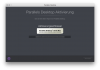
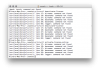
I cant ether deactivate the license on the old mac nor active my license on a new mac. Please help.
 

Attachments

  • Bildschirmfoto 2019-02-19 um 15.44.41.png
    Bildschirmfoto 2019-02-19 um 15.44.41.png
    80.8 KB · Views: 2
  • Bildschirmfoto 2019-02-19 um 16.17.15.png
    Bildschirmfoto 2019-02-19 um 16.17.15.png
    113.8 KB · Views: 2
Back
Top