Parallels 11 - unable to confirm the product licence?

ScottC4

Bit poster
I recently purchased a new MacBook Pro and used the Apple Migration Assistant to transfer over my data. I forgot to Sign Out on the old MacBook Air prior to formatting it.

Now when I have installed Parallels 11 on the new MacBook Pro and tried to Activate I get the following error message (as per http://kb.parallels.com/123461 ):
"This license is already in use. How would you like to activate Parallels Desktop on this Mac?"

So I click the 'Activate on This Mac' button as the previous install no longer exists. I then get this error message (as per http://kb.parallels.com/en/115324 ):
"Unable to confirm the product license.
You have reached the maximum number of activations available..."

The trial period will expire in a few days. Any advice for resolution please?
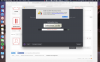
 
I'm getting this issue yet again. (If I have to go through one more new MacBook Pro I'm switching to Dell, btw. But that's a rant for another thread.) Screenshot attached.
 

Attachments

  • Screen Shot 2017-04-02 at 4.31.00 PM.png
    Screen Shot 2017-04-02 at 4.31.00 PM.png
    487.1 KB · Views: 6
Hi, I have exactly the same issue with my Parallels 11 licence. Could you help me please?
My Parallels 12 subscription on my other Mac is fine, only the Parallels 11 install and licence.

Thank you so much for your help
 
Hi PaulV5,
We have checked your Parallels account and found that you have Parallels Desktop 9/10/11/12. Also, we can see that only Parallels Desktop 9 is the full version then you have upgraded it to Parallels Desktop 10 using an upgrade key and followed the same for Parallels Desktop 11 then to Parallels Desktop 12. So actually you are upgrading the same license using upgrade keys. As per our licensing policy, a single license can be used on a single device. If you wish to use Parallels Desktop on your second Mac, please purchase a full license.
 
Hello,
I would like to move my Parallels Desktop 11 to another mac. I logged out and uninstalled it on the old one.
I installed it on a new one, logged in, give it a serial number.
Then clicked "move to another computer"
And I got warning:
Unable to confirm the product license. You have reached the maximum number of activations. Please purchase a new product license.
Please help....
Thank You
Marcin
 
Hello,
I would like to move my Parallels Desktop 11 to another mac. I logged out and uninstalled it on the old one.
I installed it on a new one, logged in, give it a serial number.
Then clicked "move to another computer"
And I got warning:
Unable to confirm the product license. You have reached the maximum number of activations. Please purchase a new product license.
Please help....
Thank You
Marcin
Hi @AbraMek. We have sent you a private message. Please check it and respond.
 
Back
Top