Can't Reserve Win10 - Parallels Display Driver Critical Issue

I don't get what's your problem now, once the drivers have passed the test and you are eligible for the upgrade you can reinstall Parallels Tools.

If you still can't do it, this seems to be a very exotic situation, there are so many possibilities, that yeah, you might as well start fresh.
Indeed, you don't understand my problem.
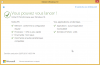
With or without Parallels Tools, I get this :
capture-decran-2015-07-28-a-14-15-35-png.10056

Is that more clear ?
I cannot install win10 with the free update process...
 
Hi there. Just the thread i was searching for. Can anyone of you confirm, that the new update on version 10.2.2 (29105) solves the above mentioned problems with GWX Compatibility Check or do I still have to uninstall Parallels Tools? Thanks a lot!
Second Question: How often will Microsoft re-run the Compatibility Check or am I able to re-run it myself?
 
Indeed, you don't understand my problem.
With or without Parallels Tools, I get this :
capture-decran-2015-07-28-a-14-15-35-png.10056

Is that more clear ?
I cannot install win10 with the free update process...

If the report still mentions the Parallels Display driver and it's not installed maybe the lack of understanding is not at my end here.

Yes, indeed the date is a give away, the test needs to rerun.
http://answers.microsoft.com/en-us/...ity-test/1414c2f5-4b5e-404c-9abf-12f69d96eae3

Is that more clear?
That was completely uncalled for, I have not mistreated you in anyway.
I have zero tolerance for sarcasm. I have also zero obligation to help you, if you get too snappy at me I'll just ignore your problem althogether.
 
Last edited by a moderator:
You cannot manually "rerun the test". The test happens once a month. I am guessing that there is no actual problem and that this issue was resolved in the Parallels 10 update and that the silly Microsoft Windows 10 update app is to blame. I have been running Windows 10 under Parallels 10 for several months without any issues yet I get the same warning as posted above.
 
Well it's the 29th, and when i click on the icon i see a bit different message telling it's over and out for me, no upgrade possible and suggestions to look for a new pc.
I'm older and not a wiz kid ,so for the time being i keep stick to W8.1 and wait for a solution from PD, good luck everyone!
 
If the report still mentions the Parallels Display driver and it's not installed maybe the lack of understanding is not at my end here.

Yes, indeed the date is a give away, the test needs to rerun.
http://answers.microsoft.com/en-us/...ity-test/1414c2f5-4b5e-404c-9abf-12f69d96eae3


That was completely uncalled for, I have not mistreated you in anyway.
I have zero tolerance for sarcasm. I have also zero obligation to help you, if you get too snappy at me I'll just ignore your problem althogether.
Hello,
I didn't want to upset you. In my original language (french), there is no intention of sarcasm or other incisive ...
I'm sorry you misinterpreted what I said.


You cannot manually "rerun the test". The test happens once a month. I am guessing that there is no actual problem and that this issue was resolved in the Parallels 10 update and that the silly Microsoft Windows 10 update app is to blame. I have been running Windows 10 under Parallels 10 for several months without any issues yet I get the same warning as posted above.
That's what I thought...
I run Windows10 in another virtual machine without troubles (except the Coherence mode that not working correctly, but I don't use it on my macbook air, I prefer the fullscreen).

Looking at https://communities.vmware.com/message/2526799#2526799 there is this file C:\Windows\AppCompat\Appraiser\Telemetry\Appriser.JSON that contains the error message and how to hack it.

Just telling, be careful, or make a snapshot before changing it.
If my refreshing isn't solving the problem, I may have a try on this .JSON modifications.

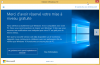
For now, the refreshing is done, and all updates are installed, and no parallels tools installed, and I've got this (with GWX) :
Capture d'écran 2015-07-29 à 08.03.27.pngCapture d'écran 2015-07-29 à 08.03.47.png
So for the moment I can't do anything. No preloading / loading ...
I'll have to wait.
 
If the report still mentions the Parallels Display driver and it's not installed maybe the lack of understanding is not at my end here.

Yes, indeed the date is a give away, the test needs to rerun.
http://answers.microsoft.com/en-us/...ity-test/1414c2f5-4b5e-404c-9abf-12f69d96eae3


That was completely uncalled for, I have not mistreated you in anyway.
I have zero tolerance for sarcasm. I have also zero obligation to help you, if you get too snappy at me I'll just ignore your problem althogether.

Why are you being a pratt to him? You have assumed english is his first language and he was having a go at you which to me clearly he was not. Your assumption makes you look rather foolish.
 
Back
Top